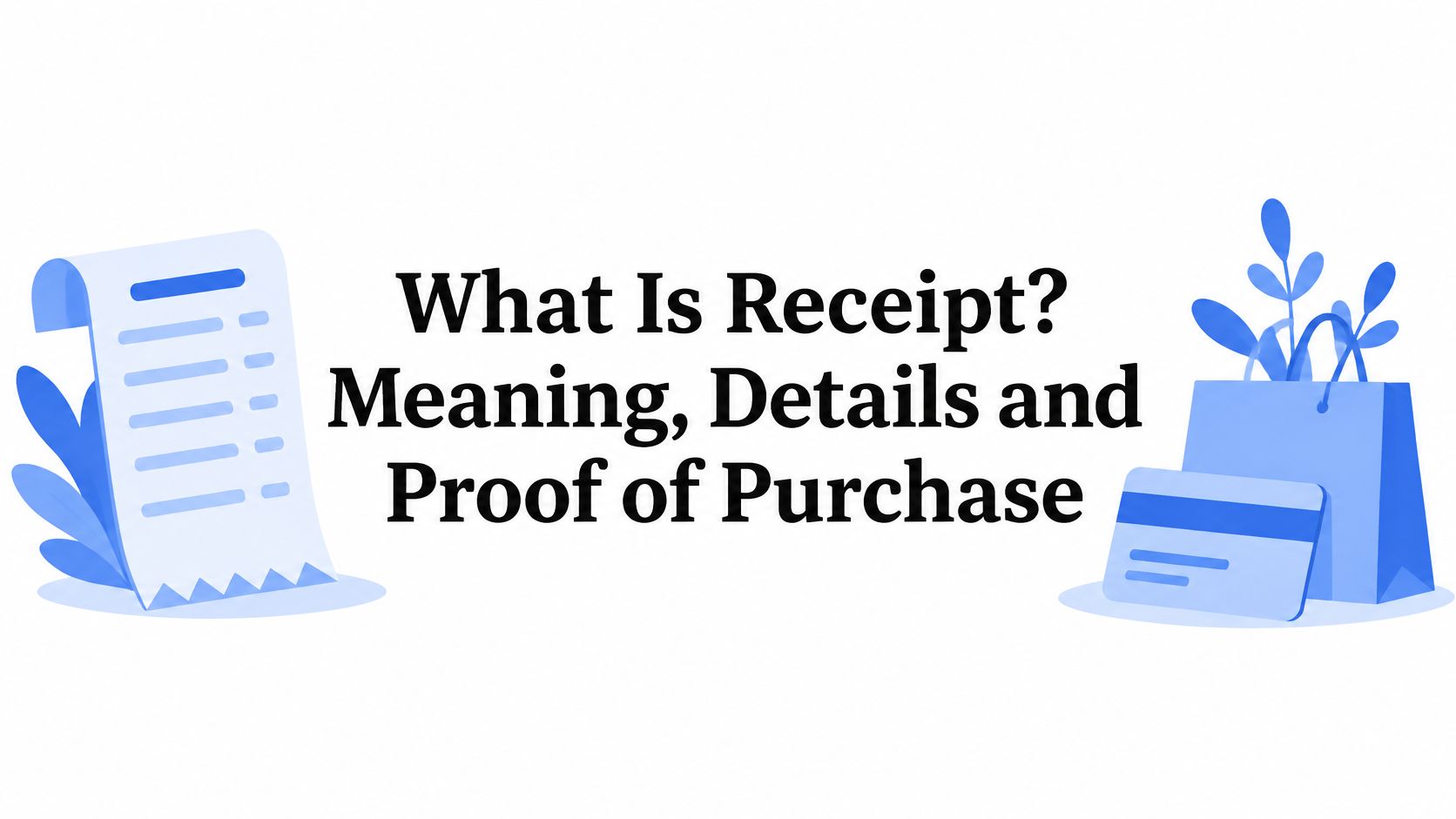
What Is Receipt? Meaning, Details and Proof of Purchase
What is receipt? Learn what a receipt records, how it proves a purchase, and how to use it alongside invoices and bank statements.
A receipt is a written or electronic acknowledgment that something has been received, and a purchase receipt typically records a completed payment for goods or services. It connects that payment to a particular transaction, so it can serve as proof of purchase.
That connection matters when you're closing the books and you're left with a bank line that shows money left the account, but not what anyone bought. We see this gap often in expense review. The receipt fills it, as long as we read it for the specific facts it shows.
Table of Contents
- What Is a Receipt
- What Information Appears on a Receipt
- A Purchase Receipt Example
- How Businesses Use Receipts as Evidence
- Receipts Compared With Other Transaction Records
- Storing, Matching and Validating Digital Receipts
- Finding Evidence When a Receipt Is Missing
What Is a Receipt
Say a team member buys office supplies and brings back a till slip. That slip links the seller, the items, and the amount paid in one place. It's more useful than a bank line alone because it shows what was bought, not just that money moved.
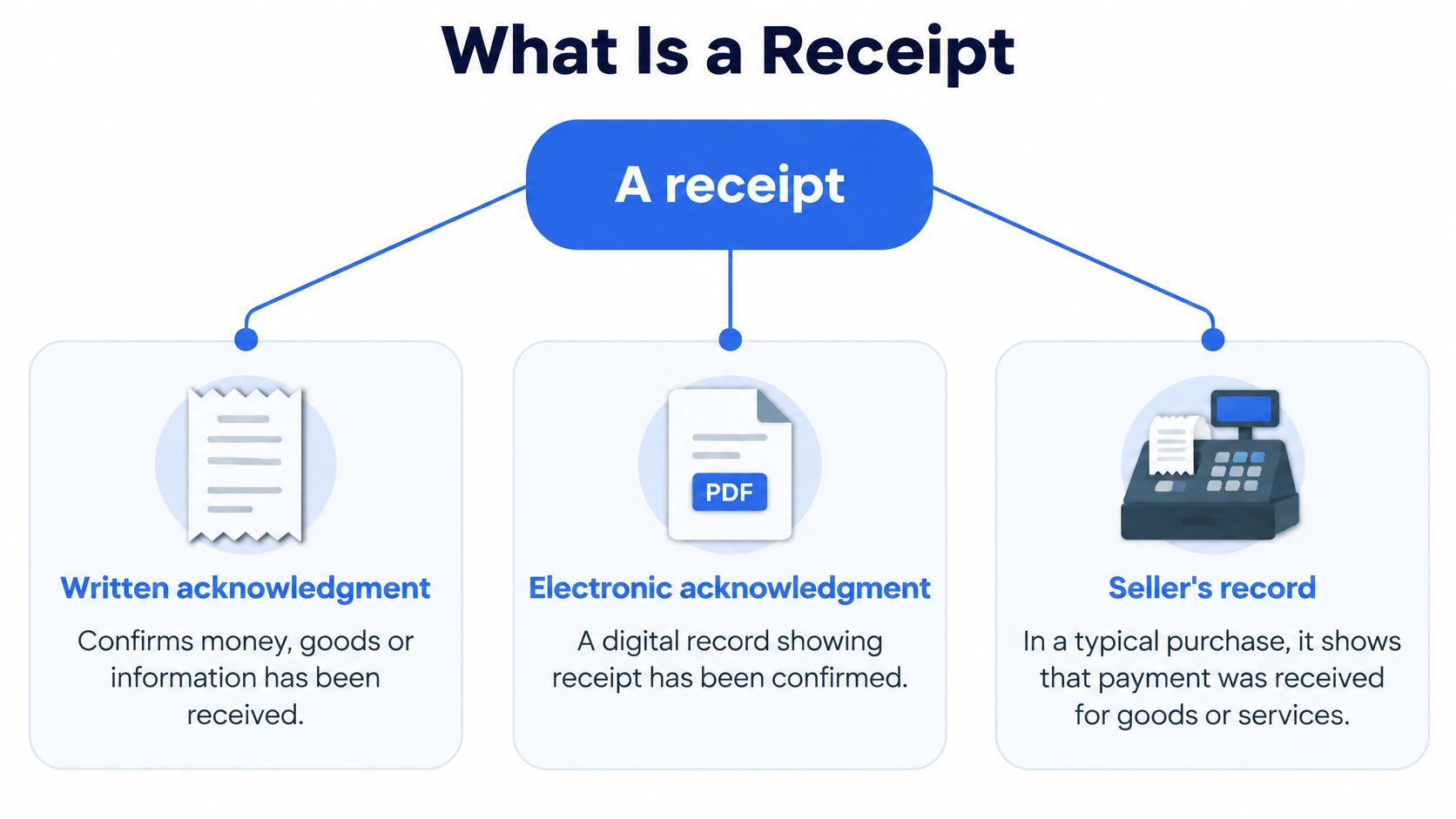
In plain terms, Investopedia's receipt definition describes a receipt as a written or electronic acknowledgment that money, goods, or information has been received. In commerce, it normally records the transaction date, seller, buyer or customer, items or services supplied, price, taxes, total amount, and evidence of payment. The Cambridge English Dictionary likewise defines a receipt as evidence that money or goods have been received.
Format Doesn't Change the Job
A paper slip from a register and an emailed receipt after an online order can do the same basic job. A card terminal or accounting software can generate one too. The core function doesn't change. It establishes what was received, when, and for how much.
The word can also mean the act of receiving something, so context matters. Here we're focused on purchase and payment records. Even then, a receipt only proves what its contents support, and it doesn't by itself prove every aspect of a business expense.
What Information Appears on a Receipt
Read a receipt from the top down and you'll usually move from who sold something, to when, to what was bought, to how the total was built. That order helps when you're checking an expense quickly. If one part is missing, you know exactly which fact is unsupported.
Common receipt fields and what they show
| Field | What it shows | Example |
|---|---|---|
| Seller name | Who received the payment | Office Supply Co. |
| Transaction date | When the purchase or payment was recorded | 12 March 2026 |
| Items or services and quantity | What was purchased and how much | Two notebooks |
| Prices and discounts | How the charge was calculated before tax | Two at $10 each |
| Tax and total | Tax charged, if applicable, and final amount | $2 tax, $22 total |
| Payment method or paid status | How payment was made or whether payment is recorded | Card; paid |
| Receipt or transaction number | A reference for locating the transaction | R-1042 |
| Buyer name or business purpose | Who purchased or why, when recorded | Not shown in the example |
What Each Field Actually Tells Us
The seller name identifies the business that received payment. The date places the transaction in a period, which matters for cut-off at month end. Item descriptions and quantities show the nature of the purchase, while prices, discounts, tax, and the total explain how the seller arrived at the amount charged.
A payment method or paid status helps show how the balance was settled. A receipt or transaction number gives the seller a way to pull up the same record later. Without that reference, finding a duplicate can take much longer.
Fields That Are Often Missing
Don't assume every receipt contains every field. A card-terminal slip may show only a total and payment method, with no itemization at all. Some receipts show a masked card number rather than a full account number, and that's normal.
A buyer name or business purpose may matter a lot in your workflow, but it isn't on every retail receipt. Tax detail also varies by seller, transaction, and jurisdiction. There's no single fixed format that every receipt follows.
Reading test: A useful business receipt lets us identify the payee, date, amount, and nature of the purchase, and lets us tell whether it records payment.
If your receipt fails that test, it isn't useless. It just means you'll need another record to cover the missing fact, and you shouldn't pretend the receipt covers it.
A Purchase Receipt Example
Below is a fictional receipt. We've kept it short so you can read it the way a bookkeeper would, checking each line against a claim.
Office Supply Co. 12 March 2026 Receipt R-1042 Two notebooks at $10 each: $20 Subtotal: $20 Tax: $2 Total: $22 Paid by card
Reading It Top to Bottom
The seller and date locate the event. You know who was paid and when the purchase was recorded. The item line identifies the goods, two notebooks, and the quantity explains the subtotal.
The $20 subtotal plus $2 tax gives you the $22 total, so the arithmetic is visible and checkable. The paid-by-card line supplies payment context. The reference R-1042 lets the customer or seller find this exact transaction again.
What This Example Doesn't Show
This receipt doesn't identify the buyer or state a business purpose. That's common at retail. We'd add that context in the expense record itself, for example who bought the notebooks and which project they're for, rather than assume it's on the original.
Compare it with a card-terminal slip showing only $22 paid by card. That slip supports evidence of payment, but it may not identify the notebooks at all. For a return, the shop needs to know which item is coming back. For reimbursement, an approver needs to know what the business is paying for.
The itemized receipt answers both questions more specifically than the amount alone. That's the practical difference between knowing money was spent and knowing what it was spent on.
How Businesses Use Receipts as Evidence
A receipt sits on both sides of a transaction, and each side uses it differently. The seller needs to support revenue. The buyer needs to support a cost.
Say a café sells a meal and hands over a receipt. For the café, transaction records like that help establish the source and amount of revenue. For an office that bought supplies, the same kind of document helps support the amount paid and the nature of the purchase.
Income and Expense Evidence
Under IRS Publication 583, the U.S. Internal Revenue Service lists receipts alongside sales slips, paid bills, invoices, deposit slips, and canceled checks as supporting documents. For gross receipts, businesses should retain documents showing both the amount received and its source, including cash-register tapes, bank-deposit slips, receipt books, invoices, and credit-card charge slips. For expenses, the supporting document should show the amount paid and establish that the payment was for a business expense.
That's why we treat a receipt as more than proof of purchase. It's evidence that supports entries in the books and figures on a tax return. Our guide to tracking expenses for a small business covers how we keep that evidence connected to each entry.
Everyday Uses Beyond the Ledger
Customers use receipts to support a return, a warranty request, or a payment dispute, usually subject to the seller's terms. Employees attach one to an expense claim so an approver can assess the purchase and the amount requested. In both cases, the receipt works because it ties a specific purchase to a specific payment.
A receipt supports an entry. It doesn't, on its own, establish that an expense is deductible or that a reported amount is correct.
Business purpose and other supporting records may also matter. Requirements depend on the facts and the jurisdiction, so we don't treat one slip as a complete answer to a tax question.
Receipts Compared With Other Transaction Records
Finance teams handle several documents for one purchase, and confusion starts when we treat them as interchangeable. Each record is best placed to answer a different question. Ask what fact you need to prove, then pick the document that proves it.
What different transaction records establish
| Record | Primary role | Does not necessarily establish |
|---|---|---|
| Receipt | Acknowledges payment or another specified item received | Business purpose or tax deductibility |
| Invoice | States amounts billed for goods or services | That payment has occurred |
| Delivery note | Records goods delivered | That the goods were paid for |
| Bank statement | Records account transactions | The items purchased or business purpose |
| Order confirmation | Records an order placed | Completed payment or delivery |
Where Records Overlap
These categories aren't rigid. A paid invoice may include evidence of payment, and a receipt can also describe the goods supplied. What matters is the content, not just the title at the top of the page.
A bank line may identify the merchant and amount, but it ordinarily doesn't itemize the purchase. A delivery note confirms goods arrived, but it doesn't necessarily establish payment. An order confirmation shows an order was placed, without establishing that payment was completed or goods were delivered.
We compare the two most confused documents in our explanation of a sales receipt vs invoice, because an invoice generally requests payment while a receipt documents that payment has occurred.
The VAT Exception Worth Knowing
For EU VAT, the distinction has real consequences. Under the European Commission's VAT invoicing rules, an invoice is compulsory for most business-to-business supplies and for certain business-to-consumer transactions. A VAT invoice can serve as proof allowing a business to deduct VAT when it contains the information required by the applicable EU member state.
That required information includes the description and quantity of goods or services, the unit price excluding tax and applicable discounts, and the transaction or payment date when it differs from the invoice date. A purchase receipt may document payment, but VAT recovery may require a compliant invoice with that prescribed information.
Decision rule: Keep the document that supports the specific fact in question, and add a complementary record when one document leaves a material gap.
Storing, Matching and Validating Digital Receipts
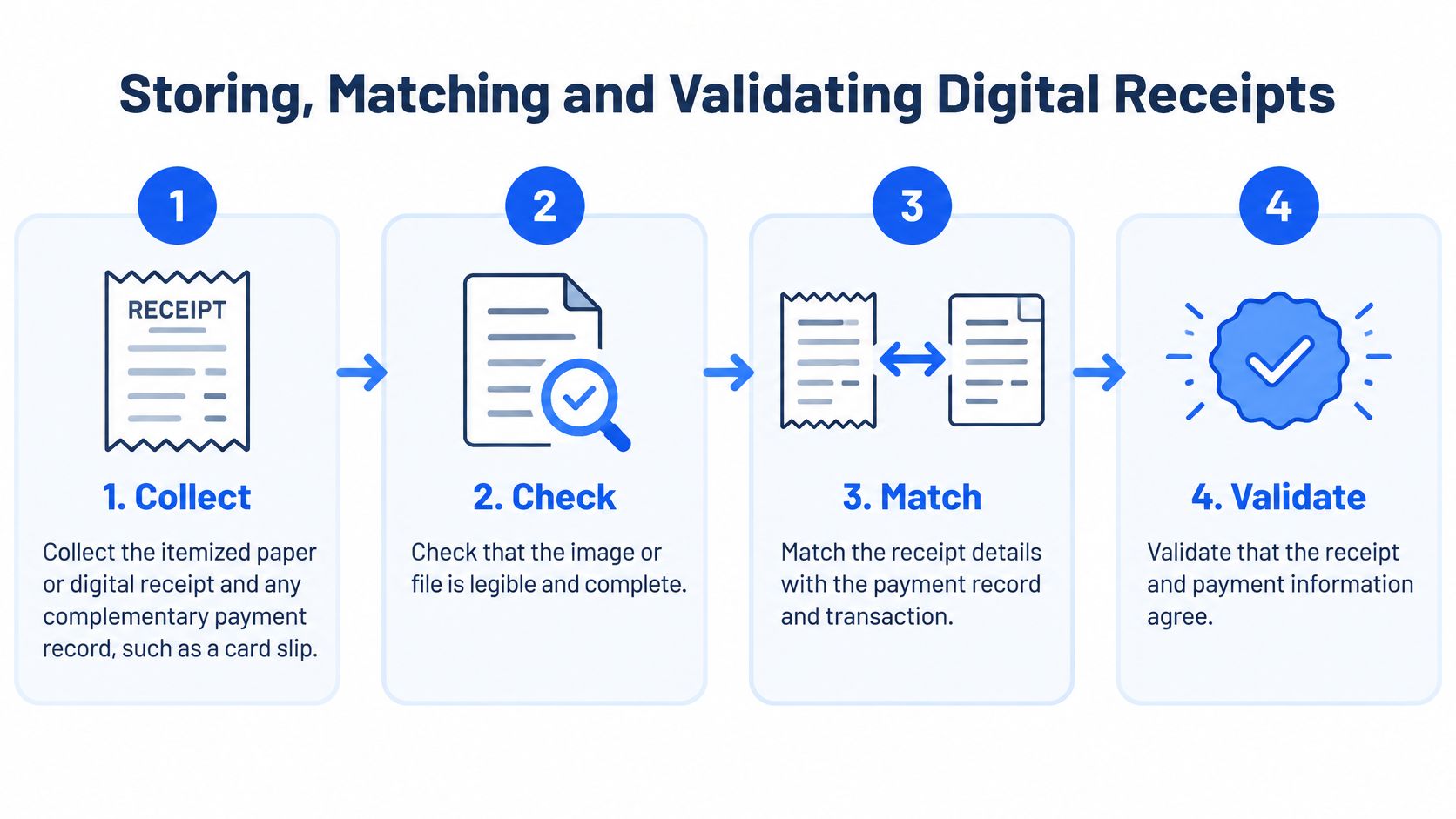
A digital receipt earns its keep at month-end, when someone needs to know which card charge it belongs to and which facts it proves. A bank line can point to a date, amount and counterparty. The receipt is what substantiates the itemization, tax detail and business context, so store it as evidence and link it to the ledger row in your own records.
- Collect: Gather the itemized paper or digital receipt and any complementary payment record, such as a card slip.
- Check: Confirm the image or file is legible and complete, including any reverse side or attachment with relevant details.
- Save and attach: Store it in a retrievable, business-controlled location and attach it to the matching expense, revenue entry, or claim, adding the business purpose where it's missing.
- Match: Compare the seller, amount, and date to the bank or card transaction.
- Retain: Keep the records for the period that applies to the transaction and jurisdiction.
We recommend using one stable reference in both places. If the ledger row says "meals" and the receipt shows software, the mismatch is easier to correct before the file moves to review. Our guide to organizing paper and digital receipts lays out a filing approach for mixed records.
When a Match Doesn't Agree
Don't force a match. Investigate differences such as a tip, a refund, a split payment, or a processing date that falls a day later. Put the explanation in the expense file with the record that resolves it.
The IRS recordkeeping guidance says taxpayers should keep receipts and other paper or electronic records supporting reported income, deductions, or credits, with a general recommendation of three years from the date a tax return is filed. That is a U.S. general recommendation, not a universal rule.
A screenshot, forwarded email, or exported PDF is not automatically sufficient because it is digital. Electronic records are generally treated like paper when they are complete, accurate, legible, retrievable, and protected against unauthorized alteration or deletion. Keep the original receipt attached to its ledger entry even after totals are typed into a spreadsheet; when a bank transaction shows payment but not what was bought, the receipt and the transaction work together rather than as substitutes.
Finding Evidence When a Receipt Is Missing
When a receipt is missing or lacks itemization, start with the seller. Ask for a duplicate or itemized record, and check the original order email or merchant account. Sellers can often reissue a record using the date, amount, and payment method.
If no duplicate exists, gather what does exist. An invoice, card record, or bank statement line can support parts of the transaction. Document the business purpose and the gap in the expense file, because these records don't automatically substitute for the missing receipt. Reimbursement, tax, and return requirements vary by policy and jurisdiction.
If bank activity is only available as a PDF, we can convert a digital, scanned, or password-protected statement into CSV or Excel for review alongside the other evidence, with bulk upload and files up to 25 MB. There's a free guest preview before payment, registered users get 24-hour download access, and uploads auto-delete within 24 hours. Converted rows help locate payments, but they're not itemized receipts.
Before relying on a converted statement, verify that opening balance + credits − debits = closing balance. Then investigate unmatched transactions separately. Our decision rule is simple. Identify which fact remains unsupported, and obtain the strongest available record for it.
When a receipt is missing itemization, we help you turn PDF bank statements into clean CSV or Excel rows so you can locate the matching payment and review it beside your other evidence. Visit autobankstatement to preview a conversion for free as a guest, check the balances, and download a spreadsheet your finance team can reconcile against.
Convert your next statement in minutes
Upload a bank statement PDF — digital, scanned, or password-protected — preview the extracted table, and download clean CSV or Excel.