Bank Reconciliation Software Compared: 10 Tools for 2026
Compare 10 bank reconciliation software options on features, team size, integrations, and statement imports, from PDF conversion to ERP platforms.
A bookkeeper sits at the end of the month with a locked bank statement PDF on one screen and the general ledger on the other, retyping transactions line by line because the bank doesn't offer a feed and the file won't copy cleanly into a spreadsheet.
Before comparing software, separate two jobs that tools blur together: getting bank transactions into structured rows, and matching those rows against the books. Every option below does one of those far better than the other, and only a few do both.
The gap is wider than most vendors admit. A 2026 survey of 303 chief financial officers at UK companies with at least 250 employees found that 67% used Excel for account analysis and justification and only 3% used a dedicated account-reconciliation solution for balance-sheet substantiation, according to the release on UK financial close automation. Years of ERP adoption haven't moved finance teams off spreadsheets.
This review sorts ten tools by where they sit in that cycle: extraction, matching, and close governance. For each we cover what it does, the team size and bank setup it fits, and where it stops.
Table of Contents
- 1. autobankstatement Turns Statement PDFs Into Review-Ready Rows
- 2. QuickBooks Online Keeps Reconciliation Inside the Ledger
- 3. Xero Puts Matching in the Middle of the Bookkeeping Flow
- 4. Sage Runs From Small Business Books to Midmarket ERP
- 5. Zoho Books Offers Reconciliation on a Free Plan
- 6. BlackLine Governs High-Volume Account Reconciliation
- 7. FloQast Reconciliation Automation Manages the Close Itself
- 8. Numeric Cash Reconciliation Targets the Exception Queue
- 9. ReconArt Configures Matching for Messy Data Sets
- 10. Netgain NetCash Reconciles Inside Oracle NetSuite
- How the 10 reconciliation tools differ on pricing model, statement import, and best-fit team
- Matching a Reconciliation Tool to Your Team Size and Bank Setup
1. autobankstatement Turns Statement PDFs Into Review-Ready Rows
The upload screen asks for the statement and, if the file is locked, the password. Nothing else.
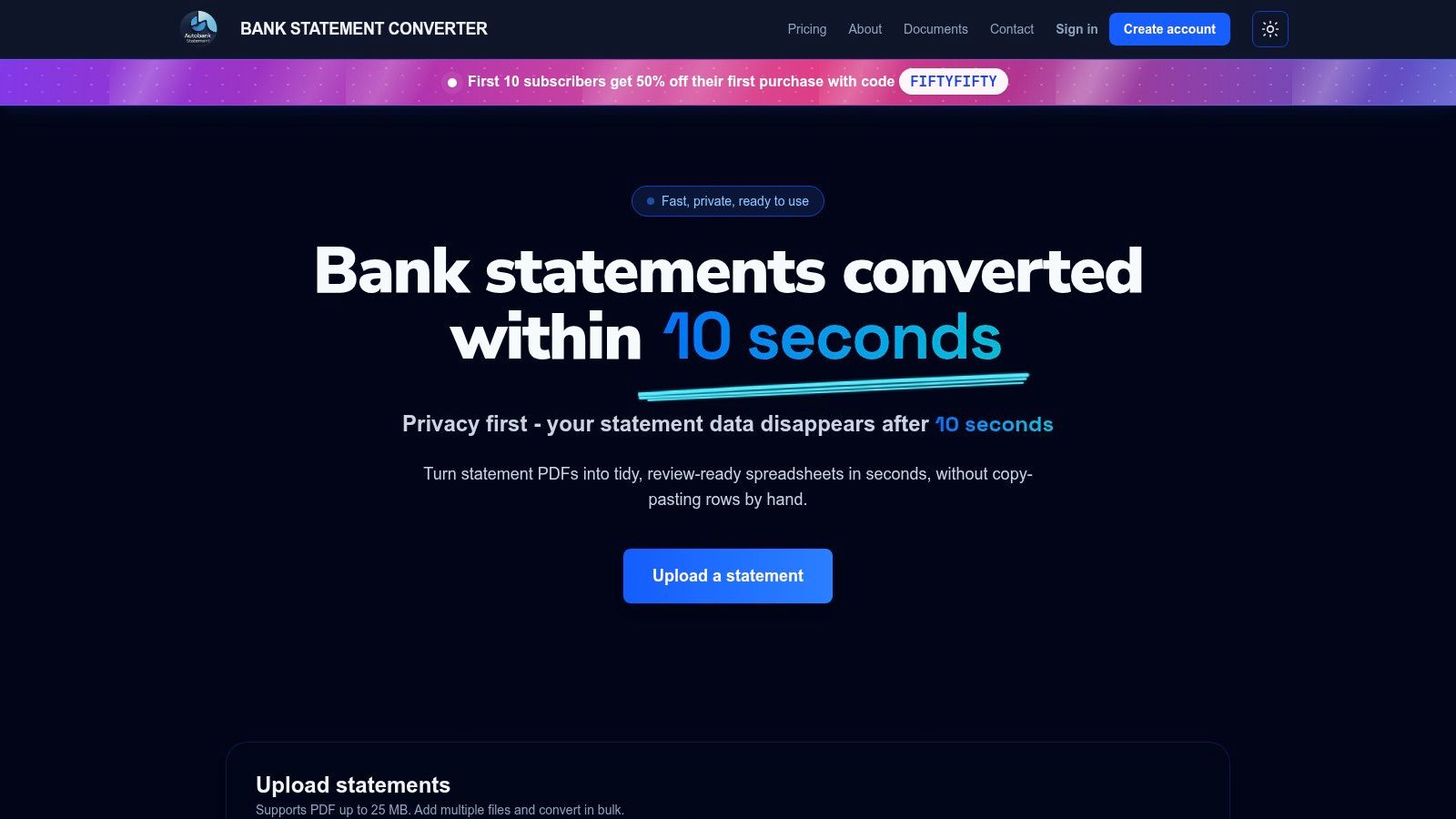
Autobankstatement sits at the front of the cycle: a bank statement PDF goes in and transaction rows come out as CSV or Excel (XLSX). It reads digital statements directly, runs OCR on scanned pages, and opens password-protected files with a password entered at upload and used only for that conversion. Opening and closing balances are preserved in the output, so you can test the arithmetic before anything reaches the ledger. A guest preview shows the parsed table before payment, and you can correct a misread description or a shifted column in the browser before downloading. There is no fixed bank list, so unfamiliar layouts go through adaptable parsers rather than getting refused.
What the plans cover
Access comes in three modes: a free guest preview, registered accounts that keep recent results and downloads available for 24 hours, and subscriptions suited to recurring bookkeeping, tax prep, and larger monthly batches. Files can be up to 25 MB each and bulk upload is supported, which matters in January when a client sends twelve months of statements at once. Each uploaded statement is used only to run the conversion and is deleted within 10 seconds after processing completes, and download links expire. Text-based statements often come back in seconds, and the service reports 99.95% historical uptime. The first 10 subscribers get 50% off their first purchase with code FIFTYFIFTY, and if a conversion fails or the output is materially unusable due to a service error, support will resolve the issue or rerun the conversion when contacted within 14 days of the charge.
Where it earns its keep
- Both output formats: CSV for import scripts and XLSX for the review workbook your team already uses.
- The awkward files: OCR for scans, password entry for locked statements, bulk for volume.
- Preview before commitment: a free guest preview means you can test a real statement before paying.
- Repeatable intake: a subscription covers recurring bookkeeping and larger monthly batches without a custom project.
Where it stops
- No matching or posting: it produces the spreadsheet. Ledger matching, approvals, and journal entries stay in your accounting system.
- OCR needs a second pair of eyes: skewed scans and unusual layouts produce errors worth checking against the source page.
Website: autobankstatement
2. QuickBooks Online Keeps Reconciliation Inside the Ledger
If the books already live in QuickBooks Online, reconciliation belongs in the same window as the ledger, with one caveat that can decide the purchase. AI-powered statement reconciliation is listed for Plus, Advanced, and Intuit Enterprise Suite, so a Simple Start subscriber gets bank feeds and manual matching but not the statement-upload path. Check the plan before you check the feature.
The workflow is the familiar one: bank feeds pull in transactions, you match them against recorded entries, and reconciliation history keeps a dated record of each closed period. Where a feed isn't available, or a client insists on working from statements, an eligible plan can upload the PDF and compare the extracted activity against existing QuickBooks records. There's a free tier plus several paid ones, which keeps the decision to a plan upgrade rather than a new vendor.
Expectations around automation are already set among the people who would use it. Intuit's 2024 QuickBooks Accountant Technology Survey reported that 98% of accounting professionals had used AI software to support clients. For a practice on Plus or above, that means the upload-and-compare path lands on users who already expect the software to make the first pass, leaving review and sign-off to them.
Strong fit: practices running full client books in QuickBooks Online on Plus or above. Weak fit: a team that only needs rows out of a locked PDF, which our walkthrough on importing a bank statement into QuickBooks Online and Xero covers without paying for a platform.
Website: QuickBooks Online
3. Xero Puts Matching in the Middle of the Bookkeeping Flow
Xero treats reconciliation as a daily habit rather than a month-end event, and that shapes what it's good at. Bank feeds pull transactions in, matching suggestions pair them with recorded entries, and bank rules apply a saved coding decision to anything that looks the same next month. Automatic bank reconciliation is available on the Growing plan and above.
Manual imports cover the gap when a bank connection isn't available, which happens more often than vendors admit with small credit unions, trust accounts, and non-US banks. Accounting, reporting, and cash-flow views sit in the same system, so the reconciliation isn't a separate exercise with its own export.
The control that matters sits after matching. IRS examination guidance describes bank-record reconciliation as a method for testing the reliability of books and records, notes that bank records can reveal transactions not disclosed in the books, and recommends tracing the ending balance to the general ledger, as set out in the Internal Revenue Manual. A feed that clears the wrong invoice moves the balance without moving the evidence.
Trade-off to accept: reliable bank connectivity is part of the deal. If a client's bank won't connect, you're back to manual imports every month.
Website: Xero
4. Sage Runs From Small Business Books to Midmarket ERP
A two-person bookkeeping shop on Sage 50 and a 40-person manufacturer on Sage Intacct are both Sage customers, and their reconciliations have almost nothing in common. Establish which edition you're buying before comparing feature lists.
Sage advertises bank and credit-card connections, transaction imports, rules-based matching, and discrepancy detection across Sage 50, 100, 300, and Intacct, with depth varying by product. On Sage 50 the work is a monthly bank rec from imported transactions. On Intacct it's a controlled, multi-entity process that has to survive an audit, and the implementation effort reflects that difference.
Buyers weighing an ERP-side fix should know what stalls these projects. Market reporting summarized in Dost's analysis of automated payment reconciliation puts cybersecurity concerns at roughly 46% of enterprises, legacy-ERP integration issues at 39%, and privacy or regulatory-compliance challenges at 33%. Rules-based matching is the easy part; clean data moving in and out of a legacy ERP is not.
Where it fits: organizations already committed to a Sage edition, from small-business accounting to midmarket ERP. Where it doesn't: anyone choosing a platform solely for bank reconciliation, since pricing and implementation climb quickly at the ERP end.
Website: Sage
5. Zoho Books Offers Reconciliation on a Free Plan
A solo bookkeeper reconciling two or three accounts does not need a paid close platform, and Zoho Books includes bank reconciliation on its free plan. Automatic feeds pull activity where the bank supports them, manual imports handle the rest in several formats, and statements can also arrive by email. Matching suggestions, bulk matching, and custom rules for recurring transactions clear most of the routine work, and reconciliation reports can carry attached supporting documents.
Check two limits before committing. PDF import is documented for select banks in the US, Canada, and Mexico, so confirm your bank and country first. Feed availability also depends on bank, country, and provider, and edition limits vary by plan.
The attachment habit matters more than it looks. Tax authorities expect bank statements to be retained as readable records, and IRS Publication 583 lists them among the documents that support the income and deductions a business reports. A reconciliation report with the source statement attached is what that expectation looks like in day-to-day bookkeeping.
For freelancers and very small teams on a tight budget, it does the job. Teams adding entities, currencies, or a second reviewer will outgrow it.
Website: Zoho Books
6. BlackLine Governs High-Volume Account Reconciliation
BlackLine is a financial-close platform, not a bookkeeping tool, and the difference is governance. Account reconciliation, transaction matching, standardized templates, and dashboards showing status, timeliness, and quality are built for teams that must prove the process ran, not just run it.
The natural buyer is a controller with hundreds of accounts, several entities, and an audit committee asking questions. Freelancers and small businesses would pay for workflow they never use, and pricing is sales-led rather than published.
Measure before you buy, because the benchmark exists. APQC defines bank-account reconciliation cycle time as the elapsed time from receiving the statement through completing the ending book-balance reconciliation, including active work and waiting time. Its benchmark summary shows top performers reconciling a single account in about 2.6 hours, median performers around 4 hours, and lower performers 5 or more hours.
Run the pilot on your own numbers
Track hours per account before and after, split extraction and import time from exception-resolution time, and record the share of accounts closed without manual intervention. Our month-end close checklist lists the steps to time. If your baseline is already near the top-performer mark, software returns little; if you're north of five hours, the gap is the business case.
Website: BlackLine
7. FloQast Reconciliation Automation Manages the Close Itself
FloQast organizes reconciliation around ownership and deadlines, not matching algorithms alone. Every reconciliation has a preparer, a reviewer, a due date, review notes, and a status, and the close calendar makes all of it visible at once.
That's the handoff most tools ignore. High-volume transaction matching sits alongside the workflow rather than replacing it, and integrations pull ERP, bank, and subledger data into the same view. If your close stalls because nobody knows which account is waiting on whom, this is the layer that fixes it. If your close stalls because statements arrive as locked PDFs, it isn't.
The evidence for close speed is hard to argue with. Worldwide research involving more than 1,000 finance professionals, published in the close-the-books research report, found 47% of finance teams lacked the automation needed to accelerate bank reconciliations, 56% still reviewed transactions manually for anomalies or inaccuracies, and the average monthly close took 7 working days. Teams embracing automation cut closing time by 29%, and 88% of organizations automating substantially all automatable processes closed within six business days, against 59% automating only some and 40% with little or no automation.
Trade-off: quote-based pricing and a managed-close mindset. A five-person team doing straightforward bank matching will find it heavy and expensive.
Website: FloQast Reconciliation Automation
8. Numeric Cash Reconciliation Targets the Exception Queue
Numeric attacks the part of reconciliation that survives automation: transactions that don't match cleanly. Rules can match on memo, amount, and date, and the engine handles one-to-one pairs as well as grouped matches where several ledger entries settle one deposit.
Bank connections and AI-assisted statement parsing bring data in, while journal-entry and approval workflows push corrections out. It layers over an existing ERP instead of replacing it, which suits teams that like their ledger and dislike their close.
Exception volume is where the hours go. A 2025 survey of finance professionals found cash reconciliation commonly consumes 20 to 50 hours per month, with many teams running three to five systems, 50% calling Excel-driven processes a close bottleneck, and 56% citing dependencies on other departments or regions, according to Trovata's analysis of bank-to-GL data.
Practical rule: judge this category by the quality of its exception queue, not its match rate. Forty prioritized items with evidence attached beat four hundred auto-cleared rows that hide the five that were wrong.
Buyers should validate bank connectivity and implementation scope rather than assume them. Our explainer on what bank statement reconciliation actually involves is a useful checklist for that conversation.
Website: Numeric Cash Reconciliation
9. ReconArt Configures Matching for Messy Data Sets
ReconArt assumes your data is ugly, which is often the honest starting point. It imports structured bank formats and custom layouts, transforms and validates them, then applies rule-driven matching across one-to-many and many-to-many relationships, with multi-currency support and exception classification built in.
Configuration is the product. Someone has to define the rules, the tolerance thresholds, and the exception classes, and that effort is the implementation. Teams that want to upload a file and see matched rows will find the setup front-loaded.
The category is expanding for a reason. Grand View Research estimated the global reconciliation software market at USD 2.53 billion in 2024 and projects it to reach USD 7.54 billion by 2033, a 13.1% compound annual growth rate, per its reconciliation software market report. Rising spend doesn't make a configurable platform right for a business with two accounts and one currency.
Fit: finance teams reconciling several sources and formats, or multi-currency groups. Not fit: a small business doing one straightforward monthly bank rec, where the setup costs more than the manual work it replaces. Ask for a demo and a scoped quote before deciding.
Website: ReconArt
10. Netgain NetCash Reconciles Inside Oracle NetSuite
NetCash exists for one audience: organizations already running Oracle NetSuite. Bank and credit-card reconciliations happen inside the ERP, matching rules work against existing ledger entries and open transactions, and proof-of-cash reporting gives auditors the support they ask for.
For a NetSuite shop, that's a shorter path than exporting data to a standalone tool and reconciling it twice. Intercompany and multicurrency support matter for groups holding several entities and bank accounts in different currencies, and keeping the reconciliation native avoids a second system of record.
For anyone on a different platform, the evaluation ends at the first requirement. Pricing isn't publicly listed, so the buying conversation starts with the vendor rather than a pricing page.
What to confirm before signing: that your bank connections are supported, and that the matching rules can express the transactions your team disputes. The rules are only as good as the person configuring them.
Website: Netgain NetCash
How the 10 reconciliation tools differ on pricing model, statement import, and best-fit team
The tools sort by where they sit in the monthly cycle: extracting statement data from the PDF, matching it against the ledger, or governing the close. Pricing follows the same split, from self-serve conversion plans to sales-led close platforms.
| Item | Pricing model | Statement import | Best suited to |
|---|---|---|---|
| autobankstatement | Free guest preview; paid downloads; subscription tiers at $15, $30, and $50 a month | PDF upload, including scanned and password-protected files; exports CSV or XLSX | Recommended for converting statements into review-ready spreadsheets |
| QuickBooks Online | Free option and multiple paid plans | Statement upload and extraction on eligible plans | Small businesses wanting accounting and reconciliation together |
| Xero | Plan-based; automatic reconciliation requires Growing or above | Manual transaction imports; bank feeds also available | Businesses and accounting practices using regular bookkeeping workflows |
| Sage | Per-edition license across products; ERP tiers sold by quote | Transaction imports and bank connections | Organizations seeking accounting or ERP tools across different scales |
| Zoho Books | Free plan and paid editions | Manual imports in several formats; PDF support for select banks and regions | Small businesses wanting accounting with flexible import options |
| BlackLine | Sales-led annual contract priced by quote | Bank-data reconciliation and high-volume transaction matching | Enterprises managing governed, large-scale financial close |
| FloQast Reconciliation Automation | Quote-based | Matching from integrated finance-system and data sources | Accounting teams managing close workflows and review processes |
| Numeric Cash Reconciliation | Quote-based; purchased as a dedicated cash reconciliation module | Bank connections and statement parsing | Established finance teams needing cash reconciliation alongside an existing ERP |
| ReconArt | Per-edition license priced by quote | Imports structured and custom formats from multiple sources | Organizations with complex, varied reconciliation requirements |
| Netgain NetCash | Sales-led quote; licensed as a NetSuite add-on | Bank and card transactions within NetSuite | NetSuite customers seeking native reconciliation and reporting |
Matching a Reconciliation Tool to Your Team Size and Bank Setup
Start with where the hours go, not with a feature grid. Every tool in this list sits at one of three points in the monthly cycle: getting statement data out of the PDF, matching it against the ledger, or governing the close. If the cost is retyping from statement PDFs, a converter that handles locked and scanned files returns the most hours per dollar, and a subscription fits recurring bookkeeping or larger batches. If the cost is matching, approvals, and close governance, an accounting platform or a close tool is the better purchase, and the converter becomes an input rather than the answer.
Team size narrows the shortlist further.
- One person or a solo bookkeeper: a PDF converter plus a disciplined spreadsheet template. Skip anything that comes with an implementation plan.
- Two to five people closing client books: a converter for intake, then QuickBooks Online or Xero for matching and reporting.
- Ten or more in-house finance staff on an ERP: BlackLine, FloQast, Numeric, or ReconArt, chosen by matching model and governance needs rather than brand.
- NetSuite shop: NetCash, because reconciling inside the system beats reconciling beside it.
Bank setup decides as much as headcount. A team with clean digital statements from three major banks can run almost anything. A team dealing with scanned pages, password-protected files, multi-currency balances, or banks without feeds needs extraction solved first, because matching tools assume the data already exists in rows.
Whatever you shortlist, test the output arithmetically before trusting it. IRS Publication 583 shows the mechanics: start with the bank statement balance, add items such as deposits not yet credited, subtract outstanding checks, and the adjusted bank statement balance should equal the adjusted checkbook balance. Its worked example starts at $1,458.12, reaches a subtotal of $2,675.53, then subtracts four outstanding checks totaling $526.50 for an adjusted balance of $2,149.03.
Apply the same test to any extracted file. Opening balance plus credits minus debits should equal the closing balance stated on the page, and the row count should match the statement's transaction count.
One prior-month statement through two candidates exposes more about parsing quality, balance preservation, and exception handling than any demo.
If your bottleneck is the statement itself, autobankstatement converts PDF bank statements, including locked and scanned files, into CSV or Excel tables you can review in the browser before downloading, with a free guest preview and subscriptions suited to recurring bookkeeping and larger batches. It handles the extraction stage so your team spends its close reviewing exceptions instead of retyping rows. Visit autobankstatement and run your own month-end statement through the preview to see the output format before you choose anything else.
Convert your next statement in minutes
Upload a bank statement PDF — digital, scanned, or password-protected — preview the extracted table, and download clean CSV or Excel.