3 Month Bank Statement PDF: How to Get and Prepare It
Learn how to get a 3 month bank statement PDF from your bank, what it must show, and how to prepare it for lenders, landlords and bookkeepers.
A request for three months of bank statements usually arrives with a deadline attached and a document attached that doesn't quite work. One PDF, forty pages, the middle month missing, locked with a password the client has forgotten. Or a screenshot from a banking app that shows a healthy balance and nothing a lender can accept.
We treat these packages as a document-hygiene problem rather than a financial one. Four things decide whether a reviewer keeps reading: the right months, every page present, the bank's original file, and a continuity check that proves the three statements belong together. Get those right and attention moves to the numbers, which is where you want it.
A 3 month bank statement PDF covers roughly a quarter of account activity, and it usually arrives as three monthly statements rather than one consolidated file. In 2023, approximately 70% of documents received by 24 surveyed Polish accounting firms were electronic files such as PDFs, scans, images or EDI documents, according to research published in the 2024 ISD conference proceedings. Electronic intake is the default now, which is exactly why the checking matters more than it used to.
Table of Contents
- How to Request Three Months of Bank Statements
- Why Lenders and Landlords Ask for Three Months
- What Every Statement Page Must Show
- Checking Balances and Continuity Before Sending
- Preparing the Package for Common Uses
- Mistakes That Get Packages Returned and the Final Check
How to Request Three Months of Bank Statements
Start in online banking. It is the fastest route and the one most likely to give you the bank's own file rather than a copy of a copy. Work through the steps in order and open each file as it lands, because a problem caught now costs minutes and the same problem caught by an underwriter can stall the application while you request a replacement.
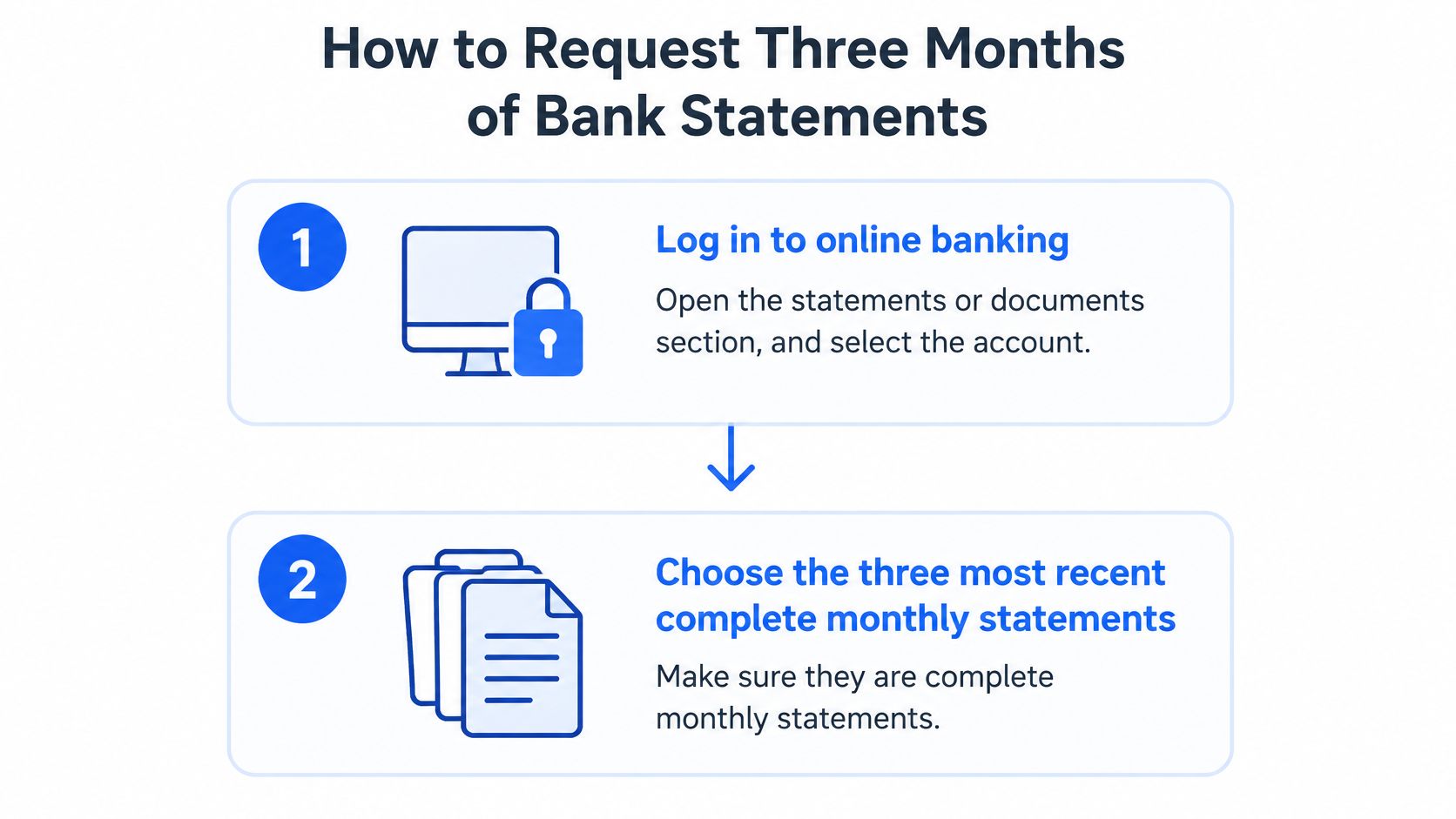
- Log in and open the statements or documents section. Select the account first, then the period. Choosing a date range before the account is how people end up with the savings account's statement in a package meant to show salary credits.
- Pick the three most recent complete monthly statements. Consecutive months matter more than the month names, and the newest statement should end close to the date you apply because reviewers expect current activity rather than an old statement. If this month's statement has not been generated yet, do not substitute a transaction printout. Wait for the statement or request an official PDF.
- Download each one as a PDF in the bank's own format. No screenshots, no printing to PDF, no browser "save as PDF" of a preview screen. Those files carry no bank header, no account number and no statement period.
- Ask for older statements if the archive stops short. Secure messaging or a branch visit works. Be specific about the months and ask for official PDF copies, not a summary letter.
- Open every file and read the header. Check the account holder name, bank name and statement period. If the period runs from the 18th to the 17th rather than a calendar month, that is normal, and it is fine as long as the three periods join end to end.
When the archive stops short
Online banking often displays only a rolling window of recent statements, which is not the same as the bank's retention obligation. HelpWithMyBank guidance on statement records notes that banks must retain records for deposits over $100 for at least five years, and that the Bank Secrecy Act generally requires most covered records, including account statements or ledger records, to be kept at least five years. The download window is temporary; the record behind it usually isn't, so an older month can nearly always be requested while it's still available.
If the bank offers only a transaction history for a missing period, ask whether an official statement can be regenerated. A history can help your own records, but it does not replace a statement page in the package.
Save the originals in a folder you don't touch again. Keep the exact file names the bank gave them, and note the date you downloaded each one and whether it came from online banking or a branch. Every later step, including conversion, works on a copy.
Why Lenders and Landlords Ask for Three Months
One month of statements can be staged. A borrowed lump sum sits in the account for a fortnight and the closing balance looks comfortable. A freelancer has one strong month and the deposits look steady. Neither story survives a second and third statement, because a reviewer sees the salary land three times, the rent or existing loan payments leave three times, and whether the balance holds a cushion or scrapes zero between paydays.
That is the whole logic of the window. Three months is the shortest period that shows a pattern instead of a snapshot.
The pattern test: a reviewer isn't looking for a healthy balance. They're looking for the same healthy balance three months running.
The quarter also covers real life. Insurance premiums, quarterly fees, an annual subscription and one irregular month all show up inside thirteen weeks, and the period still ends recently enough to describe the applicant's finances as they are now rather than as they were last year. Shorter proves little; much longer adds paperwork without changing the picture.
This isn't guesswork on the lender's part. HUD mortgage guidance allows original bank statements covering the most recent three-month period as an alternative to a written Verification of Deposit, and accepts two consecutive statements when the latest one shows the previous month's ending balance, because that balance carries continuity across the period. The exact window does shift with the program: HUD income-verification guidance tells reviewers to collect two months of bank statements or bank-card activity summaries to confirm pay-stub deposits. So the requester's count and date rules decide what you send, and that includes rental screening, where tenant income verification often follows the same three-month convention.
What Every Statement Page Must Show
The summary box at the top and the transaction table below it are where a reviewer spends their time. Run this list against every page of every file before anything gets combined.
| Field | Where it usually appears | Why reviewers check it |
|---|---|---|
| Account holder name and address | Top of the first page | Ties the document to the applicant |
| Bank name and formatting | Header and footer | Shows the file came from the institution |
| Account number (masked is normal) | Summary box | Last four digits must match the application |
| Statement period start and end dates | Top of each page | Confirms three consecutive cycles |
| Opening balance | Summary box | Starting point for the continuity check |
| Total credits (deposits) | Summary box | Shows incoming money and possible income |
| Total debits (withdrawals) | Summary box | Shows recurring bills, rent and debt payments |
| Closing balance | Summary box | Must equal the next statement's opening balance |
| Transaction date, description and amount | Transaction table | Lets reviewers trace recurring income and large deposits |
| Running balance | Transaction table | Shows the cushion between paydays |
| Page number ('page 2 of 6') | Footer | Proves no sheets are missing |
The two fields that cause the most questions
The page footer is the first. It's small print, and it's the fastest way to prove a package is whole or to expose a partial download. Quote it back to yourself as you count.
The second is the running balance. A closing balance says where a month ended; the running balance says how the account behaved getting there, including the days the balance dipped. Statements generally list completed transactions in date order and may leave pending items out, as Chase's explainer on bank statements sets out, so a card purchase from the last few days may legitimately be missing. Don't treat its absence as an error and don't add it in by hand. Any redaction of the account number is fine, provided the last four digits match the application.
Expect follow-up questions on individual rows. The Consumer Financial Protection Bureau's guidance on lender requests tells home buyers with recent large deposits to document where the money came from, because lenders must verify the source of down-payment funds. A three-month sequence shows whether a credit is recurring earnings, an internal transfer or a one-off gift. The federal Verification of Deposit form asks for three different things again: the current balance, the average balance over the previous two months, and the date the account was opened. Your statements should be able to answer all three, and our guide to what a bank statement shows walks through the layout column by column.
If a field is missing or illegible, request a corrected or complete copy from the bank. Never edit the PDF yourself.
Checking Balances and Continuity Before Sending
The arithmetic takes ten minutes and catches the errors that get packages returned. Do it before anyone official sees the file.
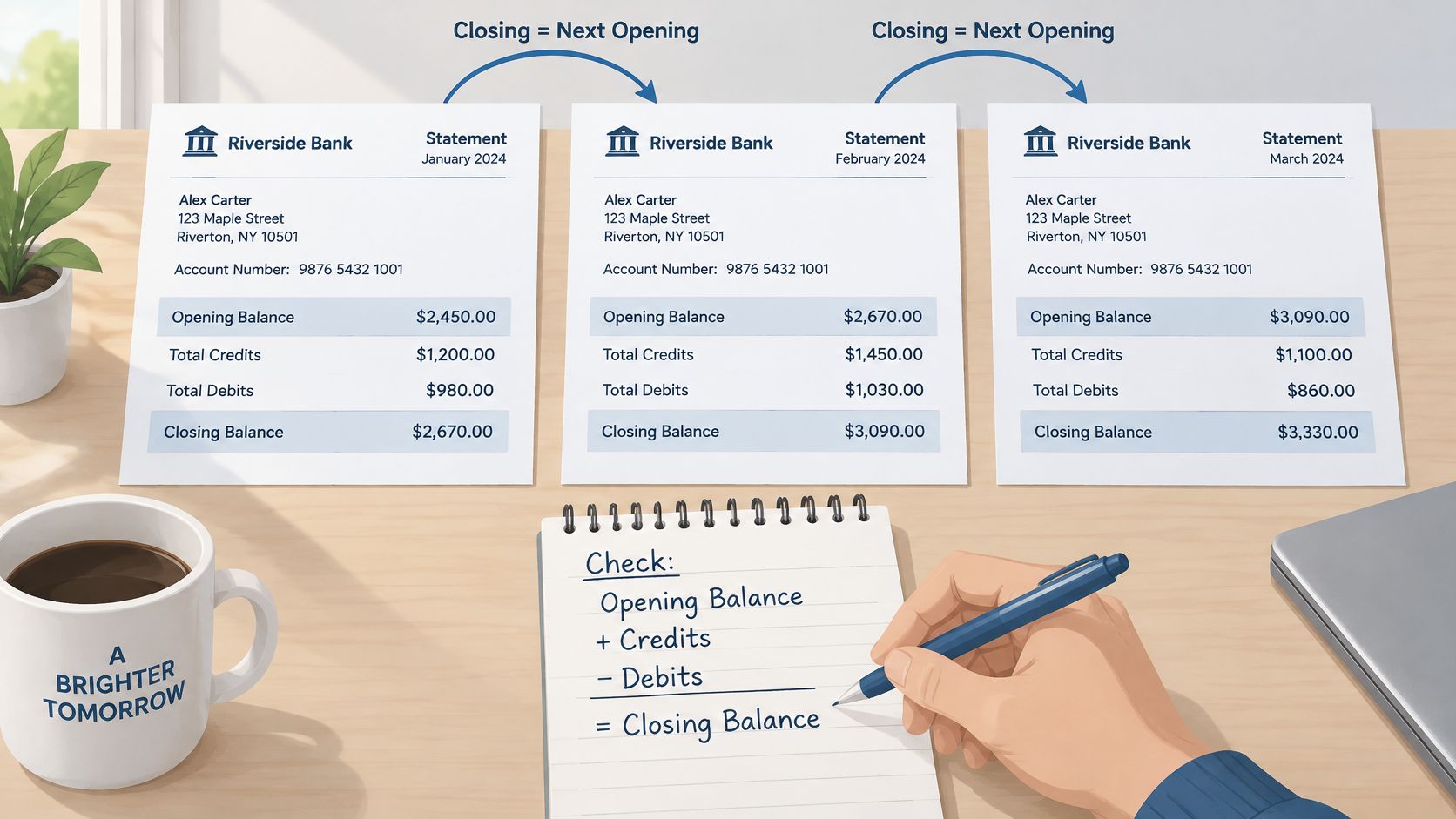
For each month, opening balance plus credits minus debits should equal the closing balance. Then check the join: each closing balance should equal the next month's opening balance. Say a statement opens at 2,400, shows credits of 4,100 and debits of 3,850. It should close at 2,650, and the following statement should open at 2,650. If it opens at 2,480, a page is missing, a transfer is unaccounted for, or an amount was misread.
Running balances give you a second, finer check. Each one should move correctly after every single transaction, so a misread digit shows up immediately as a break in the sequence rather than hiding in a monthly total.
What the arithmetic cannot prove
Here is the uncomfortable part. A parser can read a forged or edited statement perfectly. Clean rows, totals that reconcile, and a tidy spreadsheet are evidence of extraction quality, not of authenticity.
That gap is not theoretical. Fraud-risk reporting from Inscribe's analysis of lender document fraud found that approximately 6% of documents processed across one large fraud-risk network in 2025 were flagged as fraudulent, while 85.6% of surveyed fraud and risk leaders identified bank statements as the document type most vulnerable to manipulation. A balanced file is just as forgeable as an unbalanced one.
So run two checks, not one. The arithmetic check answers "is this complete". A provenance check answers "is this the bank's file":
- Source: downloaded directly from online banking or issued by a branch, never forwarded from a third party or rebuilt from a screenshot.
- Identity: the account holder name and address read the same on every page.
- Provenance: record for each file where it came from, the date it was downloaded and its original name.
Do the continuity check yourself first. The reviewer runs it next.
Preparing the Package for Common Uses
A mortgage application, a rental reference, a visa file, tax preparation and a bookkeeping close all want the same three statements, organised to the same standard. The differences are small: lenders want untouched originals, tax preparers want the numbers in a form they can work with, and both want to see that nothing is missing.
- Keep one complete PDF per account. Three monthly statements, chronological, inside a single file.
- Count the pages against the footer before combining anything. Combining is the step where a sheet gets dropped.
- Name each file so its contents are obvious without opening it. The format that works is
Jane-Doe_Checking-1234_Aug-Oct-2026.pdf. - Leave the bank's PDFs untouched. Never retype them, never re-save them through a converter and submit the result as evidence.
- Add a companion spreadsheet if you want one. Batch the months into a single sheet with an account column in date order, showing totals, recurring income and the balance trail.
That spreadsheet is for working from, not for submitting. It gives the reviewer, or you, the story at a glance, and it makes the continuity check a ten-second job: each month's closing balance sitting next to the next month's opening balance. The originals remain the official evidence. For a package covering several accounts, add a short cover note listing each account, its last four digits and the period covered.
The electronic shift is why this workflow is worth standardising. In the UK, 65% of SME employers liable for income-tax self-assessment reported using record-keeping software in 2024, according to the Longitudinal Small Business Survey 2024 published by the Department for Business and Trade. Software handles the bookkeeping, but someone still has to get statement data into it.
For bookkeepers: the spreadsheet is the working copy you import into your own accounting software by hand. The lender or landlord gets the bank's PDFs, unchanged.
For a mortgage file specifically, our walkthrough of bank statements for a mortgage application covers what underwriters do with each section.
Mistakes That Get Packages Returned and the Final Check
Almost every returned package fails on the same short list. None of these failures are about the applicant's finances; all of them are avoidable in the five minutes before hitting send.
| Mistake | What the reviewer notices | Fix before sending |
|---|---|---|
| Missing pages | Footer reads 'page 2 of 6' but only 4 pages arrive | Count pages against the footer and re-download any incomplete file |
| Wrong months | Non-consecutive dates or a newest statement two months old | Select the three most recent consecutive cycles |
| Printouts or screenshots | No bank formatting, no account number, no address | Replace with the official PDF from the bank |
| Password-protected file sent with no password | File cannot be opened | Send the password through a separate secure channel |
| Low-quality scan | Blurred digits, misread dates or amounts | Request a clean original from the bank |
| Mismatched account details | Account number or name differs from the application | Confirm the account matches before packaging |
Two of these deserve more than a row in a table. A password-protected statement is perfectly legitimate; send the password through a password manager share, a portal message or a phone call, never in the same email as the file. Optical character recognition makes scanned text searchable yet leaves a blurred digit unreadable, so ask the bank for a clean original rather than relying on the scan.
The final check before you send
Work down this list once, in order, and fix anything that fails:
- Three consecutive months, with the newest statement ending within 30 to 45 days of the application.
- Every page present, counted against the page footer.
- One PDF per account, in chronological order, with clear file names.
- Password sent separately if a file is locked.
- Originals unchanged in an untouched folder, with the download date noted.
- Continuity verified, with opening balance plus credits minus debits matching the closing balance for each month and each closing balance matching the next opening.
If you also want the data in a sortable form, run the statements through autobankstatement: it accepts files up to 25 MB each, handles bulk uploads, and takes the password at upload if a file is locked. Transactions come out as clear rows you can review and edit in the browser before downloading as CSV or XLSX. A free guest preview runs before payment, registered users keep download access for 24 hours, and the uploaded statement is deleted within 10 seconds of the conversion finishing. Compare key totals and balances against the original PDF once the spreadsheet is in front of you.
Send the package when the list passes. The spreadsheet is a working aid. The bank's own PDFs remain the evidence a reviewer trusts, and a clean extraction cannot make a fabricated statement genuine. Banks keep deposit records for years, so the file you assemble today may be pulled back into a review long after this particular loan closes.
Convert your next statement in minutes
Upload a bank statement PDF — digital, scanned, or password-protected — preview the extracted table, and download clean CSV or Excel.