
Bank Statements for Taxes: What to Review and Keep in 2026
Learn how to use bank statements for taxes: sort transactions, flag items needing receipts, run balance checks and keep the records you need.
Downloading a year's PDFs is common advice for bank statements for taxes, but it leaves the hard work untouched. A file in a folder is not a classified set of income and expenses.
The statement records that money moved. It does not decide whether a credit is revenue, a transfer, a loan, or cash you put in yourself. On a mixed account the same merchant shows up under several descriptions, so sorting the raw text never groups the rows you can tag in one pass.
We put the lines in a spreadsheet quickly, then work in blocks: one cleaned merchant, one decision, a note where the description is thin, and an unsure column where we refuse to guess. The preparer should be paid for tax judgment, not for cleaning an export.
Table of Contents
- Why Bank Statements Count as Tax Evidence
- Sorting Each Transaction by Its Tax Treatment
- How to Organize a Year of Statements Step by Step
- Transactions That Need a Receipt or a Note
- Running the Checks Before Anyone Else Sees the File
- How Long to Keep Statements and Supporting Records
- Hand Off a Clean File to Your Tax Preparer
Why Bank Statements Count as Tax Evidence
A bank statement proves that money moved, on a stated date, for a stated amount, and to or from a named party. It rarely proves why the payment existed. A card-terminal log works the same way. It shows a sale went through. It does not show what was sold, or whether the charge was a client job or a personal gift.
Freelancers, sole proprietors, and small businesses carry more of this risk than employees whose pay is already reported and withheld. When little of the income sits on a third-party information return, the statement plus the classification behind each line is what supports the figures on the return.
The IRS tax gap statistics make that difference concrete. For tax years 2014–2016, misreporting was about 1% for income subject to substantial information reporting and withholding, and about 55% for income with little or no information reporting, including nonfarm sole-proprietor income. The IRS also projects a gross federal tax gap of $696 billion for tax year 2022, of which $539 billion comes from underreporting. Those figures do not mean every transaction is taxable, and they do not mean a statement by itself proves a liability. They show why we reconcile deposits and withdrawals line by line before filing, instead of trusting a year-end balance.
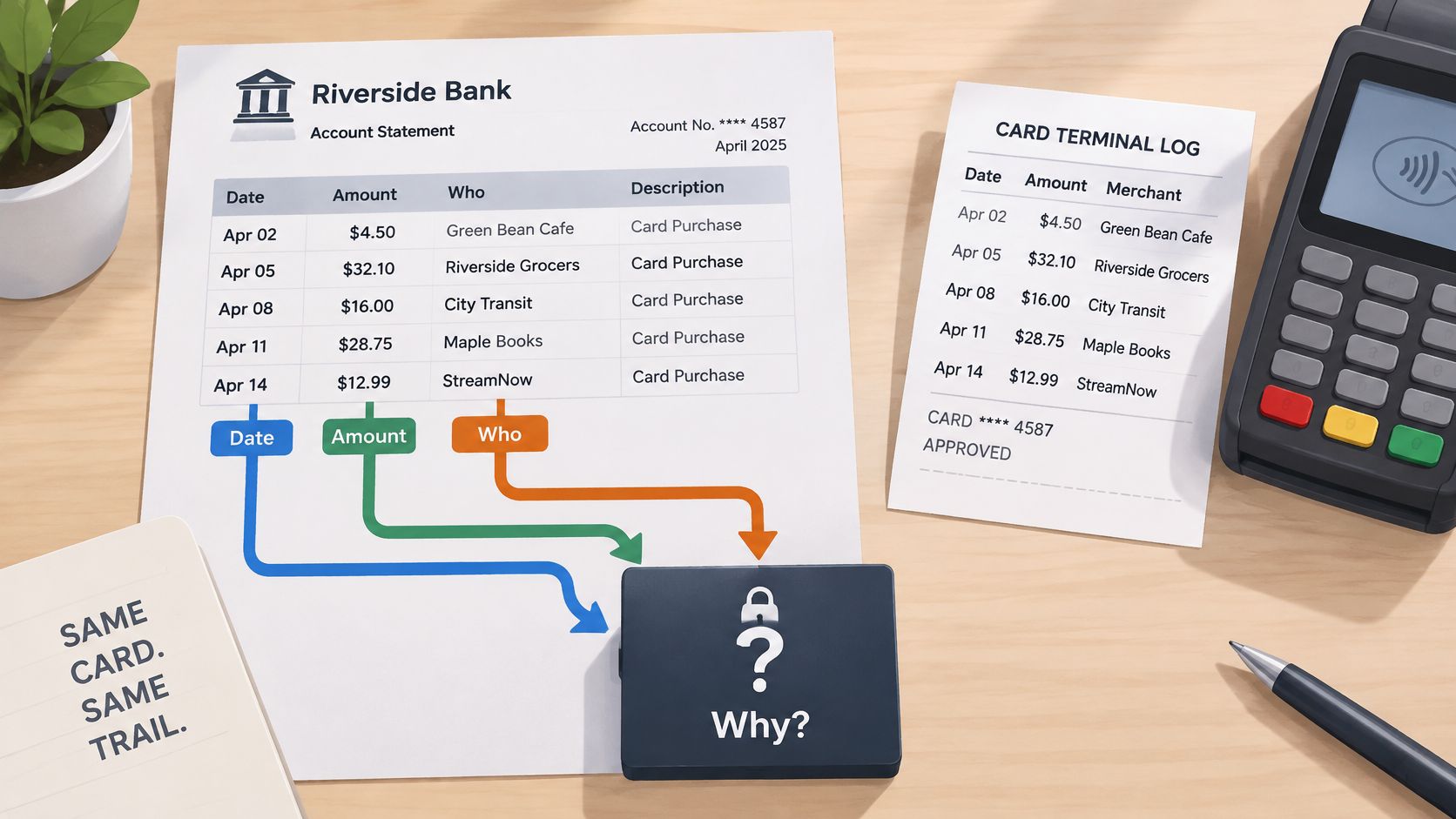
Three jobs the statement handles
It lists deposits that may be income. An incoming credit is only a candidate. It might be revenue, a transfer, loan proceeds, a refund, or nonbusiness funds.
It lists payments that may be expenses. A debit with a merchant name is a candidate for a deduction. The business purpose still has to be supported somewhere else in the file.
It dates each item to a period. The transaction date, not memory, decides which return the amount belongs on.
Working rule: Treat the statement as the anchor of the audit trail, not the finished record.
Keep the original PDF next to any spreadsheet built from it. The rows make review faster. The PDF is what someone can match back to the bank's own printout when a total is questioned.
Sorting Each Transaction by Its Tax Treatment
Mixed personal and business spending is a classification problem, not a file-format problem. IRS Topic No. 305 says business records must clearly and accurately reflect gross income and expenses, and that supporting documents must substantiate both. A merchant, an amount, and a payment date do not, by themselves, establish business purpose. Read the table first, then apply it to the awkward lines.
| Transaction type | How it appears on the statement | Tax treatment | What to check |
|---|---|---|---|
| Client payment or customer deposit | Incoming credit, often a processor payout | Business income | Match to the gross invoice; processor fees reduce the payout |
| Business purchase | Debit with merchant or processor name | Deductible if an ordinary and necessary business cost | Business purpose and a receipt |
| Transfer between your own accounts | Matching debit and credit on two accounts | Not income and not an expense | Exclude from both sides |
| Owner draw or cash to yourself | Transfer or withdrawal with no business vendor | Not a business expense | Tag as owner draw |
| Loan proceeds or loan repayment | Credit from lender or debit to lender | Principal is not income; interest may be an expense | Keep the lender statement |
| Credit card payment from checking | Debit on the bank account and a payment credit on the card statement | Not an expense on either side; the card purchases are the expense | Exclude the payment line from business totals |
| Refund or reimbursement | Credit from a merchant, card issuer, or employer | Offsets the original expense or reimbursed amount | Link to the original purchase |
| Personal purchase on a mixed account | Debit with merchant name | Not deductible | Exclude from business totals |
| Unsure item | Anything the note cannot resolve | Preparer decides | Place in the unsure column |
How the signals mislead
A client payment often arrives as a card-processor payout, already net of fees. If the invoice was $1,000 and the credit is $971, the income is still the gross invoice. The fee is the expense. Booking only the net credit understates both sides by the same fee.
Transfers are the classic double count. Say checking sends $4,000 to savings. Checking shows a debit. Savings shows a credit. Count the debit as an expense and the credit as income, and both totals rise by $4,000 even though the business did not earn or spend anything. The pair comes out of income and out of expenses.
Owner draws and loan proceeds look like money in or money out, and they are not business income. A draw is a movement to the owner. Loan principal is borrowing, then repayment of borrowing. Interest shown on the lender's statement can be an expense. The principal lines are not.
Refunds, card payments, and personal rows
A refund or a reimbursement reverses an earlier amount. Link the credit to the original purchase and reduce that cost. Treating the credit as fresh income, while the original debit stays in full, overstates revenue and expenses together.
A payment from checking to a credit card is the same money twice if you are careless. The card statement already holds the purchases. The bank debit that pays the card is not a second expense, and the "payment received" line on the card is not income. Exclude that payment on both statements, then classify the underlying card charges.
Personal purchases on a mixed account stay in the sheet for completeness and stay out of every deductible total. IRS guidance on this point is direct: personal expenses do not belong in the business records you use to compute those totals. Label each row business, personal, transfer, owner draw, reimbursement, or unresolved, and chase the unresolved rows before any total is posted.
If a row fits none of the labels, it goes to unsure. The closest guess is the one that creates an amended return.
How to Organize a Year of Statements Step by Step
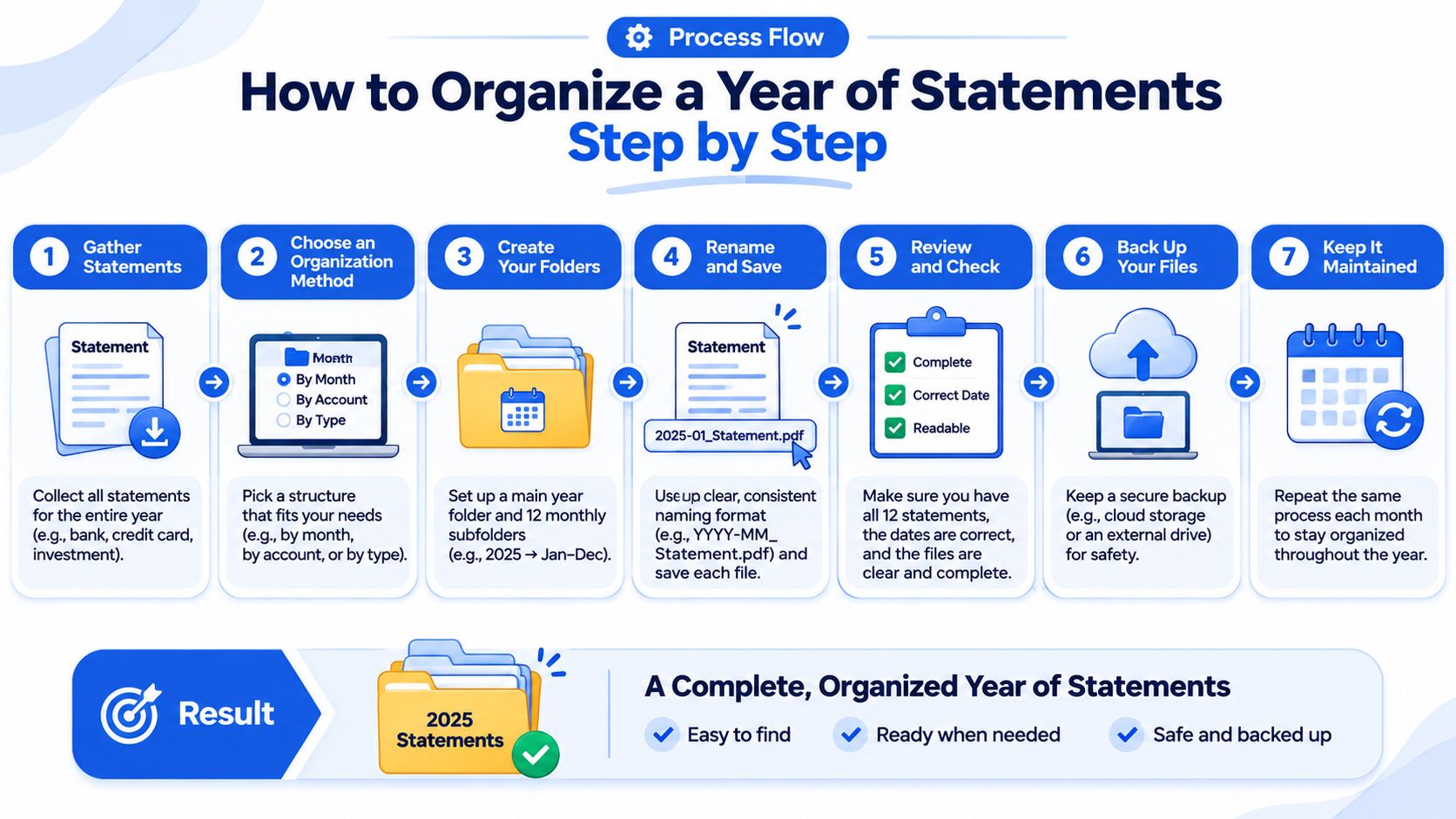
- Gather every month. Pull all twelve statements for every bank account and every card, and store the original PDFs in one folder per account. A missing month hides both income and costs, and you cannot see the hole from a single export.
- Convert without renaming the source. Turn each PDF into CSV or XLSX, and keep the output file name tied to that statement. Anyone opening a row later should know which PDF it came from. The same discipline helps self-employed bookkeeping when the year is rebuilt from several accounts.
- Stack one sheet per account. Combine the months with columns for date, description, debit, credit, running balance, account, and source file. Do not merge the card into the bank sheet yet. Transfers are easier to spot when each account still stands alone.
- Clean the merchant beside the original text. Add a column that strips prefixes such as "SQ *" and "PAYPAL *" and folds variant spellings into one name. Leave the bank's description untouched. Once identical merchants look identical, a year of rows collapses into blocks.
- Sort, then tag. Sort on the cleaned merchant and tag whole blocks as business, personal, transfer, owner draw, reimbursement, or unsure. Reading line by line is how teams lose an evening. One decision should cover every row for that merchant.
- Add two more columns. A note column holds context you still remember. An unsure column holds open questions. Blank notes are fine only where the category is already obvious.
- Save a working copy. Each row stays traceable to its source PDF. The workbook can be edited. The PDFs are not replaced by it.
Done means every row carries a tag, and the only blank notes sit on categories that do not need a story.
Transactions That Need a Receipt or a Note
The statement proves you paid. It rarely proves what you bought or why, and some descriptions hide even the who. That is the line between a sortable sheet and a record a preparer can defend.
Say a debit reads "AMZN Mktp" for $212.40. That charge might be a printer for a client office, or a birthday gift. The amount and the date are settled. Only a note, plus the order, settles the treatment. Marketplace lines, processor prefixes, bare checks, and cash withdrawals are the repeat offenders. Meals and travel need a story no bank will ever print.
| Description pattern | What it hides | What to add |
|---|---|---|
| SQ * or PAYPAL * prefix | The payment processor, not the merchant | Vendor name and invoice or order number |
| AMZN Mktp | What was bought, and whether it was for business | Itemized order and business purpose |
| Check with number and amount only | The payee | Payee name and what the payment covered |
| ATM cash withdrawal | Where the cash went | Purpose, such as petty cash or owner draw |
| Restaurant or hotel charge | Attendees and business topic | Attendee names, business topic, and receipt |
| Fuel, mileage, or travel debit | Trip purpose and destination | Trip log with dates, destination, and business reason |
What each pattern still owes you
Processor prefixes. "SQ *" and "PAYPAL *" name the middleman. Write the vendor and the invoice or order number in the note, or the block you tagged as business is only a guess about who was paid.
Marketplace purchases. The itemized order is the missing half. A printer, packaging, and a personal order can share one descriptor. Split them in the note if one charge mixed both.
Checks. Often you get a number and an amount, and no payee. The canceled check, the payee name, and a line on what the payment covered close that gap. Without them the row cannot be classified with any confidence.
ATM withdrawals. The bank records cash leaving. It records nothing about where the cash went. Mark petty cash or owner draw, and do not leave the line inside deductible totals by default.
Meals, hotels, fuel, and travel. Authorities typically want the business purpose and who attended. A trip log with dates, destination, and reason does the same job for fuel and mileage. The receipt still has to match the statement line.
The IRS recordkeeping guidance for the EITC lists what supporting records should show for business expenses: the payee, the amount paid, proof of payment, the date incurred, and a description of why the purchase was business-related. Account statements, credit-card statements, canceled checks, invoices, and receipts are all examples of those records. None of them is a substitute for the others. When a statement mixes business and personal activity, personal rows come out before any deductible total is added up.
Preserve, on every converted row, the transaction date, the original description, the amount, the account, and a reference to the supporting document. The extracted table is not complete proof of deductibility.
While you still remember the context, write the short note and drop the matching receipt into the same folder as the statements. A practical walk-through of what counts as a receipt helps when a photo, an email confirmation, or a PDF invoice is all you have. The statement line, plus one line of note, plus that receipt, is the record. The line alone often is not.
Running the Checks Before Anyone Else Sees the File
Four checks, in this order, before the file leaves the team. After upload, transactions land as clear rows you can review in the browser, with quick edits, before any download. Those edits do not replace the checks.
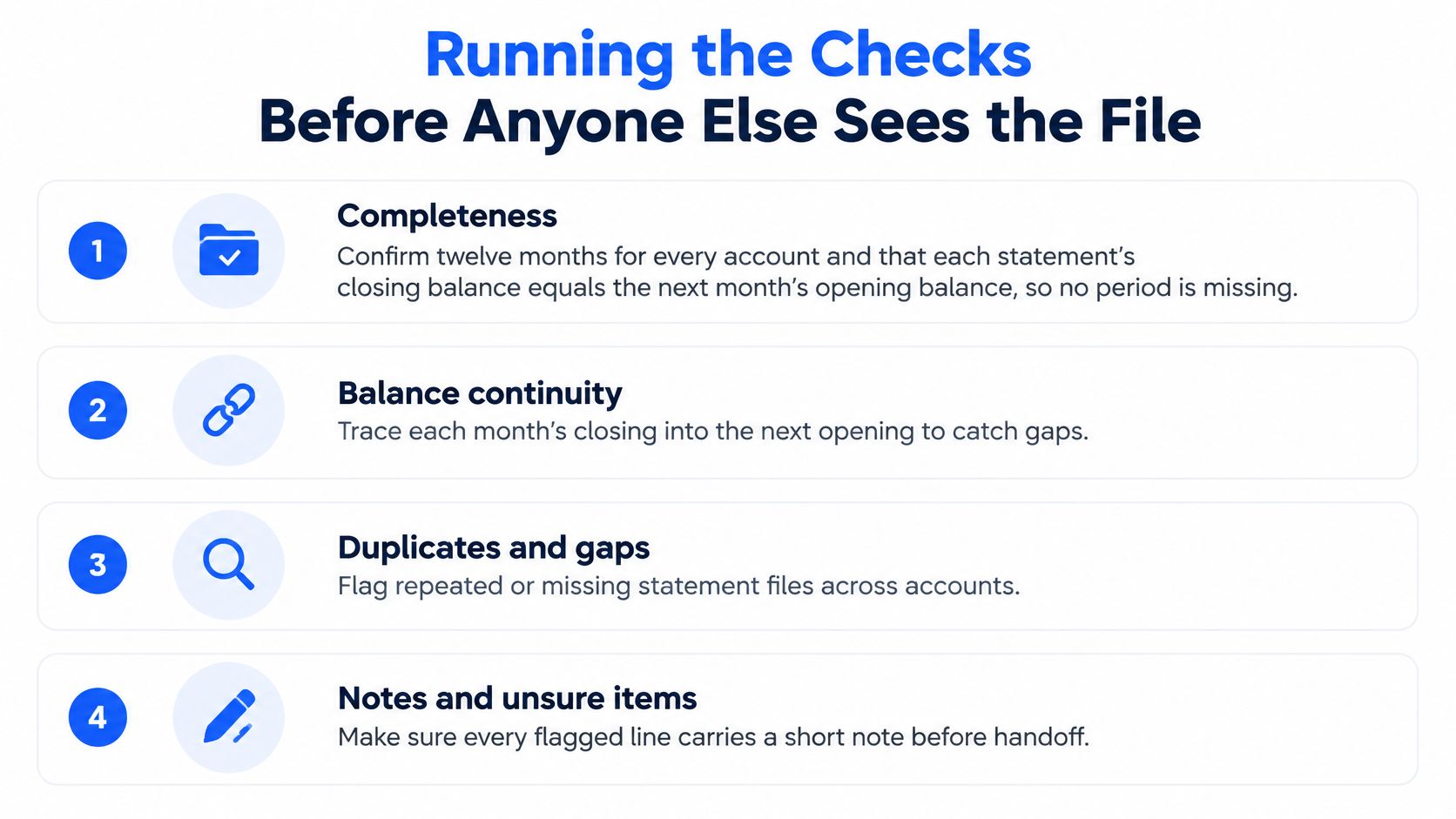
- Completeness. Confirm twelve months for every account and every card. Then confirm that each statement's closing balance equals the next month's opening balance. A mismatch means a missing period, not a rounding issue.
- Totals. For each statement, opening balance + credits − debits = closing balance. Spot-check at least two monthly totals against the PDFs. This equation catches omitted rows, duplicates, flipped signs, and descriptions cut off mid-word.
- Transfers. Find the matching debit and credit across your own accounts, including card payments from checking, and remove both sides from income and from expenses. Left in, they inflate both totals.
- Unsure items. Leave the doubtful rows in the unsure column with a one-line question. A flagged question costs the preparer seconds. A confidently wrong category can cost an amended return.
Finish with one pass: no row is untagged, and every unsure item still carries its question.
How Long to Keep Statements and Supporting Records
Converting a statement does not shorten how long the original records must be kept. The IRS record-retention guidance ties the clock to the assessment period, not to the format you happen to be using this year.
The standard period is three years from the date the return was filed, or from the due date when the return was filed on time. That is the baseline for records that support income, deductions, and credits. Two situations push the date out, and they are easy to miss if you only remember "three years."
| Situation | Keep records for | Source |
|---|---|---|
| Standard return filed on time | Three years from the due date | IRS |
| Unreported income above 25% of gross income on the return | Six years | IRS |
| Employment-tax records | At least four years after the tax is due or paid, whichever is later | IRS |
| UK limited company accounting records | At least six years from the end of the relevant financial year | UK government guidance |
The two exceptions, and the file you actually store
Six years applies when unreported income exceeds 25% of the gross income shown on the return. If a deposit review is still open, or a prior year looks thin, do not shred on the third anniversary.
Employment-tax records generally stay for at least four years after the tax becomes due or is paid, whichever is later. Payroll support is not on the same clock as the income-tax file, even when it lives in the same folder.
For UK limited companies, government guidance on records to keep requires accounting records, including documents such as bank statements, for at least six years from the end of the relevant financial year. Other countries set their own periods. Confirm the local rule before you delete anything. A longer note on how long to keep bank statements is worth reading before a cleanup day.
Electronic storage is acceptable when it meets the same requirements as paper and stays readable. Keep the original PDF beside the CSV or XLSX. A spreadsheet can be rebuilt. A source with no readable original is a weak substantiation file, because reported totals need a clear link back to the transactions that produced them.
Keep the statement and the linked receipts for every year still open for assessment. Keeping every statement forever also leaves account numbers, addresses, and unrelated personal spending sitting in a drive. Retain each year for the period that applies, then delete it once no open year depends on it.
Hand Off a Clean File to Your Tax Preparer
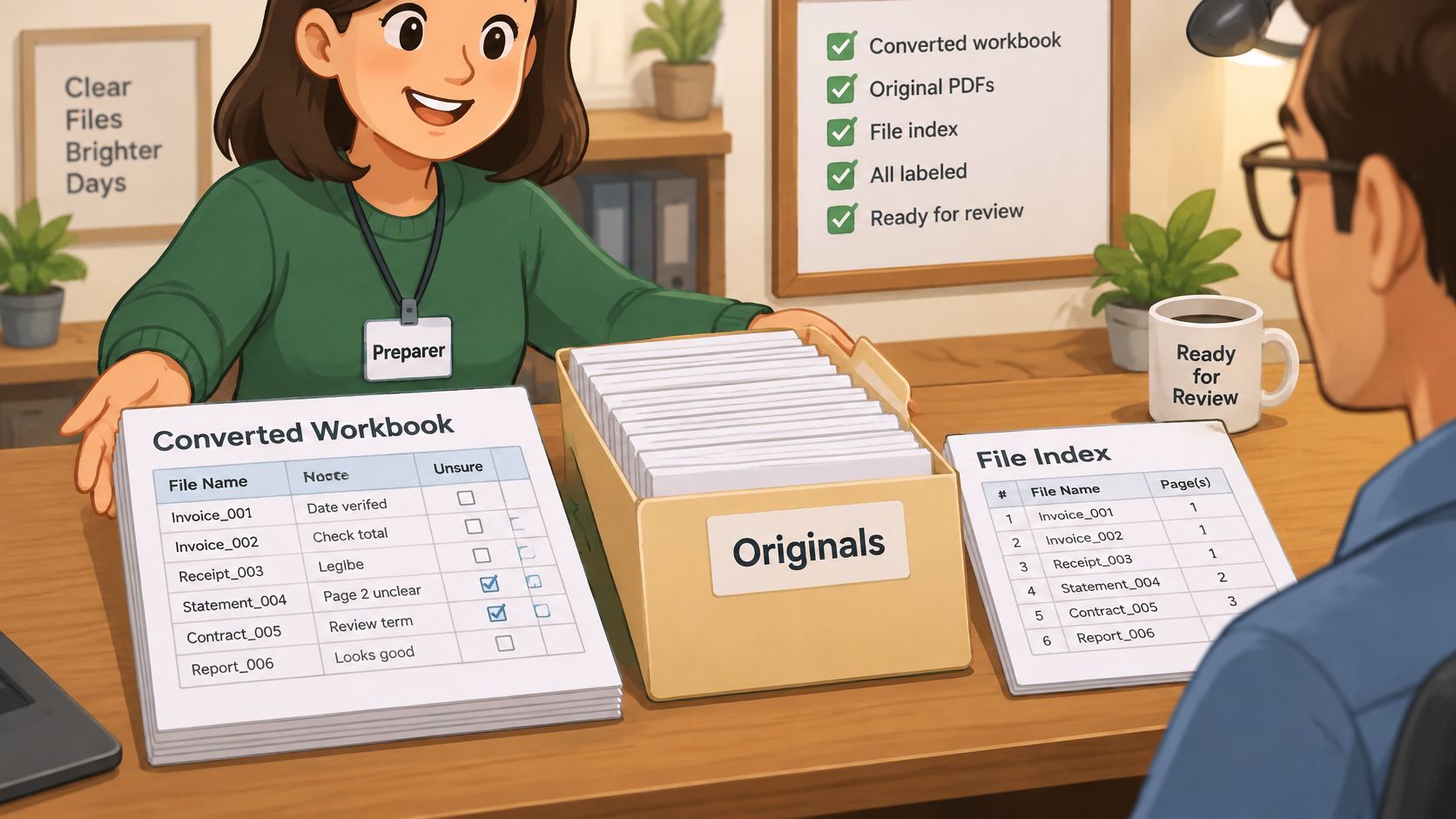
A preparer can start from a package, not from a pile. Send the workbook in CSV or XLSX with the note column and the unsure column filled in, keep the original PDFs in their own folders, and add a simple index that ties each receipt to a statement row. Clean, tagged data means the fee pays for tax judgment. Messy data means the fee pays for cleanup you could have finished yourself.
autobankstatement converts digital PDFs, scanned PDFs through OCR, and password-protected PDFs into CSV or Excel (XLSX). Files can be up to 25 MB, bulk upload is supported, and a free guest preview is available before payment. The original upload is used only to complete the conversion and is deleted within 10 seconds after processing finishes. Registered users keep 24-hour download access to the converted output, so save the spreadsheet and the source PDF into your own records before that window closes. For regular bookkeeping, tax prep, or larger batches of statements, the Subscribe option fits ongoing volume better than paying per file.
Run the four checks, confirm every unsure item carries a question, and send the package. The preparer should open a file that already reconciles rather than a year that still needs sorting.
autobankstatement turns PDF bank statements into CSV or Excel rows you can tag, reconcile, and hand to a preparer without retyping a year of mixed accounts. Digital, scanned, and password-protected files are in scope, and the sheet is a working copy you still check against the original balances. Visit autobankstatement to preview a statement and start the file your preparer can use.
Convert your next statement in minutes
Upload a bank statement PDF — digital, scanned, or password-protected — preview the extracted table, and download clean CSV or Excel.