
8 CSV Examples for Bank Statements: Column Mappings
Eight CSV examples for bank statement imports, covering register layouts, reconciliation worksheets, journal templates, and column mappings for bookkeepers.
Somewhere in your finance team, someone is probably copying transactions from a PDF statement into a spreadsheet right now. A description wraps onto another line, a withdrawal lands in the credit column, and the closing balance no longer agrees. The fix isn't faster typing. It's giving bank statement data a predictable shape.
We start with a consistent register, map each statement field to a named column, and check the balances before importing anything. That register then supports reconciliation, journal preparation, payment matching, and reporting. Reusing the layout each period also makes exceptions easier to spot.
The CSV examples below show practical column layouts, where their fields come from, and what must agree before a file moves downstream. The sample rows are fictional, not tax guidance or universal import specifications. Copy the displayed lines into a plain-text file, preserve each record as a separate line, and save it with a .csv extension.
Working rule: A bank statement proves cash movement. It doesn't, by itself, prove an invoice's due date, a transaction's ledger category, or a vendor's tax-reporting treatment.
Some files therefore need information from the ledger, invoices, payroll records, or vendor master as well as the bank register. Keep those sources distinct. A file can open neatly in Excel and still contain the wrong accounting.
Table of Contents
- 1. Bank Transaction Register CSV
- 2. Bank Reconciliation Worksheet CSV
- 3. General Ledger Journal Entry Import Template
- 4. Chart of Accounts Master List CSV
- 5. Accounts Receivable Aging Report CSV
- 6. Accounts Payable Vendor Invoice Log CSV
- 7. Payroll Journal Summary CSV
- 8. Vendor Payment Summary for Tax Reporting CSV
- How the eight CSV examples compare
- Turn These Templates Into a Repeatable Monthly Close
1. Bank Transaction Register CSV
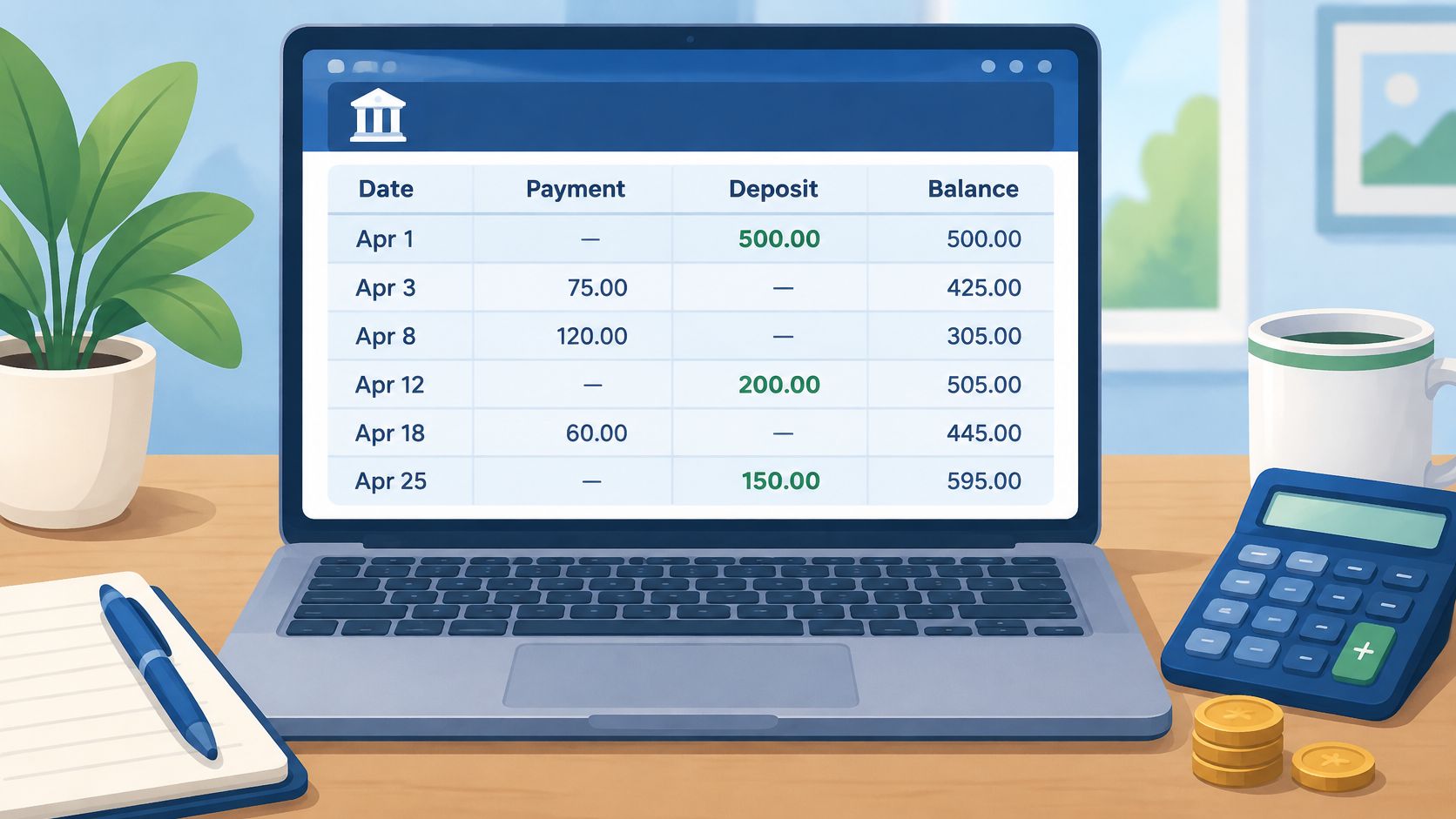
A bank transaction register gives every posted statement line the same import shape. Keep one transaction per row, separate withdrawals and deposits into debit and credit, and retain the running balance when the statement supplies it.
Working layout and field mapping
This fictional register starts with an opening balance of 1000.00:
account_id,date,description,reference,debit,credit,balance
Operating,2025-01-02,Customer deposit,DEP-A,0.00,500.00,1500.00
Operating,2025-01-03,"Office supplies, local store",PAY-A,80.00,0.00,1420.00
Map the statement's posting date to date, its transaction narrative to description, and its check, payment, or deposit identifier to reference. Enter withdrawals as positive debit amounts and deposits as positive credit amounts. Keep account_id as text so spreadsheet software preserves leading zeros.
The quotation marks around "Office supplies, local store" matter. Without them, the comma creates another field, pushes local store into reference, and shifts the amount and balance into the wrong columns.
When combining consecutive statements for one account, keep account and period boundaries intact. Carry the prior closing balance forward as the next opening balance, and leave the printed opening balance out of the transaction rows. Our bank statement to CSV guide explains the conversion workflow behind this starting register.
Checks before import
- Coverage: Confirm every statement page and the full posting-date range are represented.
- Amounts: Check that withdrawals remain positive debits and deposits remain positive credits.
- Balance: Verify opening balance + credits − debits = closing balance, then compare running balances where supplied.
- Text fields: Scan descriptions for unquoted commas before saving the file.
Investigate each unexplained difference before import. Never edit a transaction only to force the closing balance to agree.
2. Bank Reconciliation Worksheet CSV
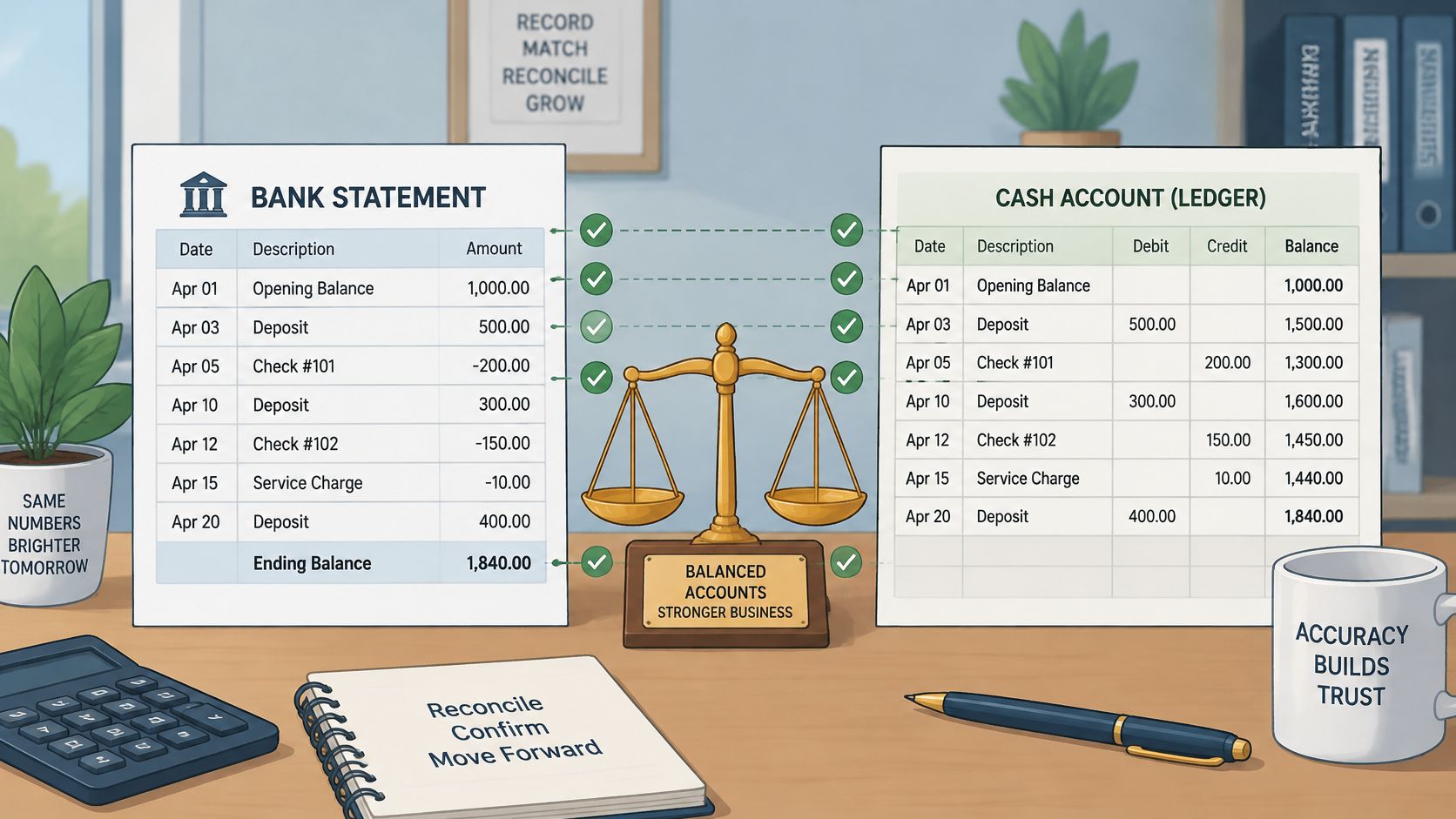
The bank register and the general ledger can both be correct while showing different balances. An outstanding check has reached the books but not the bank; a service charge may have reached the bank but not the books. A reconciliation worksheet explains those differences.
Separate evidence from adjustments
Use signed adjustments with an explicit side:
account_id,period,side,item_type,reference,adjustment,reason
Operating,January,bank,outstanding_payment,CHK-A,-120.00,Issued but not cleared
Operating,January,books,bank_fee,FEE-A,-15.00,Statement fee not posted
The account and period map from the statement header. A cleared payment reference maps from the transaction register. Outstanding payments come from the ledger or payment register, not from transactions missing on a PDF.
For a small business close, we'd list the uncleared check on the bank side and the unrecorded fee on the book side. The worksheet explains the difference; it doesn't authorize posting every adjustment as a new journal.
An outstanding payment normally needs matching and follow-up, not another expense entry.
The most common failure is counting an adjustment twice. Once the fee has been posted to the ledger, refresh the book balance or mark the adjustment as posted before recalculating.
Our bank statement reconciliation guide provides the broader matching process. Retain a supporting reference and a short explanation for every reconciling item, and investigate items that remain open into a later close.
Before matching, verify opening balance + credits − debits = closing balance on the source register. Before sign-off, require the adjusted bank balance to equal the adjusted book balance, with no unexplained balancing entry.
3. General Ledger Journal Entry Import Template
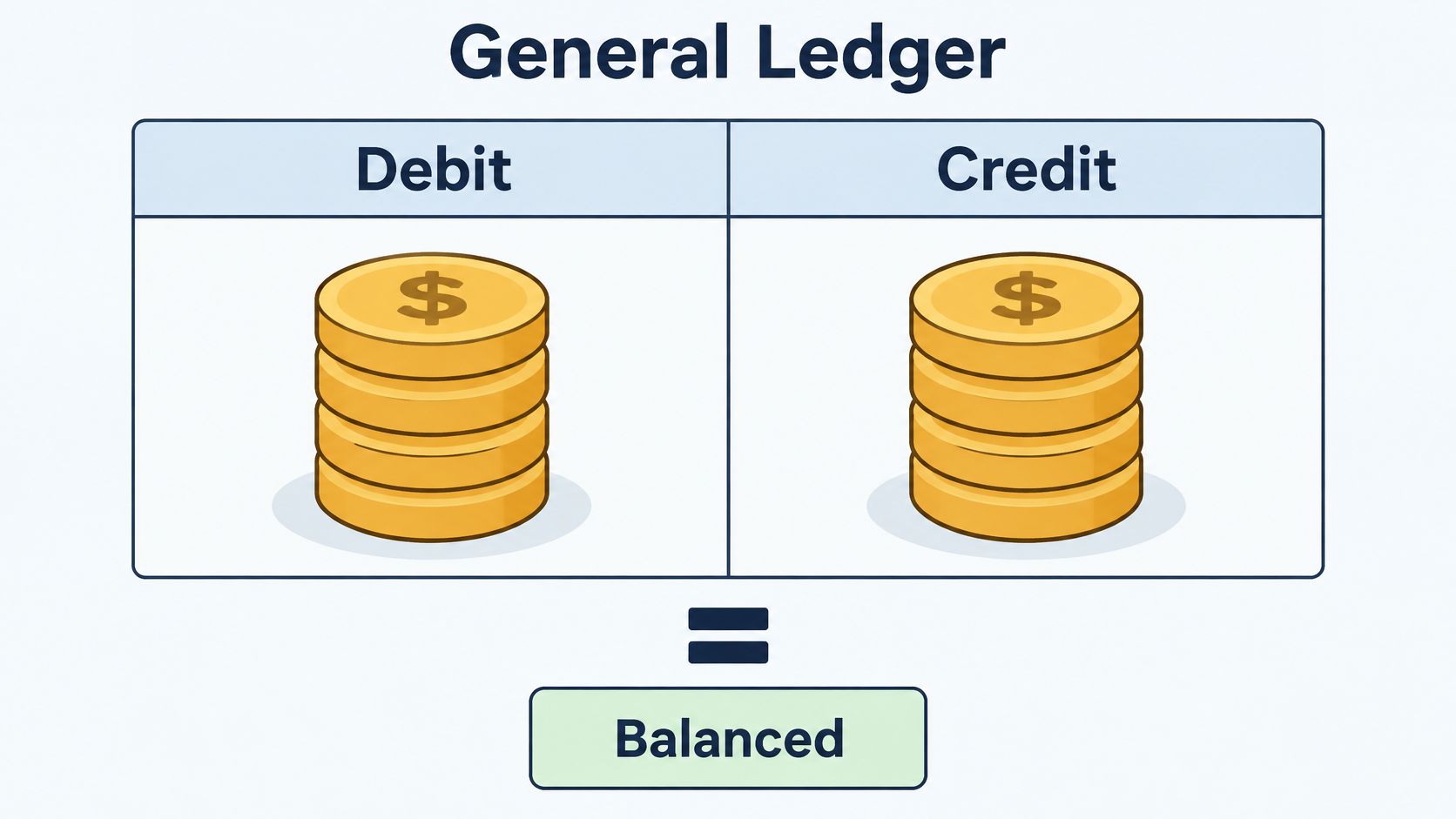
A bank withdrawal isn't a complete journal entry. It identifies cash leaving the account, but someone still has to select the offsetting expense, asset, or liability account. The journal import CSV is where that accounting decision becomes explicit.
Build balanced entries, not copied bank rows
For a fictional supplies purchase:
journal_id,date,account_code,description,debit,credit,source_reference
J-A,2025-01-03,SUPPLIES,Office supplies,80.00,0.00,PAY-A
J-A,2025-01-03,BANK,Office supplies,0.00,80.00,PAY-A
The date, narrative, amount, and source reference map from the bank register. The account codes come from the approved chart of accounts. These sample codes are placeholders; replace them with codes that exist in the destination ledger.
Notice the change in perspective. A withdrawal shown in the bank register's debit column becomes a credit to the business's bank asset account. Copying bank debit and credit labels directly into a journal is a common mapping error.
- Journal balance: Group by
journal_idand require total debits to equal total credits. - Account validation: Reject missing, inactive, or inappropriate account codes.
- Duplicate control: Check whether the transaction was already posted through a bill, receipt, or bank feed.
CSV is useful for transferring reviewed entries, but it shouldn't replace typed accounting records. DuckDB's CSV and Parquet comparison explains the parsing and analytical trade-offs of text-based CSV storage.
Verify opening balance + credits − debits = closing balance on the source statement register first. Then test the destination's required headers with a small journal, review the posting result, and retain the source file alongside the import result.
4. Chart of Accounts Master List CSV
An account code should mean the same thing every time someone uses it. A chart of accounts master CSV gives bookkeepers a controlled reference for classifying transactions and validating journal imports.
This isn't a file extracted from a bank statement. It supplies the accounting structure that the statement doesn't contain.
Working master list
account_code,account_name,account_type,parent_code,active,bank_account_id
BANK,Operating bank,Asset,CASH,TRUE,Operating
SUPPLIES,Office supplies,Expense,ADMIN,TRUE,
Map the bank's account identifier to bank_account_id for the relevant cash account. Account names, types, parent relationships, and active status come from the ledger configuration. Parent codes must either exist in the complete master file or already exist in the destination system.
For a restaurant group, we might use a shared chart while assigning separate bank-account mappings to each location. The shared structure helps comparisons, but local tax or reporting requirements can still require different accounts.
The common break is treating account codes as numbers. A spreadsheet may strip leading zeros or reformat a long code. Import codes as text and check that parent relationships survive the round trip.
- Historical consistency: Don't reuse an old code for a different accounting purpose.
- Reporting alignment: Confirm that account types match the business's reporting framework, such as GAAP or IFRS.
- Change control: Record renaming, deactivation, and mapping changes outside the CSV.
A chart has no transaction balance to reconcile by itself. Its control is completeness and valid mapping: every journal account must resolve to an approved account, and every bank register must resolve to the correct cash account.
Before using the chart to classify statement activity, verify opening balance + credits − debits = closing balance on that register. Then reject unmapped codes before importing any journal.
5. Accounts Receivable Aging Report CSV
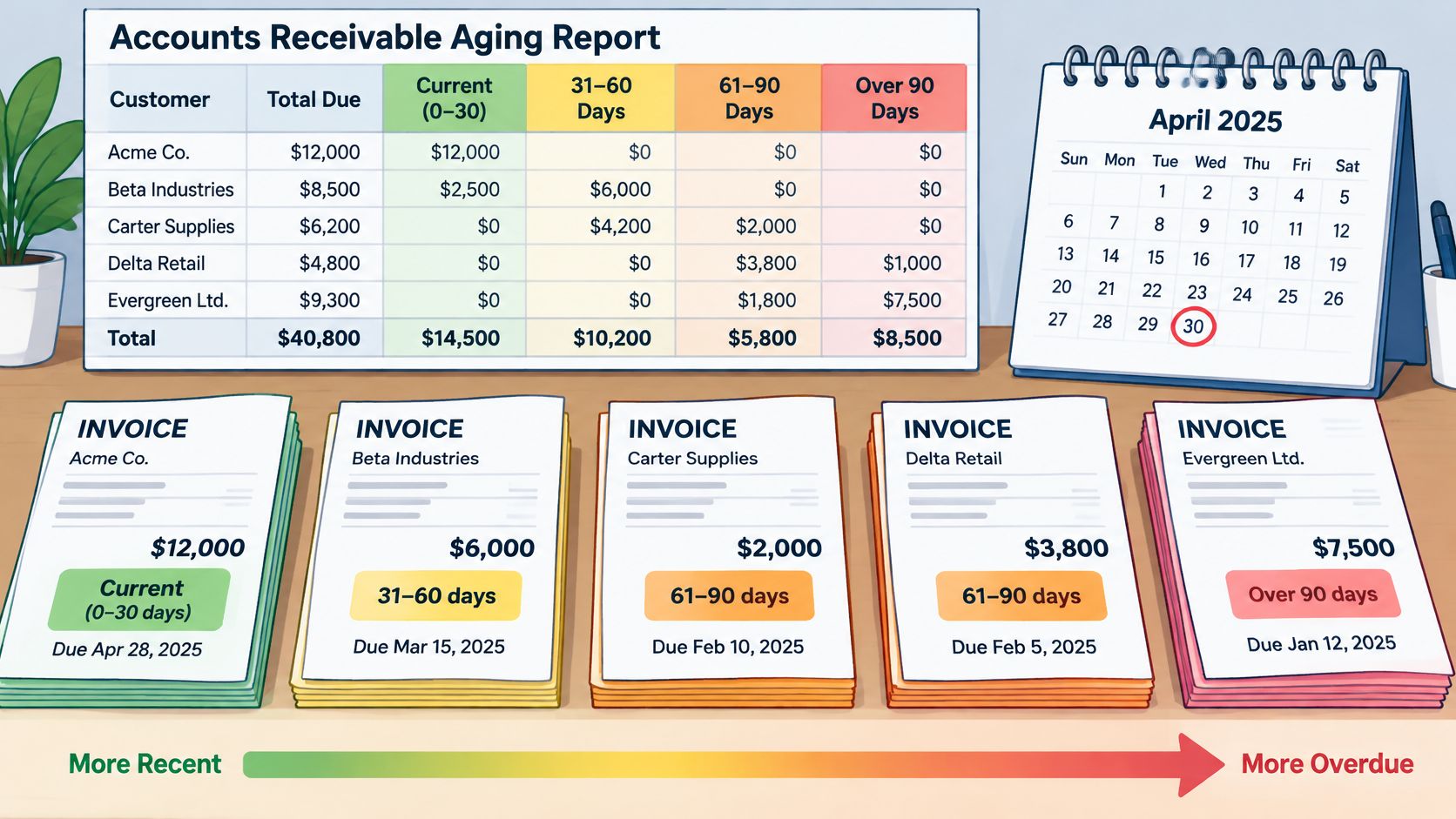
A customer deposit tells us money arrived. It doesn't tell us which invoices remain unpaid. An accounts receivable aging CSV combines invoice records with properly allocated receipts, using a fixed report date.
Keep invoice detail behind the aging
report_date,customer_id,invoice_id,due_date,open_amount,aging_bucket,follow_up
2025-01-31,CUST-A,INV-A,2025-02-15,600.00,Current,Await due date
2025-01-31,CUST-B,INV-B,2025-01-15,250.00,Overdue,Confirm receipt allocation
Customer IDs, invoice numbers, due dates, and invoice amounts come from the receivables ledger. Bank receipt dates, references, and amounts support payment allocation. Don't infer invoice due dates from deposit dates or mark an invoice paid because the customer's name appears in a bank description.
A bookkeeper preparing an owner's collections report can filter overdue rows and retain follow-up notes. A virtual CFO can use the same open-invoice detail for cash forecasting, provided expected collection dates remain separate from contractual due dates.
Allocation control: A customer receipt can be valid cash without being correctly applied to an invoice.
The common break is a receipt left unapplied while the related invoice still appears overdue. Duplicate customer records can also split a balance and hide the customer's total exposure.
Use aging buckets defined in the business's reporting policy, and calculate them consistently from the chosen date basis. Keep the report date in every row rather than adding a decorative title above the CSV header.
Before distribution, reconcile the complete aging total to the accounts receivable control account. Verify opening balance + credits − debits = closing balance on the bank register supporting receipt allocations, then resolve unapplied cash before sending collection reminders.
6. Accounts Payable Vendor Invoice Log CSV
The invoice log answers a different question from the bank register: what do we owe, and has it been approved? A bank payment confirms settlement. It cannot establish an unreceived bill or its contractual due date.
Connect bills to payments without losing either
vendor_id,invoice_number,invoice_date,due_date,invoice_amount,approval_status,payment_reference,payment_status
VEN-A,BILL-A,2025-01-05,2025-02-05,300.00,Approved,,Unpaid
VEN-B,BILL-B,2025-01-03,2025-01-20,80.00,Approved,PAY-A,Paid
BILL-A shows an approved bill that has not been paid yet, so payment_reference stays empty while payment_status carries Unpaid. The empty field still holds its place in the row. Skip it and every later value shifts one column left on import.
Map vendor, invoice number, invoice date, due date, and amount from the bill or payables ledger. Map payment_reference from the verified bank register after matching, never from a vendor description alone. In a fuller log, add approver, approval date, amount paid, and remaining balance.
For a weekly payment run, filter Approved rows with Unpaid status and sort by due date. Record partial payments as their own lines with the amount paid, and keep invoice_amount as the original billed figure so the remaining balance can be calculated.
The common break is a duplicate invoice under a slightly different vendor name. Use a controlled vendor ID and test the combination of vendor plus invoice number. Review near-matches too, especially when punctuation or leading zeros differ between the bill and the vendor statement.
- Approval: Keep evidence of who approved the bill and when.
- Matching: Confirm whether one bank withdrawal covers a single bill or a payment batch, and store the batch reference on every bill it settled.
- Reconciliation: Compare open bills with vendor statements and investigate missing credit notes.
Our guide to calculating the accounts payable balance explains the relationship between opening payables, purchases, and payments.
Before releasing a payment run, confirm the sum of the paid lines equals the withdrawal amount on the bank register. Before closing the period, reconcile the open invoice total to the accounts payable control account and keep the reviewed log unchanged.
7. Payroll Journal Summary CSV
Payroll creates expenses, employee deductions, employer liabilities, and cash payments in a single run. A payroll summary CSV must keep those components separate rather than treating the entire bank withdrawal as wages.
The payroll provider's register supplies the calculations. The bank statement supplies evidence that the related payments cleared.
Working pay-run summary
pay_run_id,pay_date,gross_pay,employee_tax,employee_benefits,net_pay,employer_tax,bank_reference
PAYRUN-A,2025-01-31,2000.00,300.00,100.00,1600.00,150.00,PAYROLL-A
This row shows the column layout, not withholding rates. Map gross pay, deductions, net pay, and employer taxes from payroll records. Map the withdrawal reference and clearing date from the bank register, allowing for timing differences between payday and settlement. One arithmetic check catches most mapping errors before import: gross pay − employee tax − employee benefits = net pay, here 2,000.00 − 400.00 = 1,600.00.
For a summarized ledger posting, use the payroll report to create separate wage-expense, employer-tax-expense, deduction-liability, and cash lines. If a provider combines employee payments, taxes, and fees into a withdrawal, obtain its funding breakdown before matching.
The most common failure is comparing net pay with a withdrawal that includes other charges. The second is posting payroll expense again when it was already recorded through a payroll journal.
Share the minimum payroll detail needed for the task, not the entire employee register.
CSV is plain text, and spreadsheet software may interpret untrusted formula-leading values when opening it. Restrict access to payroll files and use protected storage and transfer methods.
Reconcile gross and net totals to the payroll register, and confirm liability movements against remittances. Verify opening balance + credits − debits = closing balance on the payroll bank register before clearing the matched withdrawal.
8. Vendor Payment Summary for Tax Reporting CSV
A vendor payment summary groups transaction-level payments for year-end review. It can support preparation of Form 1099-NEC or Form 1099-MISC, but the bank total alone doesn't determine what belongs on either form.
Payment method, payment purpose, vendor details, and current reporting instructions all matter. Keep the supporting transactions available rather than retaining only a vendor total.
Separate payment totals from reporting decisions
tax_year,vendor_id,vendor_name,tax_id_status,address_status,payment_method,category,amount_paid,review_status
2025,VEN-A,Example Contractor,Verified,Verified,Bank transfer,Contract services,900.00,Review reporting treatment
The vendor name and payment amount map from matched bank transactions and invoices. Taxpayer identification details and addresses come from the vendor master or supporting tax documentation, not the bank statement. Store full identifiers only in the restricted version that needs them.
For a contractor review, group payments by controlled vendor ID, then inspect refunds, reimbursements, and payment methods. A freelancer organizing Schedule C expenses can use a related categorized payment file, but expense deductibility still requires review.
The common break is treating every payment as reportable contractor compensation. Separately identify credit-card and third-party-processor payments, and check whether they're reported separately before including them. Confirm current thresholds and form instructions with the IRS before filing.
- Identity: Resolve missing or inconsistent taxpayer details early.
- Scope: Keep bank payments separate from accrual-only invoices and other payment channels.
- Traceability: Preserve a route from each summary total to its underlying transactions.
The IRS recordkeeping guidance requires electronic systems to preserve complete, accurate, accessible records that can be reproduced legibly.
Before finalizing, verify opening balance + credits − debits = closing balance for each supporting statement register. Then reconcile summarized payments to the included transaction detail and document exclusions.
How the eight CSV examples compare
| Item | Primary Use | Key Columns | Typical Users |
|---|---|---|---|
| Bank Transaction Register CSV | Record cash activity for reconciliation and categorization | Transaction date, description, debit, credit, running balance | Accountants, bookkeepers, loan officers |
| Bank Reconciliation Worksheet CSV | Match bank activity to ledger balances and explain differences | Date, description, amount, match status, ledger reference, adjustments | Business owners, bookkeeping providers, finance teams |
| General Ledger Journal Entry Import Template | Import balanced accounting entries in batches | Journal ID, date, account code, description, debit, credit | Bookkeepers, virtual CFOs, finance teams |
| Chart of Accounts Master List CSV | Define and standardize general ledger accounts | Account number, account name, account type, parent account, active status | Accounting firms, business owners, finance teams |
| Accounts Receivable Aging Report CSV | Track overdue customer invoices and support collections | Customer, invoice number, due date, outstanding amount, aging bucket | Finance teams, bookkeepers, lenders, virtual CFOs |
| Accounts Payable Vendor Invoice Log CSV | Track vendor bills, approvals, due dates, and payments | Vendor, invoice number, invoice date, due date, amount, payment status | Small business owners, bookkeepers, finance teams |
| Payroll Journal Summary CSV | Summarize payroll for ledger posting, reconciliation, and tax reporting | Pay period, employee ID, gross wages, withholdings, deductions, net pay | Bookkeepers, finance teams, tax preparers |
| Vendor Payment Summary for Tax Reporting CSV | Summarize annual vendor payments for tax reporting and expense tracking | Vendor name, taxpayer ID, address, total paid, payment category | Bookkeepers, freelancers, accounting firms |
Turn These Templates Into a Repeatable Monthly Close
Choose a register layout as your standard, map every statement to it, and run opening balance + credits − debits = closing balance before any row reaches the ledger. Preserve the original statement alongside the reviewed export. A clean-looking spreadsheet isn't enough evidence that the extraction is complete.
Once the register passes, use it as the bank-side source for reconciliation and payment matching. Add accounting judgments through controlled mappings, not by rewriting the original descriptions or amounts. Receivables, payables, payroll, and vendor reporting still need their own supporting records.
Make the file contract explicit
Agree on column names, date format, encoding, decimal treatment, and debit-credit conventions before the next close. RFC 4180's specification history documents the common CSV conventions for quoting, record separation, and the text/csv media type. Those conventions help, but the destination importer's requirements still need testing.
- Preserve evidence: Keep the source statement, reviewed register, reconciliation, and final import file together.
- Separate stages: Label extracted, reviewed, and posted files clearly so colleagues don't import an unfinished version.
- Retain exceptions: Record unresolved mappings, unmatched payments, and corrections with an owner and explanation.
- Test the destination: Inspect dates, account identifiers, descriptions, and amounts after import, not just before it.
A CSV that works in Excel may fail in another parser because delimiters, encoding, headers, and line endings differ. The IETF CSV revision draft discusses implementation differences that make an explicit file contract important. Don't solve a broken import by repeatedly opening and resaving the only copy.
Test a statement before processing the batch
For teams handling PDF statements, autobankstatement converts digital, scanned via OCR, and password-protected statements into CSV or Excel/XLSX, supports bulk upload with files up to 25 MB each, and offers a free guest preview before payment. Use that preview to assess the extracted layout against your register template before committing to a larger batch.
Keep conversion and accounting review as separate responsibilities. Check page coverage, transaction direction, opening and closing balances, and duplicate rows before categorization. Then compare the imported result with the reviewed file and retain the final evidence under your own recordkeeping policy.
The useful outcome isn't just a folder of CSV examples. It's a close process in which colleagues know which source each field came from, which checks passed, and which file is ready to post.
We offer PDF bank statement conversion into CSV or Excel/XLSX, with a free guest preview before payment. Visit autobankstatement to test a statement against your chosen register layout, then verify its balances before using the export in your monthly close.
Convert your next statement in minutes
Upload a bank statement PDF — digital, scanned, or password-protected — preview the extracted table, and download clean CSV or Excel.