
How to Calculate Accounts Payable Balance the Right Way
Learn how to calculate accounts payable balance with clear steps, sample formulas, and reconciliation tips finance teams can trust every month.
You can be staring at an AP subledger that looks clean, ties to last month, and still be one invoice away from a mess. That's the trap. The right way to calculate Accounts Payable balance is not just adding and subtracting, it's proving the number survives the same-date reconciliation against the aging report, the general ledger, and the vendor statements.
Table of Contents
- When the AP Balance Looks Right but Is Wrong
- The Core AP Balance Formula and a Worked Example
- Building Aging Buckets to Validate the Balance
- Adjusting for Accruals, Credits, and Cut-Off
- Spreadsheet Formulas for the Subsidiary Ledger
- Reconciliation Checks That Prove the Number
- From AP Balance to Working Capital Signals
When the AP Balance Looks Right but Is Wrong
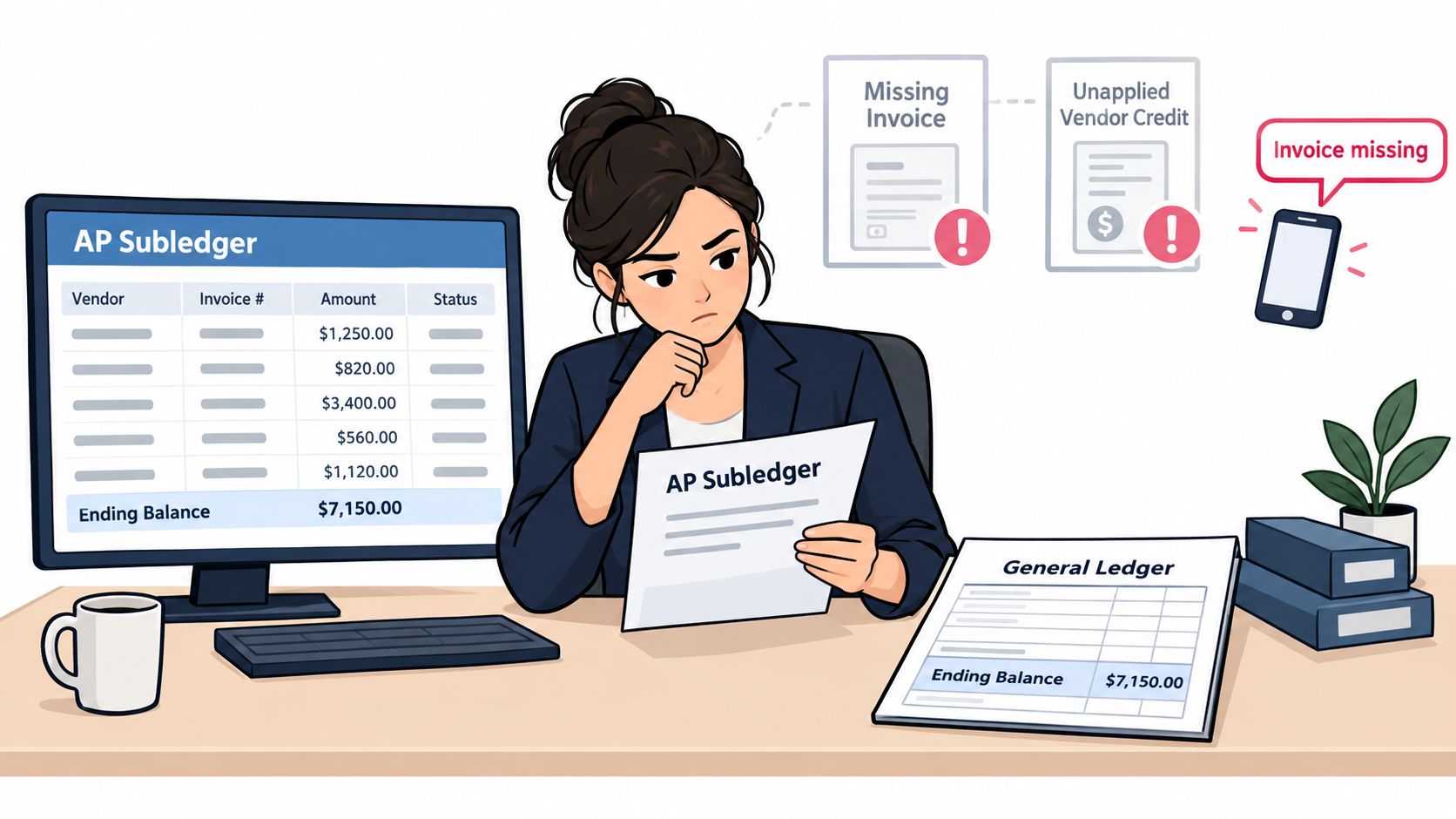
Tuesday morning usually starts with confidence. The controller pulls the AP subledger, the ending balance matches last month's audit report to the dollar, and the AP clerk is ready to close the period. Then a vendor calls about an October invoice the team never received, and another vendor's statement shows credits that were never applied. The balance was “right” on paper, but only because the books were incomplete.
That's why Accounts Payable balance calculation is a control exercise first and arithmetic second. The standard roll-forward is Beginning Accounts Payable + Credit Purchases − Supplier Payments (Wall Street Prep), but the true test is whether the balance reflects every unpaid invoice on the same reporting date. AP is a current liability, so the number belongs on the balance sheet only after the opening balance, new invoices, payments, and credits have all been reconciled to the same cut-off.
Practical rule: if the balance ties but the support doesn't, the number is still wrong.
The quiet failures are almost always the same. An invoice was never received, a credit memo sat unapplied, a payment cleared twice, or someone booked a journal entry outside the AP workflow. The internal link between clean source data and a defensible balance is the core work, and it starts with disciplined inputs, not a clever formula. For teams that also manage receivables workflows, the matching mindset is similar to the one outlined in the AR and AP workflow guide.
The Core AP Balance Formula and a Worked Example
The cleanest way to calculate Accounts Payable balance is to build it from the opening balance and the activity that changed it. In AP terms, that means beginning with the prior month's ending AP, adding credit purchases or invoices posted in the period, subtracting payments applied, and subtracting vendor credits that reduced what you owe. That is different from just looking at cash paid, because a cash payment only matters once it is applied to an AP item.
A month-end roll-forward
For a fictional company, the math looks like this:
| Line Item | Amount ($) | Running Balance ($) |
|---|---|---|
| Beginning AP | 48,200 | 48,200 |
| Credit purchases posted | 112,450 | 160,650 |
| Payments applied | (96,300) | 64,350 |
| Vendor credits | (1,150) | 63,200 |
The ending AP balance is $63,200. That result is only useful if the source data is clean, because a payment can exist in the bank but still be unapplied in the AP subledger, and a vendor credit can reduce the liability even though no cash moved.
Don't net payments against invoices too early. Apply them line by line, then subtract credits only after the invoice side is complete.
The common mistake is mixing payments made with payments applied. A wire can leave the bank on the last day of the month and still belong to the next period if the AP posting happens later. The second mistake is treating vendor credits like customer credits, which leads to the wrong offset logic. Use the roll-forward as the starting point, then validate it against aging and the GL before calling the number final.
Building Aging Buckets to Validate the Balance
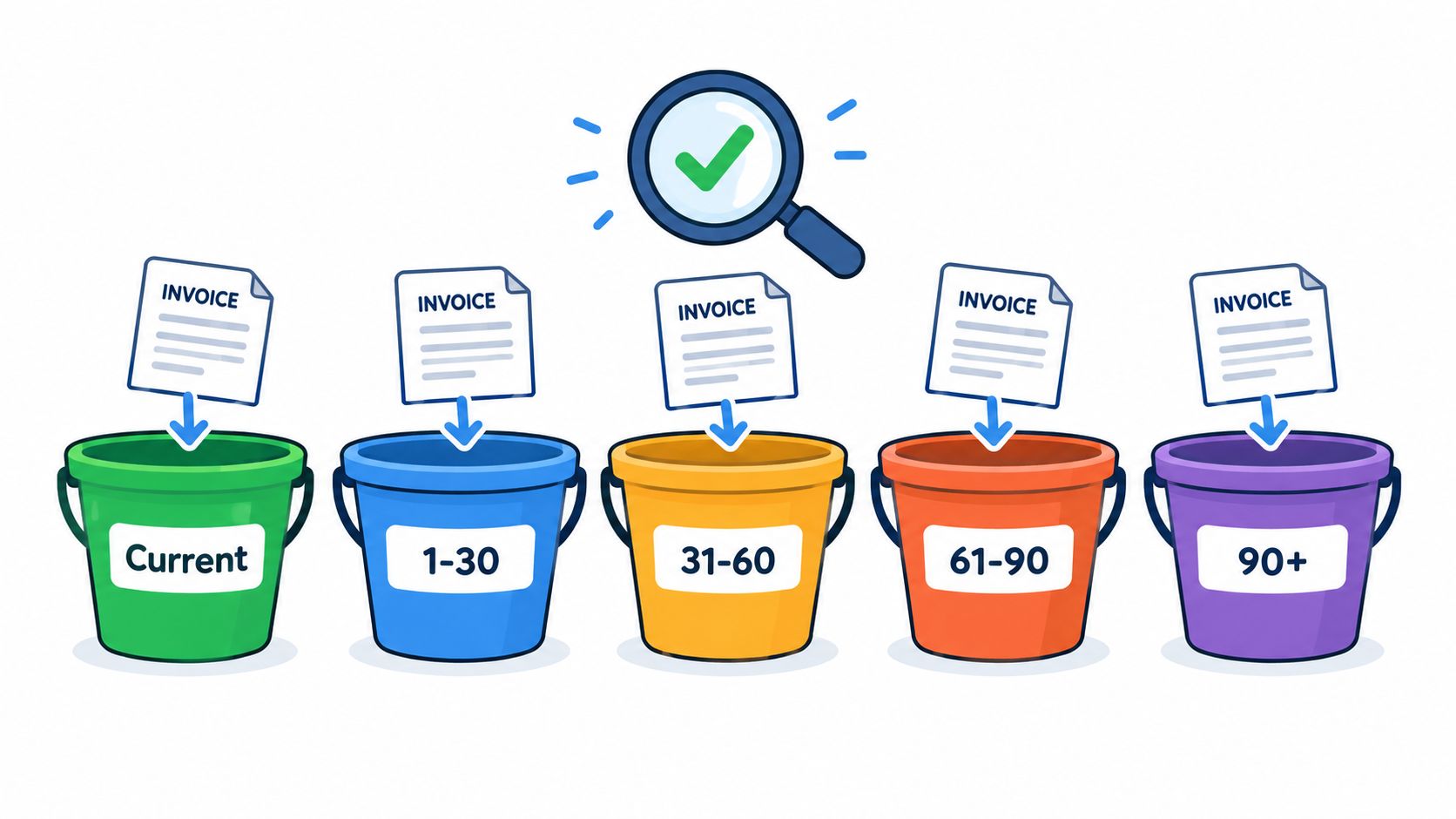
Aging doesn't calculate the balance from scratch, it tests whether the balance is made up of real open items. The practical approach is to slice the unpaid invoice list into Current, 1-30, 31-60, 61-90, and 90+ days past invoice date. That structure lets us see whether the total outstanding amount is plausible and whether anything has been parked in the wrong place.
The date matters. If an invoice ages from the receipt date instead of the invoice date, the buckets lie. If a disputed item sits in Current because nobody wants to touch it, the report looks better than the books. Credits can also get stranded in the wrong bucket, which is why the aged report should be matched to the vendor statement, not just accepted because the subtotal looks neat.
Here's the discipline that keeps the aging useful:
- Use one cut-off date: Every invoice, credit, and payment must be aged from the same reporting date.
- Match the vendor statement: That's where partial shipments and unapplied credits usually surface.
- Investigate outliers first: Large balances, old items, and disputed invoices usually explain most of the gap.
The aged total should tie back to the formula balance from the prior section. If it doesn't, the difference usually points to one of three problems, a missing invoice, an unapplied credit, or an item posted outside the AP workflow. AP commentary from RBC Royal Bank also frames AP as a working-capital signal, not just a payable ledger, which is why the quality of the aged detail matters as much as the total (RBC Royal Bank).
Adjusting for Accruals, Credits, and Cut-Off
A month-end AP balance can look clean and still be wrong. The ledger may show invoices entered on time, while received goods or services sit unrecorded because the bill has not arrived yet. Those items belong in AP anyway. Accruals capture them, and they raise the balance because the company already owes the supplier.
The timing problem that hides in plain sight
Take a $48,000 invoice dated December 28 that arrives on January 4. If the goods or services were received in December, the liability belongs in December, even if the paper arrived later. The invoice date alone is not enough. Service dates, receiving evidence, and cut-off checks decide which period carries the liability.
Vendor credits and debit memos move the balance the other way. A valid credit reduces what we owe. A cut-off error pushes the amount into the wrong period and leaves both months slightly off. That is why AP close work usually starts as a timing review, then becomes a math check.
Use this checklist before sign-off:
- Accrual accounts for goods received not invoiced.
- Credit memo clearing accounts for vendor credits and returns.
- AP control and expense accounts where cut-off entries were posted.
The same control mindset applies to bank reconciliation. You start with the opening balance, then adjust for items not yet recorded, and the reconciliation only works when every difference is traced to a specific timing item or posting error. That discipline keeps AP close work tied to the transaction trail (New York State Comptroller).
Spreadsheet Formulas for the Subsidiary Ledger
A spreadsheet backup lets us rebuild the AP balance outside the ERP and catch where the logic slips. Start with a transaction table that includes vendor, invoice number, status, due date, invoice amount, payments applied, and credits applied. The goal is simple: total only open items, then tie each line back to the balance we expect from the ledger, aging, and vendor statements on the same cutoff date.
Ready-to-use formulas
| Calculation | Excel Formula | Result |
|---|---|---|
| Open balance by invoice | =InvoiceAmount-PaymentsApplied-CreditsApplied |
Net unpaid amount |
| Unpaid invoices by vendor | =SUMIFS(OpenBalanceRange,VendorRange,VendorCell,StatusRange,"<>Paid") |
Vendor subtotal |
| Aging bucket 1-30 | =SUMIFS(OpenBalanceRange,DueDateRange,">"&EOMONTH(CutoffDate,-1),DueDateRange,"<="&CutoffDate,StatusRange,"<>Paid") |
Current bucket subtotal |
| Flag missing vendor statement item | =IF(COUNTIFS(StatementInvoiceRange,InvoiceNumberCell)=0,"Review","OK") |
Discrepancy flag |
A practical row makes the mechanics clear. Invoice amount 2,400, payment applied 1,750, credit applied 150, open balance 500. If the spreadsheet is clean, that 500 should flow into the aging report and then reconcile to the control account total. If it does not, the problem is usually in the source data, not the formula.
Practical rule: if the spreadsheet cannot rebuild the same number three different ways, the source data is not ready for close.
Teams that need to turn PDF bank statements into spreadsheet-ready data before they reconcile cash-related AP items can use autobankstatement to convert PDF bank statements into CSV or Excel/XLSX files, including digital, scanned, and password-protected files up to 25 MB, with bulk upload, free guest preview before payment, 24-hour download access for registered users, and automatic deletion within 24 hours.
Reconciliation Checks That Prove the Number
The balance only holds up after it clears the control checks. Start with Opening AP + New Invoices − Payments Applied ± Adjustments = Closing AP, then prove that the closing balance ties to the general ledger control account. That formula is the starting point, but the test is whether the subsidiary ledger, the aging report, and the vendor statements all land on the same ending number on the same date.
The matching order that works
First, tie the aging report total to the subsidiary ledger total. Then tie the subsidiary ledger total to the AP general ledger control account. After that, compare vendor statements line by line and isolate anything outside a small tolerance. Intercompany payables, foreign currency revaluation differences, and manual journal entries that skipped the AP workflow should be shown separately so they do not sit inside the normal aging buckets.
Bank-style reconciliation uses the same discipline. Opening balances must roll forward cleanly, clearing items must be identified, and the ending number must be supported by source detail. For the control sequence, the reconciliation workflow guide is a useful reference because it keeps the match order visible and forces the same date-based review across every schedule.
Sign-off discipline
A complete file should show:
- Preparer: who built the schedule.
- Reviewer: who checked the tie-outs.
- Date: when the reconciliation was completed.
- Supporting schedules: aging, vendor statements, and GL detail.
That sign-off matters because the audit trail is part of the balance. A number without evidence is just a guess with formatting.
From AP Balance to Working Capital Signals
Once the balance is proven, it becomes a working-capital signal instead of a bookkeeping endpoint. Days Payable Outstanding, or DPO, turns AP into time. A high DPO can mean the business is holding cash longer, but it can also point to slow approvals, disputed invoices, or supplier terms that are being stretched in practice.
That is why the number only helps when you read it against the source detail. If the AP balance is clean, the aging buckets are current, and the vendor statements tie on the same date, DPO becomes a useful watchpoint. For the full calculation method, see the accounts payable period formula guide.
What the number is telling us
A rising AP balance relative to purchases can mean suppliers are being paid later, or it can mean invoices are stuck in the queue. Those outcomes look similar on paper, but they show up differently in procurement, the cash forecast, and the month-end close. The right check is to compare DPO with supplier terms, then confirm whether the movement reflects normal timing or unresolved exceptions.
Bill.com notes that AP turnover can be translated into days in a worked example, and that industry DPO patterns vary by business mix (Bill.com). Use that context carefully. A number that looks high in one company may be normal in another if payment terms, buying patterns, or seasonal purchasing are different.
| Metric | Month 1 | Month 2 | Signal |
|---|---|---|---|
| Ending AP | 63,200 | 63,200 | Flat balance, needs context |
| DPO | 40 days | 40 days | Stable payment timing |
| Aging mix | Even | Skewed older | Possible dispute build-up |
Keep the calculation in the monthly close checklist, store the formulas in a controlled workbook template, and review DPO alongside AP aging each month. That keeps the number useful. It also stops AP from sitting on the balance sheet as a passive figure when it should feed cash planning and vendor decisions.
Convert your next statement in minutes
Upload a bank statement PDF — digital, scanned, or password-protected — preview the extracted table, and download clean CSV or Excel.