How to Keep Receipts Organized: A Practical Workflow
Learn how to keep receipts organized with a practical workflow that covers capture, indexing, storage, and reconciliation for clean books and audits.
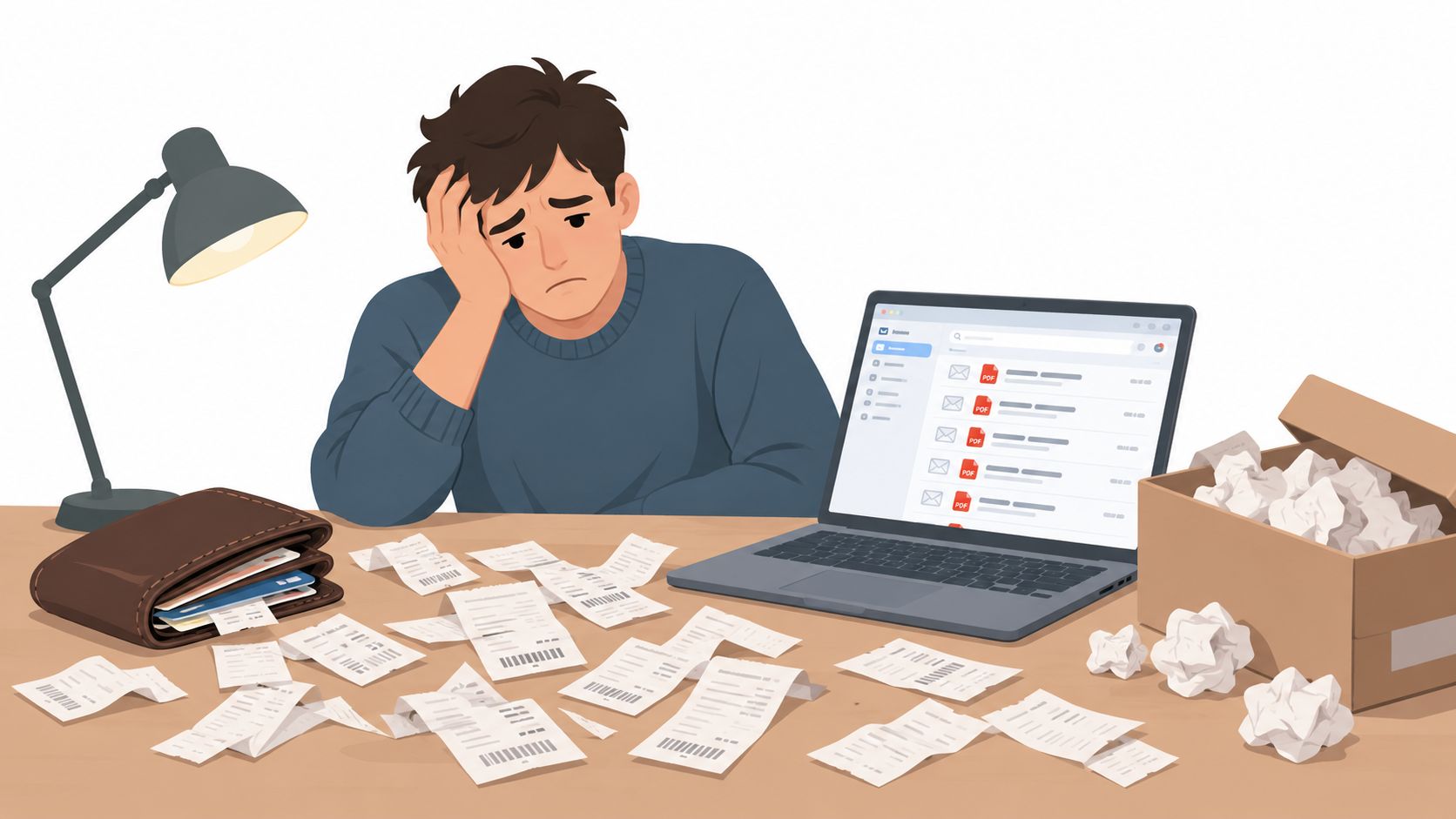
The receipts are in a wallet, a desk drawer, and an email folder named “To Process.” The bank statements are PDFs no one has matched to the books yet. When month-end arrives, we're left trying to prove which transaction each slip supports, whether a charge was entered twice, and where the evidence belongs.
The fix isn't a more elaborate filing cabinet. It's a controlled evidence pipeline: capture the receipt, index it, store it where the team can retrieve it, then reconcile it to the bank-statement row and ledger entry. A receipt system works when it can produce that chain of evidence and keep it for the right retention period.
Table of Contents
- The Pile That Quietly Breaks Your Books
- The Four-Stage Pipeline Receipts Actually Need
- Capture Methods That Fit the Way You Work
- Naming Files and Folders So Anyone Can Find Them
- Matching Each Receipt to a Bank Statement Row
- Retention Rules That Match Your Jurisdiction
- Habits That Quietly Undermine a Receipt System
The Pile That Quietly Breaks Your Books
A week's receipts in a wallet seems manageable. A month of paper on a desk starts to blur together. Add a year-end shoebox and an inbox full of untouched statement PDFs, and every routine bookkeeping question becomes a search: Was that meal a business expense? Did we already enter that supplier charge? Is the receipt still readable?
The trouble isn't just the mess. When we organize receipts only for storage, we can find a document but still fail to show which ledger entry it supports. That's how missing evidence, duplicate claims, overlooked expenses, and awkward review questions surface late, when someone has to reconstruct the transaction from memory.
A durable system answers four questions for each purchase: What was bought? When and from whom? Which accounting transaction does it support? How long must we keep the evidence? If a scan has no useful label, no searchable home, or no connection to the transaction, it's a digital version of the shoebox.
Working principle: We're not just filing receipts. We're preserving evidence that another person can retrieve, understand, and trace to the books.
The process is straightforward: capture promptly, index consistently, store in a searchable structure, and reconcile against the statement. Each stage has a test before the document moves on. That mindset shift, from filing to evidence, is what makes how to keep receipts organized a practical finance control rather than a year-end cleanup project.
The Four-Stage Pipeline Receipts Actually Need
A scan by itself doesn't finish the job. Receipts become usable evidence when the document, its searchable details, its storage location, and its ledger transaction stay connected.
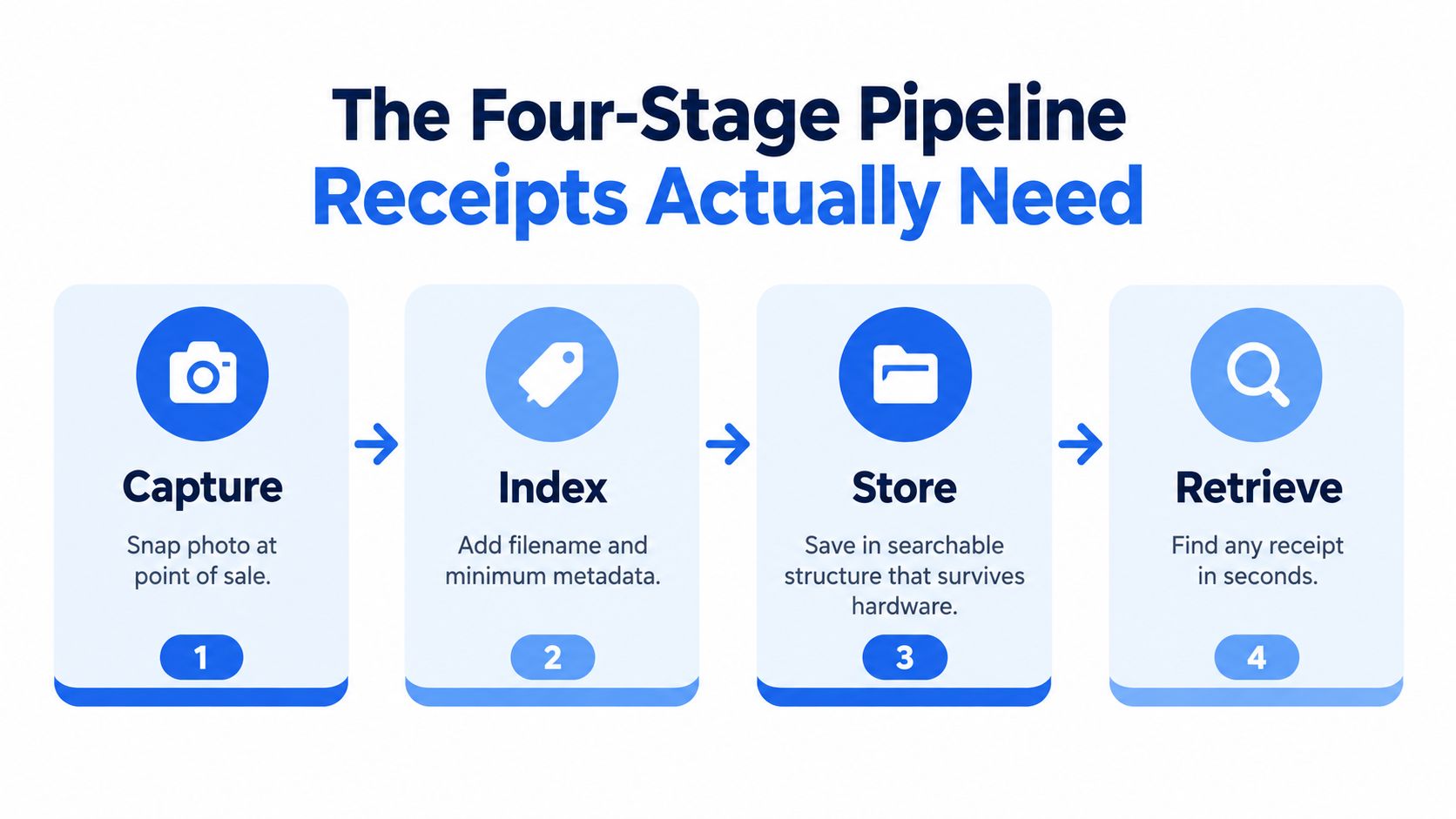
Capture. Save the complete receipt as a legible image or electronic document as soon as it arrives. Check that the merchant, date, amount, tax, payment method, and business purpose are visible. The exit test is simple: could a colleague read the document without asking you what it says?
Index. Give the file a predictable name and record the details needed to find it again. The National Institute of Standards and Technology recommends including a relevant date in filenames and notes that roughly 25 characters can be enough for descriptive naming in its electronic file organization guidance. Indexing matters because a crisp scan named IMG_4829 still won't be easy to retrieve by vendor, date, or amount.
Store. Put the receipt in a shared, searchable location with access controls and a tested backup. Save it alongside, or link it to, the corresponding accounting transaction rather than leaving it in a personal downloads folder. The exit test: another authorized team member can locate the file using its name or metadata.
Reconcile. Compare the receipt with the ledger and bank or card statement. Resolve differences instead of assuming that a scanned document proves the transaction was recorded correctly. Mark the receipt complete only after the match is clear, or the exception has been assigned for follow-up.
These stages form one flow, not four unrelated chores. A weak handoff at any point leaves the next person guessing. We want a receipt that arrives, gains context, stays retrievable, and can be traced to a real transaction.
Capture Methods That Fit the Way You Work
The best capture method is the one people will use consistently, with the least avoidable rework. A phone is convenient, a feeder scanner handles paper batches, and email forwarding or card-feed workflows can reduce handling of digital purchases. None replaces review: phone images can have glare or cropped edges, scanners may need adjustments for different paper and print quality, and digital feeds won't capture cash receipts.
| Method | Best Weekly Volume | Main Trade-Off | Best Fit |
|---|---|---|---|
| Phone scanning | Light or irregular paper flow | Fast to use, but image quality depends on lighting, framing, and review | Solo operators and staff who buy on the move |
| Dedicated scanner with feeder | Steady batches of paper | Faster batch handling, but requires setup, space, and maintenance | Office teams processing accumulated paper together |
| Email forwarding or card-based import | Mostly digital purchases | Less manual handling, but cash and off-card purchases still need capture | Businesses with recurring online spend and digital receipts |
A phone works well when the receipt is in hand and the person can check the image immediately. Make sure the whole slip is in frame, text is readable, and the saved file lands in the shared workflow rather than staying on one employee's device. A practical overview of data capture solutions can help teams compare capture approaches with their existing process.
A feeder scanner earns its place when paper arrives in batches and someone owns the scan-and-review routine. It won't solve missing vendor details or inconsistent categories by itself, so keep a review step after scanning. Email rules and payment-card feeds can help gather digital records, but they aren't a substitute for documenting cash, personal-card business purchases, or receipts that never arrive by email.
Decision rule: Use a phone for occasional receipts, a feeder scanner for recurring paper batches, and forwarding or card-based capture for digital spend, while keeping a fallback for everything each method misses.
Naming Files and Folders So Anyone Can Find Them
Three months after a purchase, nobody remembers which folder holds the receipt, so the filename has to do that work alone. A pattern like YYYY-MM-DD_vendor_amount_category, for example 2026-03-14_AcmeCoffee_42.50_travel.png, carries enough detail to search by date, vendor, or spend type and to line the file up against its bank-statement row later. Date-first naming keeps any folder sorted chronologically, and a short descriptive name is easier to scan than a long one, as noted earlier. Pick one convention and apply it the same way every time. Personal shorthand is how "receipt_final_v2" files multiply.
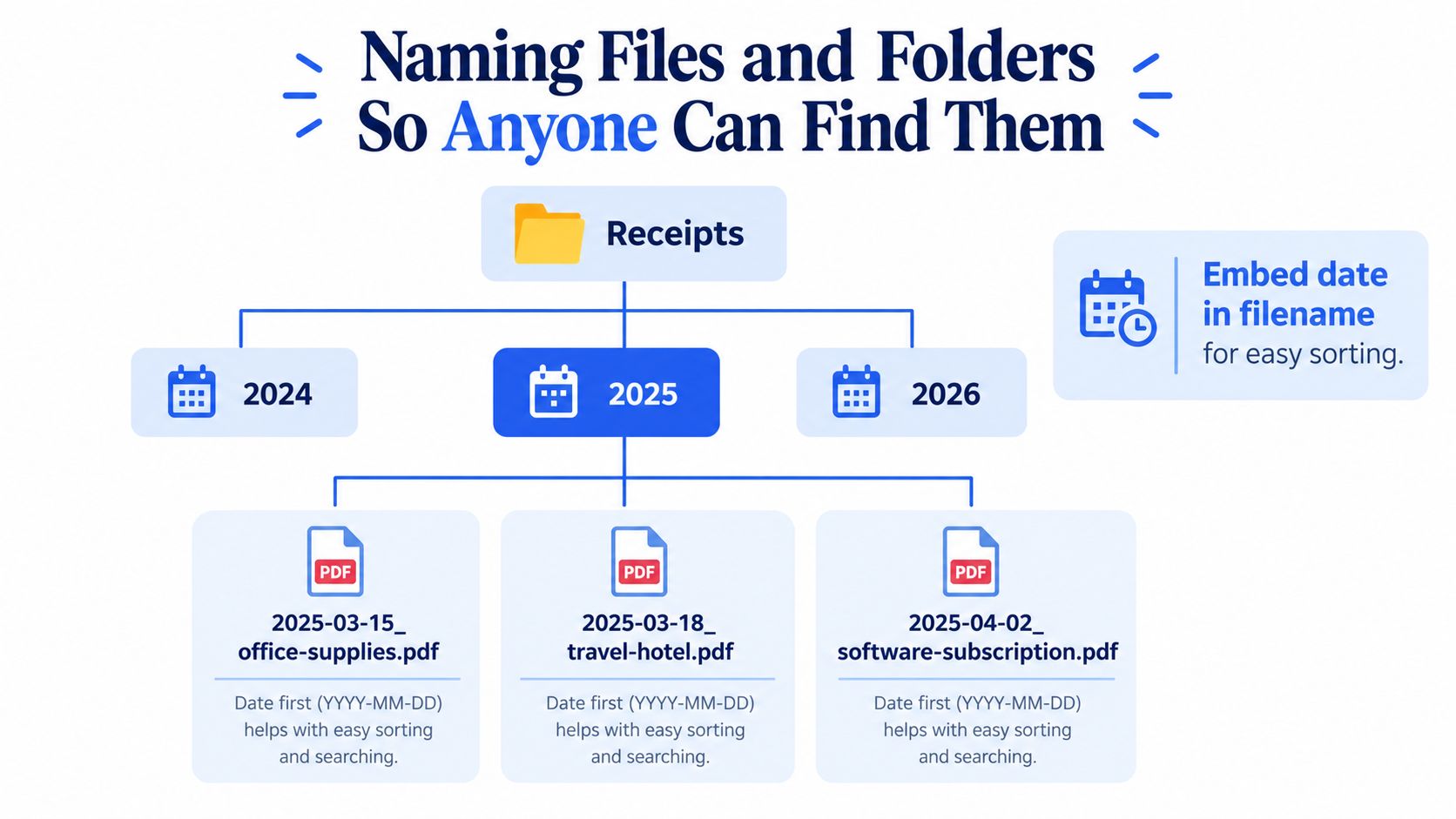
A folder tree can stay shallow while leaving room for separate entities and years:
- Receipts
- Entity name
- Tax year
- Travel
- Office supplies
- Software
- Reviewed
- Originals
- Tax year
- Entity name
Keep the original scan untouched in a controlled location and do any corrected classification on a reviewed copy or a linked record. That separation shows exactly what arrived versus what the team later decided it was. Resist deep nesting: once routine filing turns into a judgment call, people start guessing, and guesses at tax prep time are expensive. Let the naming pattern and searchable metadata carry the detail instead.
Multi-receipt PDFs need splitting at the transaction level. Preserve the original file, then split or bookmark pages if your record system allows it, giving each resulting document its own transaction date and vendor details. For foreign-currency purchases, keep the receipt's printed currency and amount, and record the accounting currency and conversion treatment in the transaction metadata rather than editing the filename amount.
Filenames can't hold everything, so pair each file with a small metadata record: vendor, amount, project or client, expense category, approver, and the ledger transaction it belongs to. A scan then stops being a picture in a folder and becomes indexed evidence you can pull by any of those fields during reconciliation or review.
Matching Each Receipt to a Bank Statement Row
Reconciliation is where the receipt system proves its value. Put statement transactions into a reviewable table with dates, descriptions, debits, credits, and balances, then match each receipt to the ledger entry and the corresponding bank or card row. Match using more than a merchant name: compare the date and amount, and investigate timing differences, renamed merchants, and transactions that combine personal and business spending.
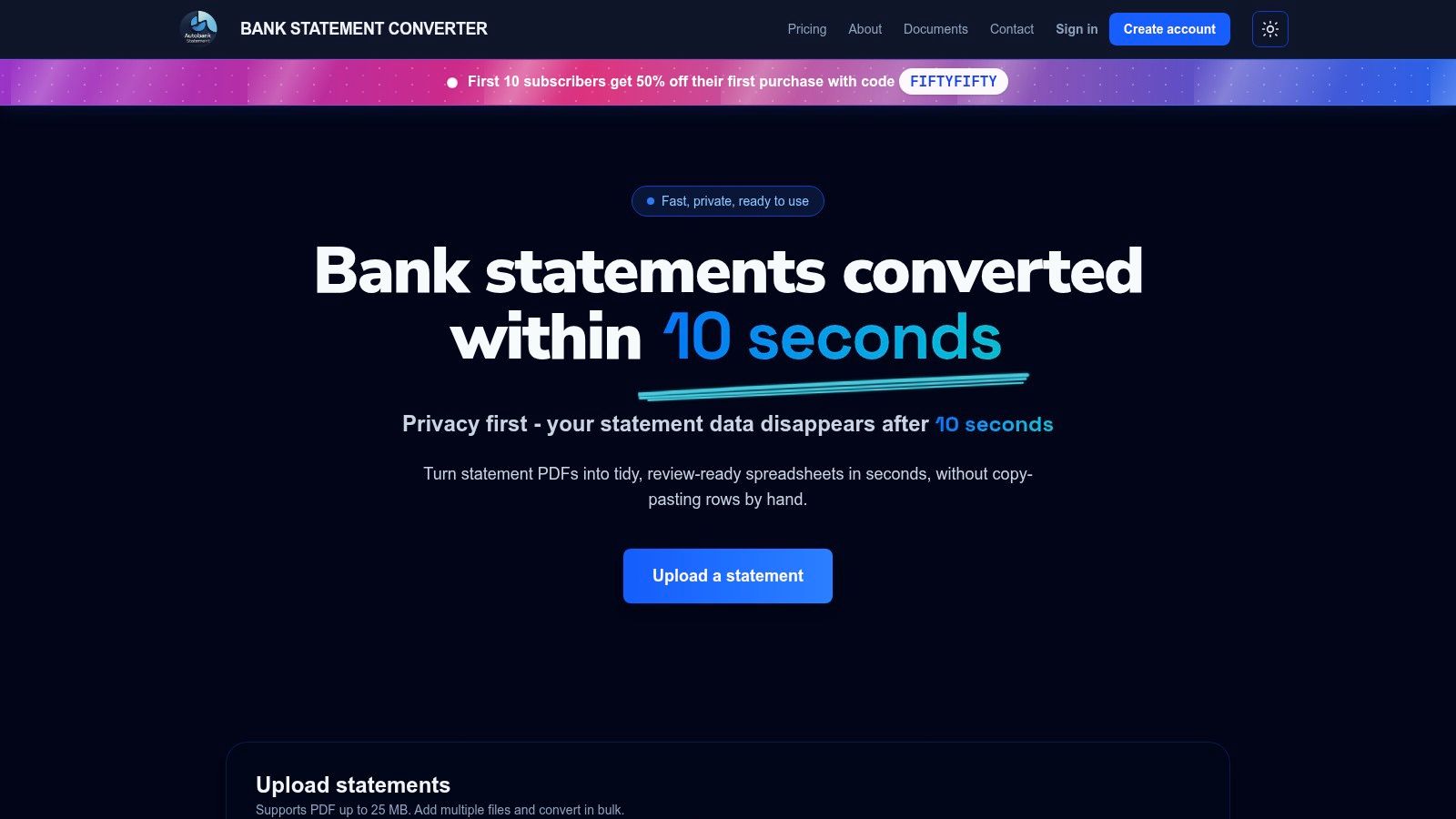
When a statement arrives as a PDF, a converter can turn it into a spreadsheet for review. Autobankstatement converts digital, scanned, and password-protected PDF statements up to 25 MB into CSV or Excel/XLSX, preserves balances for review, supports bulk uploads, and offers a free guest preview before payment. Uploads are automatically deleted within 24 hours. Whatever method we use, we still check the extracted rows against the original statement.
Start with the balance check: opening balance + credits − debits = closing balance. If the equation doesn't hold, review the extracted rows for an omitted transaction, a duplicate, or an OCR reading error before relying on the table. Then trace each relevant statement row to its ledger entry and receipt. This guide to bank statement reconciliation covers the broader matching process.
Keep an exception queue rather than forcing uncertain matches:
- Missing receipt: Record the transaction, request the document, and leave the exception open until it's resolved.
- Duplicate charge: Check the statement and merchant record, then flag the duplicate for correction rather than attaching one receipt twice.
- Refund without a matching slip: Link it to the original purchase where possible and document the refund evidence.
- Split business and personal purchase: Record only the supported business portion and retain a note explaining the allocation.
Retention Rules That Match Your Jurisdiction
A receipt that survives filing is still a liability if it disappears a year too early. Retention depends on jurisdiction, record type, and the purpose the document serves, which is why a single blanket deadline will eventually cost a client a deduction they can't defend.
In the U.S., the IRS generally advises keeping records that support income, deductions, or credits until the relevant limitations period expires. For many returns, that means three years from the filing date. Employment-tax records generally require at least four years after the tax is due or paid, whichever is later. The IRS explains the general approach in its record-retention guidance.
UK rules differ by business type and document. Limited companies generally retain accounting records for six years from the end of the relevant financial year, with longer retention potentially required in specific circumstances, as outlined in GOV.UK's company record guidance. HMRC's guidance for self-employed records identifies a separate five-year period after the relevant 31 January submission deadline. HMRC also sets category-specific minimums, including four years for certain invoices and receipts and five years for bank statements and paying-in books, in its retention guidance.
| Record Type | US (IRS) | UK Limited Company | UK Self-Employed |
|---|---|---|---|
| Ordinary income and expense support | Generally until the relevant limitations period expires; often three years from filing | Generally six years from the end of the relevant financial year | Five years after the relevant 31 January submission deadline, subject to applicable category rules |
| Employment or payroll tax records | At least four years after the tax is due or paid, whichever is later | Retain within the applicable company accounting-record schedule | PAYE records apply when the business employs people |
| Bank statements and paying-in books | Follow the relevant tax-record period and purpose | Follow the company accounting-record schedule | HMRC category guidance identifies a five-year minimum |
The table is a starting point rather than a safe harbour. Where a record serves multiple purposes, apply the longest relevant period.
Tag each file with a retention category when it enters the system, tied to the entity and purpose it supports. Don't delete a file just because a shorter deadline has passed if the same record backs another obligation; a supplier invoice can sit under both an expense claim and a VAT record with different clocks running. For details on self-employed records, check HMRC's retention guidance, and for the statement side of the pipeline, see our guide to how long banks keep records.
Habits That Quietly Undermine a Receipt System
Three habits can make a process look tidy while leaving the evidence weak. The first is keeping only paper because someone assumes digital copies won't count. The IRS allows electronic record systems when they preserve records that are complete, accurate, accessible, readable, indexable, retrievable, and reproducible; its business record guidance also makes clear that electronic records face the same basic requirements as paper records. A scan isn't automatically adequate, though. Cropped edges, unreadable text, missing pages, or altered files can undermine the record.
Keep the original digital capture access-controlled, preserve changes through a clear review process, and retain paper when local rules, warranty needs, or the document's legal significance call for it. A useful control is to retrieve a sample and confirm the image is complete before disposing of paper. We're testing whether the evidence works, not assuming that a saved file must be usable.
The second habit is trusting a scanning app without testing retrieval. A phone can capture the receipt, but it can't guarantee that someone else can locate it months later. Run a retrieval drill: ask a colleague to find a document using its date, vendor, and amount, then trace it to the ledger and statement. If the colleague needs the original scanner's owner to explain a private naming system, the archive isn't working for the team.
The third mistake is deleting the receipt as soon as the transaction reconciles. Reconciliation confirms a match; it doesn't end the retention obligation. Keep the supporting document through the applicable period, and protect it from accidental deletion or unauthorized changes. Maintain a tested backup, not just a promise that files sync somewhere.
A receipt system only counts when it can produce the right evidence on demand.
The habit loop to pin beside the inbox
- Capture promptly: Photograph or save the full receipt when it arrives; trigger: the purchase or email receipt.
- Rename promptly: Apply the shared filename convention; trigger: capture is complete.
- File by year and category: Store it in the approved shared location; trigger: indexing is done.
- Reconcile monthly: Match receipt, ledger entry, and statement row; trigger: statement review.
- Test retrieval periodically: Have another team member retrieve a sample; trigger: the regular control review.
- Apply the longest relevant retention period: Assign the right category and deadline; trigger: filing or annual record review.
The practical test is specific: choose a receipt from 18 months ago and produce its matching statement row, ledger entry, and tax category in under two minutes. If we can do that without relying on someone's memory, the workflow is doing its job. If not, find the broken handoff, whether that's capture, indexing, storage, reconciliation, or retention, and fix that step before adding more folders.
For the statement side of this evidence trail, autobankstatement converts PDF bank statements, including scanned and password-protected files, into CSV or Excel/XLSX for review, with bulk uploads and uploads automatically deleted within 24 hours. Try the free guest preview and visit autobankstatement to turn statement PDFs into rows you can check against receipts and ledger entries.
Convert your next statement in minutes
Upload a bank statement PDF — digital, scanned, or password-protected — preview the extracted table, and download clean CSV or Excel.