8 Sample Statement of Accounts Examples
Explore 8 sample statement of accounts examples for reconciliation, lending, tax preparation, payroll checks, consolidation, forecasting, and audits.
A sample statement of accounts should match the decision it supports. A reconciliation schedule focuses on cleared and outstanding transactions, while a lender review emphasizes dependable income, debt payments, and account history. Payroll validation, tax preparation, multi-account reporting, cash-flow planning, and audit work each require different columns, supporting documents, and review notes.
This approximately 2,400-word guide compares eight formats in a decision-oriented sequence:
- Monthly bank reconciliation statement
- Bank statement for loan application review
- Quarterly business accounting statement
- Payroll and expense validation statement
- Multi-account consolidation statement
- Tax preparation and deduction substantiation statement
- Cash flow forecast and budget variance statement
- Audit-ready compliance and internal control statement
For every example, we identify the layout, explain why it fits the purpose, and list practical checks we can repeat during close or review. Across all formats, verify opening balance + credits − debits = closing balance. Keep source-preserving conversion separate from analysis: the converted file should retain transaction data, while formulas, classifications, reconciliations, and conclusions belong in a separate spreadsheet or working paper.
For source preparation, AutoBankStatement converts digital, scanned via OCR, and password-protected PDF bank statements into CSV or Excel/XLSX. It supports bulk uploads and files up to 25 MB, offers a free guest preview before payment, provides registered users 24-hour download access, and auto-deletes uploads within 24 hours.
Table of Contents
- 1. Monthly Bank Reconciliation Statement
- 2. Bank Statement for Loan Application Review
- 3. Quarterly Business Accounting Statement
- 4. Payroll and Expense Validation Statement
- 5. Multi-Account Consolidation Statement
- 6. Tax Preparation and Deduction Substantiation Statement
- 7. Cash Flow Forecast and Budget Variance Statement
- 8. Audit-Ready Compliance and Internal Control Statement
- 8-Point Statement of Accounts Comparison Guide
- Turn the Example Into a Repeatable Review Process
1. Monthly Bank Reconciliation Statement
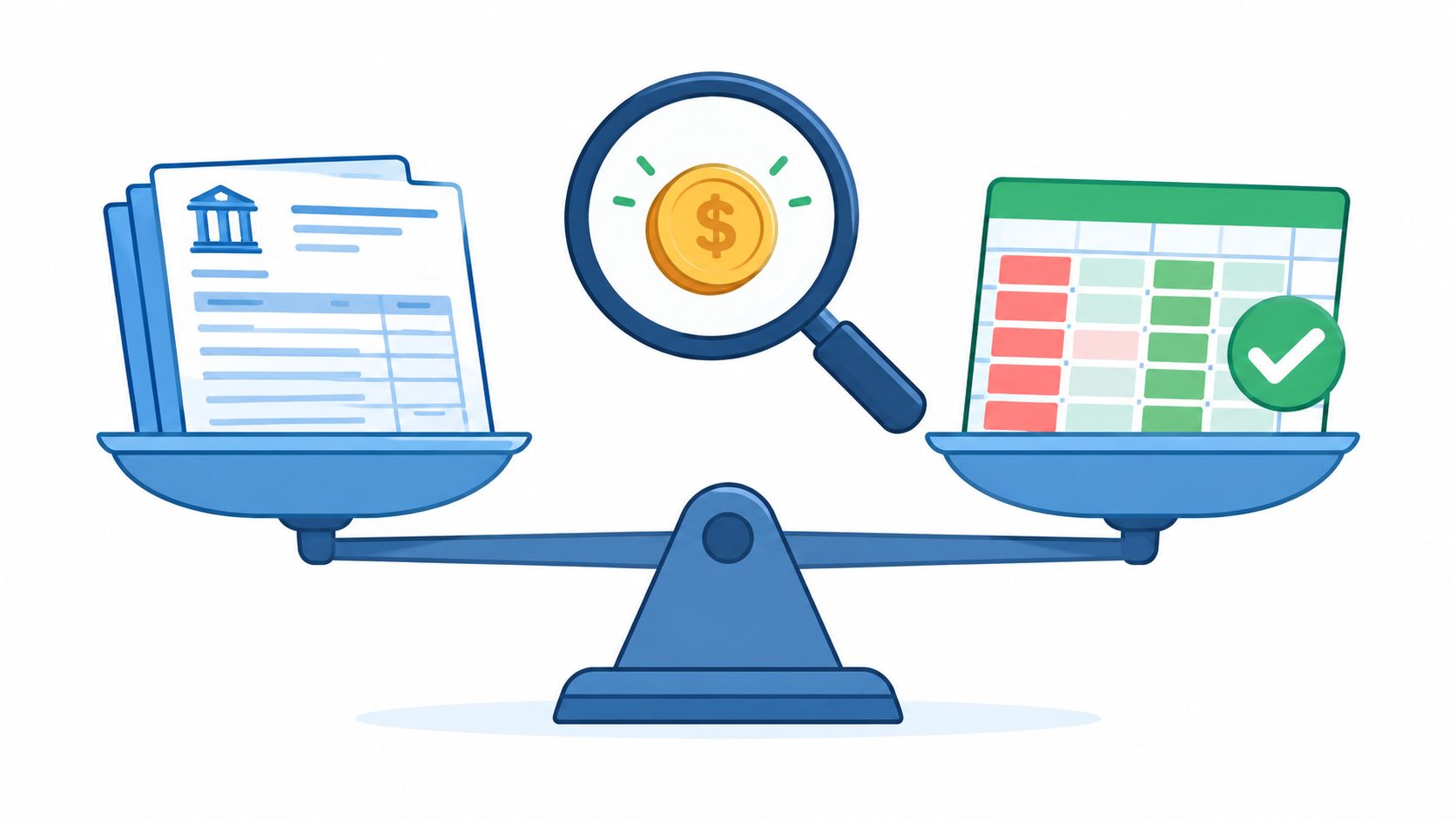
A monthly bank reconciliation statement compares the company’s ledger with the bank’s official statement. It explains differences such as outstanding checks, deposits in transit, bank fees, and timing errors, while confirming that the reported cash balance is reliable.
Analysis and practical use
This format deserves a place in any collection of sample statement of accounts because it supports routine close procedures, fraud detection, tax preparation, and lender review. We should avoid relying on unsupported performance claims; instead, finance teams can use spreadsheet formulas to identify duplicate deposits and other discrepancies efficiently. Bulk uploads can also reduce repetitive data entry across monthly client closes.
For statements that require conversion, AutoBankStatement converts digital, scanned, and password-protected PDFs into CSV or Excel/XLSX files. Files can be up to 25 MB, and a free guest preview is available before payment. Learn more about reconciling bank statements.
Action checklist
- Confirm opening balance + credits − debits = closing balance.
- Sort transactions by fees, transfers, checks, and deposits.
- Investigate bank-only transactions within three business days.
- Complete reconciliation within five business days of month-end.
- Retain the converted spreadsheet beside the original PDF for audit support.
2. Bank Statement for Loan Application Review
A bank statement for loan application review gives lenders evidence of an applicant’s cash flow, liquidity, and repayment capacity. Reviewing 3–12 months of activity in a consistent spreadsheet format helps credit analysts identify recurring income, seasonal changes, unusual deposits, excessive withdrawals, and periods of low or negative balances.

Analysis and practical use
This sample statement of accounts deserves inclusion because it turns raw transaction history into underwriting evidence. A pivot table can expose one-time deposits that mask weaker recurring cash flow, while a consistent spreadsheet format helps credit teams prepare formula-based cash-flow summaries. Bulk processing can also support reviews involving multiple applicants and statement files.
AutoBankStatement converts digital, scanned, and password-protected PDFs into CSV or Excel/XLSX files, with files up to 25 MB. A free guest preview is available before payment. Learn more about bank statements as proof of income.
Compare applicants using the same period, categories, and cash-flow formulas.
Action checklist
- Request 6–12 months based on business age and loan size.
- Create a summary tab for average deposits, withdrawals, and minimum balance.
- Flag zero- or negative-balance months.
- Explain unusual deposits with application documents.
- Verify opening balance + credits − debits = closing balance.
3. Quarterly Business Accounting Statement
A quarterly business accounting statement combines three months of bank activity into a reporting view for tax estimates, management reviews, and lender analysis. Instead of focusing only on individual transactions, it summarizes deposits, withdrawals, expense categories, and cash-flow trends across the quarter.

Analysis and practical use
This sample statement of accounts deserves inclusion because quarterly summaries give finance teams context that monthly reviews can miss. We can use spreadsheet formulas and pivot tables to group expenses, compare grant income or donor contributions, and review operating costs across periods. Bulk-uploaded statements can then support standardized quarterly workbooks for multiple clients.
A nonprofit finance manager can use one pivot table to compare grant income, donor contributions, and operating expenses across four quarters. PDF statements can be converted to CSV or Excel/XLSX, including scanned or password-protected files, for charts and reporting. Learn more about business bank statements.
Use quarterly summaries for decisions, but retain transaction-level files for verification and audit support.
Action checklist
- Confirm each month’s opening balance + credits − debits = closing balance.
- Add monthly deposit and withdrawal totals to a separate summary sheet.
- Compare the quarter with the same period last year.
- Highlight amounts exceeding twice the category average.
- Chart the running balance to identify cash-flow peaks and troughs.
- Record explanations for large transfers or bank adjustments in a notes column.
4. Payroll and Expense Validation Statement
A payroll and expense validation statement matches cleared bank transactions with payroll runs, vendor payments, and employee reimbursements. It confirms what actually left the account and helps identify duplicate payments, failed ACH transfers, missing deposits, or unexpected fees.
Analysis and practical use
This example belongs in any collection of sample statement of accounts because it connects the bank’s authoritative record with the company’s expected-payment schedule. We can use matching formulas and conditional formatting to compare payroll, vendor, and reimbursement records with cleared transactions. The same process helps identify duplicate payments, failed transfers, and transactions without an approved source.
Match expected payments first, then investigate every cleared transaction that has no approved source.
AutoBankStatement converts digital, scanned, and password-protected PDFs into CSV or Excel/XLSX files, including bulk uploads and files up to 25 MB. A free guest preview is available before payment. Learn more about converting bank statements.
Action checklist
- Create an expected-payments sheet for payroll, vendors, and reimbursements.
- Use matching formulas and conditional formatting to flag unmatched or duplicate transactions.
- Compare expected and actual clearing dates, investigating delays over two business days.
- Confirm opening balance + credits − debits = closing balance.
- For payroll, compare total net deposits with the payroll report and archive the spreadsheet with the original PDF according to the organization’s retention policy.
5. Multi-Account Consolidation Statement
A multi-account consolidation statement combines balances and transaction summaries from operating, payroll, loan, escrow, and other bank accounts into one cash position report. Each statement is converted into a consistent spreadsheet structure, then reviewed by account and in total.
Analysis and practical use
This format belongs in any collection of sample statements of accounts because it gives finance teams one view of liquidity without hiding account-level activity. A holding company with several subsidiary accounts can convert monthly statements into a consistent workbook and review intercompany transfers. A real estate developer may also identify unexplained transfers between escrow and operating accounts, prompting a review of supporting invoices. For franchise groups, consolidation can show which locations repeatedly approach minimum balances, allowing timely rebalancing.
AutoBankStatement converts digital, scanned, and password-protected PDFs into CSV or Excel/XLSX files, with bulk upload and files up to 25 MB. A free guest preview is available before payment, and uploads auto-delete within 24 hours. Learn more about converting bank statements.
The master file should explain both the total cash position and every transfer between accounts.
Action checklist
- List each account, purpose, authorized signers, end date, and closing balance.
- Verify opening balance + credits − debits = closing balance for every account.
- Record intercompany transfers separately, including date, source, destination, and reason.
- Confirm transfers in minus transfers out equals zero.
- Add six months of balance trends to flag accounts approaching zero.
6. Tax Preparation and Deduction Substantiation Statement
A tax preparation and deduction substantiation statement organizes bank activity into evidence for reported income, business expenses, estimated payments, and charitable contributions. As a practical sample statement of accounts, it adds tax categories, business-purpose notes, and supporting-document references to each transaction.
The infographic below visualizes five validation controls: transaction matching, duplicate-payment detection, failed ACH identification, clearing-date verification, and source-document retention.
Together, these relationships show how matching and date checks catch payment errors, while categorized records and retained source PDFs support review.
Analysis and practical use
We can convert monthly statements and apply SUMIF formulas to software, home-office, and professional-development costs. This approach helps organize potential deductions for review and allows a CPA or tax preparer to place each client’s records in a separate workbook tab for parallel preparation.
For conversion, AutoBankStatement handles digital, scanned, and password-protected PDFs up to 25 MB, with CSV or Excel/XLSX output and a free guest preview. Learn more about converting bank statements.
Map every transaction to business income, Schedule C expense, personal, or non-deductible before totals reach the tax return.
Action checklist
- Add tax categories, notes, and receipt references.
- Separate estimated tax payments from deductible expenses.
- Compare charitable transfers with charity receipts.
- Document home-office allocation monthly.
- Verify opening balance + credits − debits = closing balance.
- Retain the workbook with the original statements according to applicable tax and organizational requirements.
7. Cash Flow Forecast and Budget Variance Statement
A cash flow forecast and budget variance statement uses historical bank statements to estimate future inflows, outflows, and balances, then compares actual results with the approved budget. Converting 6–12 months of statements into Excel makes it easier to calculate averages, plot trends, isolate seasonal patterns, and identify working-capital gaps.
Analysis and practical use
This format belongs in any collection of sample statement of accounts because it supports borrowing decisions, purchasing schedules, payroll planning, and lender review. We can calculate quarterly averages, compare processor deposits with refunds, and identify timing gaps between payroll obligations and incoming receipts. Separating recurring activity from one-time transactions makes the resulting forecast more useful for planning.
Keep one-time loan proceeds, asset sales, and tax payments separate so they do not distort recurring trends.
For accurate analysis, we can convert digital, scanned, or password-protected PDFs into CSV or Excel/XLSX files with AutoBankStatement. Bulk uploads support multi-month reviews, files can be up to 25 MB, and a free guest preview is available before payment. Learn more about converting bank statements to Excel.
Action checklist
- Use two years of data when available to confirm seasonal patterns.
- Separate inflows and outflows into different worksheets.
- Compare each month with a rolling 12-month average.
- Verify opening balance + credits − debits = closing balance.
- Mark one-time transactions before calculating forecasts.
8. Audit-Ready Compliance and Internal Control Statement
An audit-ready compliance and internal control statement presents bank activity in a consistent, traceable format. It preserves the original PDF while adding an Excel working file for testing transaction completeness, authorization, reconciliations, and financial statement accuracy.
Analysis and practical use
This format belongs in any collection of sample statement of accounts because it creates a clear evidence package for external audits, SOX reviews, lender examinations, and nonprofit reporting. We can compare statement payees with vendor and purchase-order records, review account-level activity, and place multiple statement periods in a workbook with separate tabs. These practices support reconciliation testing and control reviews without altering the original source files.
For conversion, AutoBankStatement converts digital, scanned, and password-protected PDFs into CSV or Excel/XLSX files, with bulk upload and files up to 25 MB. A free guest preview is available before payment, and uploads auto-delete within 24 hours. Learn more about converting bank statements.
Preserve original data first. Perform filters, summaries, and testing on separate worksheets.
Action checklist
- Match PDF and Excel filenames by bank, account, and period.
- Add audit procedures, sample selections, findings, and conclusions.
- Verify opening balance + credits − debits = closing balance.
- Never delete converted rows; retain supporting PDFs and workpapers.
- Link the account control matrix to access, authorization, and reconciliation evidence.
- Retain records according to applicable law and organizational policy.
8-Point Statement of Accounts Comparison Guide
| Statement Type | Implementation Complexity | Resource Requirements | Expected Outcomes | Ideal Use Cases | Key Advantages |
|---|---|---|---|---|---|
| Monthly Bank Reconciliation Statement | Low–Medium; recurring transaction matching and discrepancy review | Bank PDF, accounting records, spreadsheet formulas, monthly processing | Accurate cash balances, faster discrepancy detection, reduced reconciliation time | Monthly bookkeeping, general ledger reconciliation, cash controls | Authoritative cash position, strong audit support, efficient variance analysis |
| Bank Statement for Loan Application Review | Medium; multi-month consolidation and applicant-specific analysis | 3–12 months of statements, OCR for scans, underwriting templates, ratio calculations | Faster credit assessment, clearer liquidity trends, stronger repayment analysis | Loan underwriting, credit unions, SBA and business lending | Supports scoring models, cash-flow ratios, source-of-funds verification |
| Quarterly Business Accounting Statement | Medium; aggregation, categorization, and period-to-period comparison | Three months of statements, pivot tables, summary sheets, trend charts | Improved quarterly reporting, tax estimates, and management visibility | Quarterly close, tax filing, board reporting, consolidation | Broader trend visibility, meaningful variance analysis, seasonal comparisons |
| Payroll and Expense Validation Statement | Medium; expected-versus-actual matching and exception handling | Payroll registers, vendor lists, matching formulas, conditional formatting | Faster payment validation, duplicate detection, and failed-transfer identification | Payroll controls, accounts payable, reimbursement verification | Rapid matching, stronger payment controls, clear review documentation |
| Multi-Account Consolidation Statement | High; cross-bank normalization, transfer tracking, and consolidation | Multiple account PDFs, master workbook, account mapping, intercompany tracking | Unified cash position, improved liquidity planning, reduced double-counting | Treasury management, holding companies, franchises, project accounting | Centralized reporting, account optimization, cash visibility |
| Tax Preparation and Deduction Substantiation Statement | Medium–High; transaction categorization and documentation review | Bank statements, tax categories, receipts, notes, spreadsheet filters and formulas | Review-ready deduction schedules, faster return preparation, improved substantiation | Schedule C, Form 990, freelancer and small-business tax preparation | Efficient deduction aggregation, strong documentation, easier review response |
| Cash Flow Forecast and Budget Variance Statement | High; multi-period modeling, forecasting, and scenario analysis | 6–24 months of history, budget data, forecasting formulas, charts | Better liquidity forecasts, early funding decisions, clearer budget variances | Seasonal businesses, working-capital planning, credit negotiations | Enables trend analysis, what-if modeling, and timing-gap detection |
| Audit-Ready Compliance and Internal Control Statement | High; strict data preservation, reconciliation, and evidence documentation | Original PDFs, converted spreadsheets, GL records, control matrices, review notes | Reproducible review evidence, faster testing, stronger control documentation | External audits, SOX, SSAE, internal control reviews | Preserves traceability, supports recurring review, improves reviewer efficiency |
Turn the Example Into a Repeatable Review Process
A strong sample statement of accounts is more than a neat table of transactions. It gives reviewers the right period, balances, transaction detail, evidence, and explanations needed for reconciliation, lending decisions, tax work, forecasting, payroll checks, or audit support.
The examples in this guide also show that one layout cannot serve every purpose. The best format depends on the question we need to answer.
Match the format to the review objective
Use this selection checklist before preparing or requesting a statement:
- Monthly bank reconciliation: Show the statement period, opening balance, credits, debits, outstanding items, and closing balance.
- Loan application review: Preserve the original source and present consistent periods, account ownership details, deposits, withdrawals, and unusual movements.
- Quarterly accounting and tax analysis: Group multiple months so we can identify recurring activity, seasonal changes, and deductible transactions.
- Payroll and expense validation: Use payment-focused detail with dates, payees, references, and approval or supporting-document status.
- Multi-account treasury work: Place accounts in a consistent consolidated view while retaining each account’s identity and ending balance.
- Forecasting and budget variance: Separate historical actuals from projections, assumptions, and variance explanations.
- Audit and control files: Keep source-preserving layouts, review notes, exception logs, and evidence references together.
The repeatable method is simple: choose the layout based on the decision, not on the file format alone.
Apply the same control sequence every time
Retain the original PDF before making any changes. Convert it only when useful for sorting, filtering, grouping, or analysis, and keep the working CSV or Excel/XLSX file separate from the source record.
Then complete these checks:
- Confirm the account, statement period, currency, and page count.
- Review scanned or password-protected outputs for OCR errors, missing rows, altered dates, and unclear amounts.
- Verify opening balance + credits − debits = closing balance.
- Match material transactions to invoices, receipts, payroll records, loan documents, or bank confirmations.
- Record exceptions, adjustments, unresolved items, and the person responsible for follow-up.
- Lock the reviewed version and preserve the evidence used to support conclusions.
For PDF conversion, autobankstatement supports digital and scanned bank statements through OCR, as well as password-protected PDFs, with CSV or Excel/XLSX output. It accepts files up to 25 MB and supports bulk upload. Registered users receive 24-hour download access, while uploads are automatically deleted within 24 hours. A free guest preview is available before payment. Plans include Starter at $15 per month for 400 pages, Professional at $30 per month for 1,000 pages, Business at $50 per month for 4,000 pages, annual discounts, and custom enterprise limits.
The final responsibility remains with the reviewer. Consistent templates make work easier to compare, but evidence preservation, balance checks, and documented judgment make the result dependable. A well-designed statement process turns routine records into clear support for better accounting, lending, tax, and control decisions.
Use autobankstatement to convert statement PDFs into review-ready CSV or Excel/XLSX files, including scanned and password-protected documents, so we can build practical sample statement of accounts without losing the original evidence.
Convert your next statement in minutes
Upload a bank statement PDF — digital, scanned, or password-protected — preview the extracted table, and download clean CSV or Excel.