
What Is OFX File Format and How Does It Work
Learn what is OFX file format, how its 1.x and 2.x versions differ, what fields it carries, and how to convert OFX statements into CSV or Excel for accounting.
OFX stands for Open Financial Exchange, a structured plain-text financial interchange format created in 1997 by Microsoft, Intuit, and CheckFree. Banks use it to deliver account data to accounting and personal-finance software.
You may meet it after downloading transactions for a reconciliation, trying to load several months of history into bookkeeping software, or receiving a bank export that opens in Notepad as a mass of unfamiliar tags. The file may look untidy to a person, but it follows a structure designed for software to interpret account identifiers, dates, amounts, transaction types, and balances consistently.
That distinction matters. OFX isn't a visual bank statement and it isn't another spreadsheet format. It's a financial message that moves structured data between institutions and applications. Once we understand the message format, its version differences, its transaction records, and its balance limitations, we can use the data with much more confidence.
Table of Contents
- Why Finance Teams Keep Running Into OFX Files
- What OFX Actually Is as a Format
- OFX 1.x Versus 2.x and Why the Header Matters
- Inside an OFX Statement Download
- How OFX Imports Into Accounting and Spreadsheet Workflows
- Verifying OFX Data Before You Trust It
- Choosing Between OFX Imports and PDF Conversions
Why Finance Teams Keep Running Into OFX Files
A bookkeeper often encounters OFX at an ordinary point in the month-end process. We download activity from a bank, select a date range, and receive a file ending in .ofx. Opening it in Notepad can be disorienting. Instead of rows and columns, we see labels such as BANKTRANLIST, STMTTRN, DTPOSTED, and TRNAMT, sometimes with closing tags and sometimes without them.
The first reaction is usually, “This file is broken.” Often, it isn't. The file is speaking to an accounting application rather than presenting information for a human reader. A spreadsheet is arranged for visual inspection, while OFX is arranged so software can identify the difference between an account number, a posting date, a transaction amount, and a balance.
Practical rule: Treat an OFX download as a financial message, not as a report you need to make attractive.
The everyday reasons OFX appears
We might use OFX when a client needs older transaction history than the current bank feed provides. A small business owner might download activity to support bookkeeping, while a finance team might receive account data from a bank and import it into an accounting platform. In each case, the format provides a structured handoff between the bank and the application.
OFX can carry more than checking-account transactions. Its intended scope includes bank-account activity, credit-card records, investment positions, and related financial information. It was designed for automated transfer, not for displaying the same polished statement a customer sees in online banking. The United Kingdom's National Archives description of OFX characterizes it as a unified specification for electronic financial-data exchange over the Internet.
The practical journey is straightforward:
- Download: We obtain the file from the bank or financial institution.
- Interpret: The receiving application reads the structured fields.
- Review: We check dates, signed amounts, identifiers, and balances.
- Reconcile: We compare the imported information with the ledger and the bank's statement.
That workflow explains why OFX remains relevant to accountants and business owners. It isn't optional trivia for developers. It is one of the formats used to move transaction history into the systems we rely on for categorization, reconciliation, reporting, and recordkeeping.
What OFX Actually Is as a Format
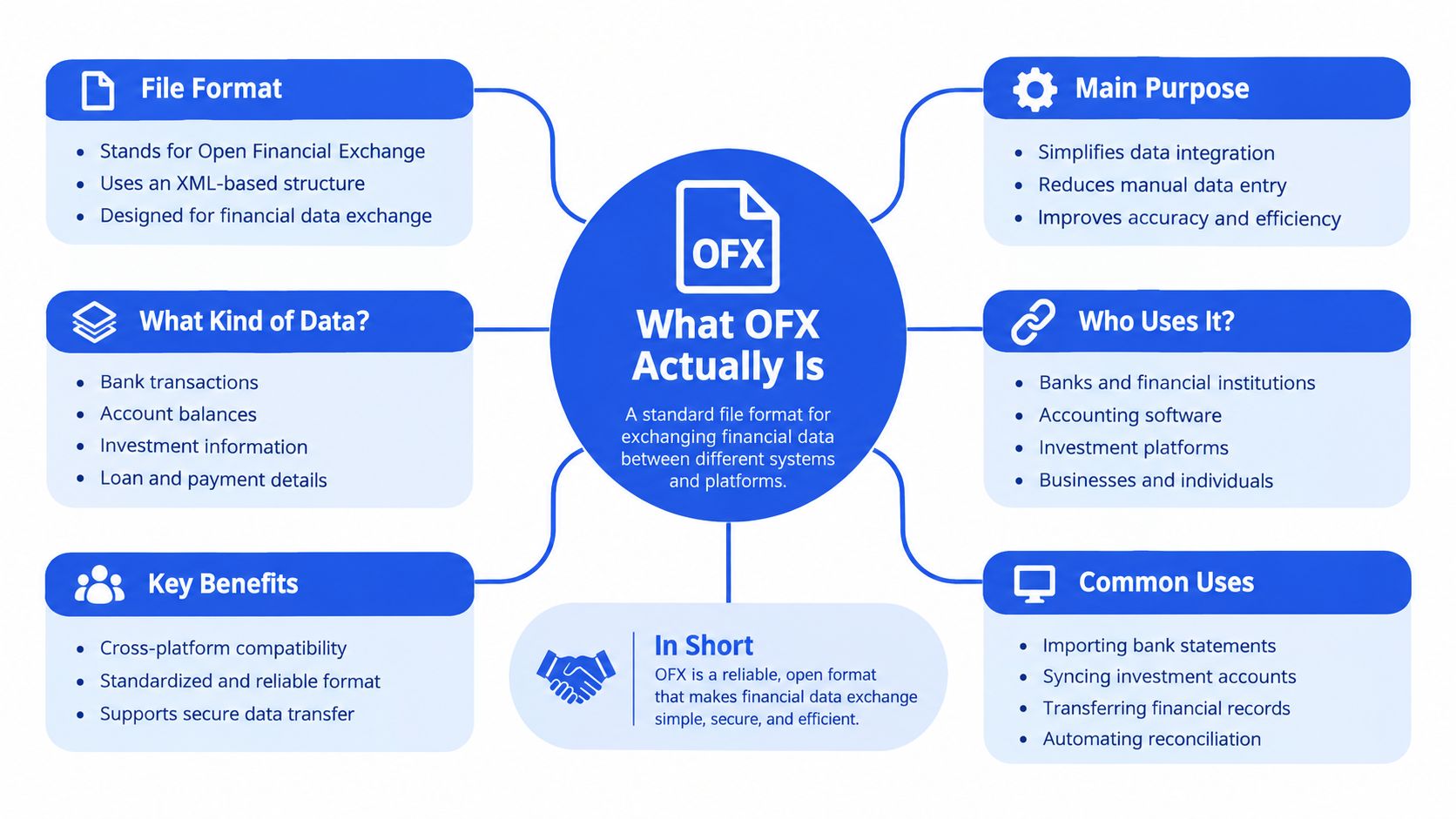
Open Financial Exchange is a structured, plain-text format for exchanging financial information among banks, software vendors, businesses, and consumers. Microsoft, Intuit, and CheckFree announced the standard on January 16, 1997, and released OFX version 1.0 on February 14, 1997, as documented in the history of the Open Financial Exchange standard.
The format consolidated earlier competing approaches, including Microsoft's Open Financial Connectivity work and Intuit's financial-data exchange efforts. The central idea was interoperability. A bank could publish account and transaction information in a common structure, and different client applications could interpret the same core fields without requiring a separate custom format for every institution.
A message rather than a document
We can think of OFX as a labeled package. The package might contain an account identifier, a list of posted transactions, and one or more named balances. Each value sits beside a tag that tells software what the value means.
That makes OFX closer to an electronic financial message than to a human-oriented statement. It isn't intended to reproduce page headers, logos, section styling, or the visual layout of a bank PDF. It carries the underlying data that applications need to create their own transaction screens and reports.
A typical statement download may include:
- Account information, such as the account type and identifying number.
- Transaction records, including posting dates, signed amounts, and institution identifiers.
- Descriptions, such as payee names or additional memo text.
- Balances, with values associated with named balance types.
- Optional extensions, because institutions and applications can add specialized elements while preserving common fields.
For readers comparing financial formats, our explanation of the QIF file type helps distinguish an older interchange approach from OFX's more structured banking message model.
What the opening lines tell us
The first lines provide an important technical clue. Older OFX files commonly use an SGML-derived format and may begin with OFXHEADER:100. Newer files use XML and commonly identify the newer convention with OFXHEADER=200.
This is why the same .ofx extension doesn't tell us everything we need to know. Two files can carry similar banking information while requiring different parsing methods. The header tells a parser which generation it should expect before it reads the statement body.
OFX 1.x Versus 2.x and Why the Header Matters
The most important technical distinction is between OFX 1.x and OFX 2.x. Versions 1.0 through 1.6 use an SGML-derived syntax. Many leaf elements may omit closing tags, which is acceptable within that generation but invalid under strict XML rules. Versions in the 2.x family use well-formed XML, where elements need proper closure.
A parser that assumes every OFX file is ordinary XML can reject a valid 1.x download. The reverse mistake is also possible. A tool may expect the newer header convention and mishandle an older file before it reaches the transaction data.
Reading the version signals
The transition toward XML occurred around 2000. Later milestones added capabilities beyond basic account downloads, including:
- OFX 2.0, the XML-based generation.
- OFX 2.1.1, which added multifactor-authentication support.
- OFX 2.2, which added OAuth token-based authentication and expanded data elements.
- OFX 2.3, listed as the latest release in the cited format history and dated October 16, 2020.
The documented OFX version history and syntax guidance supports checking the header and version before processing. In practical terms, an ingestion pipeline should route an SGML-style file through an SGML-aware normalization stage and send an XML file through a standard XML parser.
The statement hierarchy
At the banking level, a statement download uses an STMTRQ request and an STMTRS response. The response can contain a BANKTRANLIST, which holds individual STMTTRN records. A record might conceptually look like this:
| Field | Example meaning |
|---|---|
DTPOSTED |
The date the bank posted the transaction |
TRNAMT |
The signed transaction amount |
TRNTYPE |
A label such as debit, credit, payment, or deposit |
FITID |
The financial institution's transaction identifier |
A small statement could contain three records, such as a grocery purchase with a negative TRNAMT, a payroll deposit with a positive TRNAMT, and a card refund with a positive TRNAMT. The labels help software place each value in the correct field, but the sign of TRNAMT remains a critical accounting control.
Named balance aggregates can appear alongside the transaction list. They may carry a balance type, description, and value. A parser therefore needs to understand both the transaction hierarchy and the balance structures, not merely search for dates and amounts.
Inside an OFX Statement Download
The banking specification describes a response through the STMTRS aggregate. Within it, BANKTRANLIST groups posted activity, and STMTTRN identifies an individual transaction. The result resembles a structured filing cabinet, where each transaction has a predictable place for its date, amount, identifier, and description.
The most useful fields for bookkeeping are the ones that preserve transaction identity and accounting meaning. DTPOSTED supplies the posting date. TRNAMT supplies the signed amount. FITID supplies the financial institution's transaction identifier, which can help us detect whether the same bank transaction has been imported twice.
TRNTYPE still matters, but we shouldn't let it override the amount sign. In MYOB Advanced's documented OFX import behavior, a positive amount is imported as a receipt and a negative amount as a disbursement, while TRNTYPE remains informational.
Mapping records into a working sheet
Optional fields can add useful review context. NAME may hold a payee or merchant, MEMO may contain further bank text, and CHECKNUM may identify a check. When we convert or export OFX data, preserving these fields gives the reviewer more evidence than a sheet containing only a date and amount.
| OFX Field | Meaning | Spreadsheet Column |
|---|---|---|
DTPOSTED |
Bank posting date | Posted date |
TRNAMT |
Signed transaction value | Amount |
FITID |
Institution transaction identifier | Bank transaction ID |
TRNTYPE |
Transaction type label | Type |
NAME |
Payee or merchant name | Description |
MEMO |
Additional transaction detail | Memo |
CHECKNUM |
Check reference, where supplied | Check number |
Consider three ordinary records. A grocery purchase might have TRNTYPE set to a payment, a posted date, a merchant name, and a negative amount. Payroll might carry a deposit label and a positive amount. A card refund might also be positive, even though its business meaning differs from payroll.
The balance section deserves equal attention. The official OFX Banking Specification version 2.3 describes statement responses in which posted transaction detail appears through INCTRAN when its INCLUDE flag is set to Y. It also defines balance responses that can carry names, descriptions, balance types, and values.
A clean conversion preserves identifiers and balances. Removing them can make later duplicate checks and reconciliation harder.
How OFX Imports Into Accounting and Spreadsheet Workflows
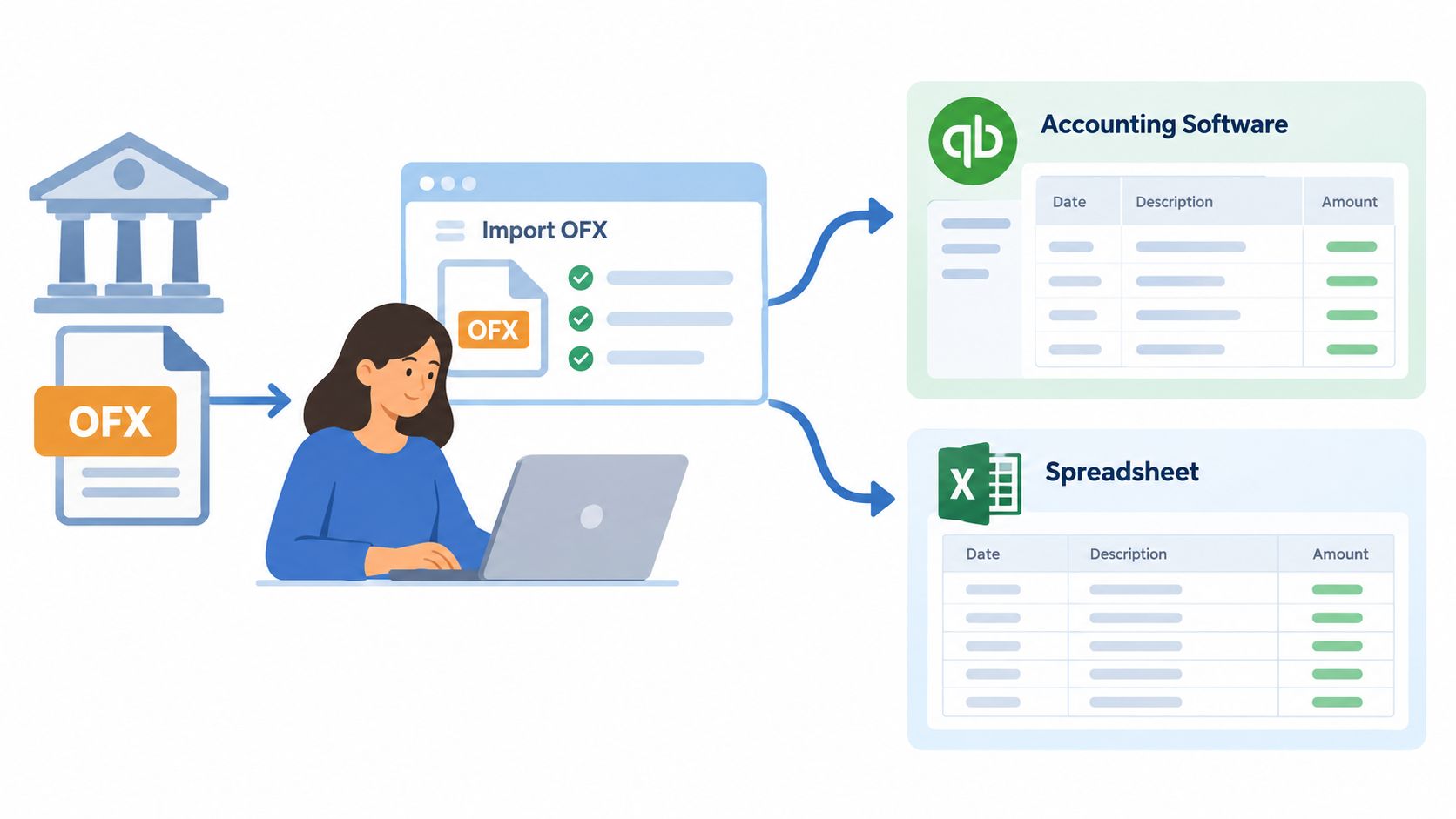
We generally get OFX into a finance workflow through one of three routes. The first is a direct bank download. The second is an accounting-software importer. The third is a fallback conversion when the institution supplies a PDF but no usable OFX file.
Route one, download from the bank
Many online banking portals place an export option beside account activity. We select the account and date range, choose OFX if it is available, and save the file. The accounting application then reads the structured transaction records instead of requiring us to copy each line manually.
This route is useful when we need a controlled historical import. We can choose the period, retain the original file, and review the imported rows before posting them. The exact bank menu differs, so we should verify the resulting file extension and the selected account before importing.
Route two, use a dedicated importer
Accounting platforms such as QuickBooks, Xero, and MYOB may offer dedicated import paths for bank transaction files. The software maps fields such as dates, amounts, payees, and transaction identifiers into its banking or reconciliation workspace.
The importer doesn't remove our responsibility for review. We still need to inspect the account, date range, signs, duplicate identifiers, and ending balance. A successful upload only confirms that the application accepted the file structure.
Route three, convert a PDF when OFX isn't available
Some institutions provide only a digital PDF, a scanned statement, or a password-protected PDF. In that situation, we can convert the statement into CSV or XLSX and review the resulting rows as a spreadsheet workflow. The spreadsheet won't contain the same native OFX hierarchy, so we should treat it as extracted data that needs validation.
| Workflow | Best fit | Main review concern |
|---|---|---|
| Bank OFX download | The bank provides a structured export | Confirm version, account, and date range |
| Accounting-software import | The platform accepts OFX directly | Check mapping and duplicate handling |
| PDF to CSV or XLSX | Only a visual statement is available | Verify OCR or extraction accuracy |
For practical guidance on moving statement data into common bookkeeping environments, see this bank statement import guide for QuickBooks Online and Xero.
Verifying OFX Data Before You Trust It
An import can succeed technically and still require accounting review. The most important limitation concerns the beginning balance. For OFX, QBO, and QFX files, MYOB Advanced's reconciliation guidance states that the beginning balance isn't provided in the file. The system uses the previous statement's ending balance, while the first imported statement for a cash account requires a manually specified beginning balance.
That means we shouldn't assume the first visible transaction tells us where the period began. We need to establish the opening balance independently, then test the movement through the statement.
Run the accounting equation
The core check is:
Opening balance + credits − debits = closing balance
For example, if the opening balance is known, we total the positive signed amounts as credits and the negative signed amounts as debits. We then compare the calculated result with the statement's closing balance. If the figures don't agree, we pause before posting and investigate missing rows, duplicate imports, sign errors, pending transactions, or an incorrect period.
The equation is simple, but it catches failures that a file-format check won't. A parser can identify every tag correctly while the statement still covers the wrong dates or omits activity.
Use a repeatable review list
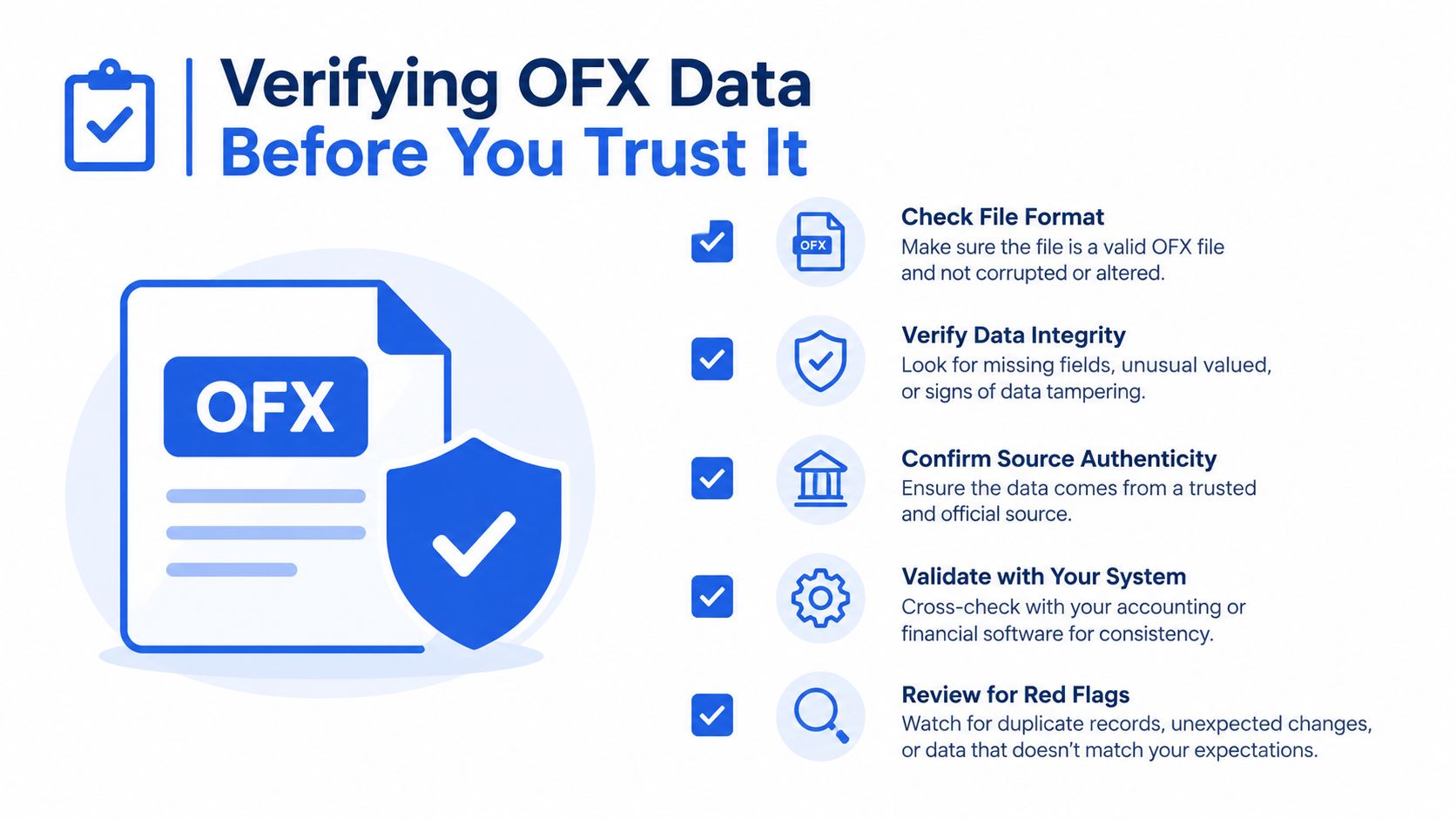
Before relying on imported data, we should check:
- Account identity: Confirm that the account number or account reference belongs to the intended ledger account.
- Date range: Compare the earliest and latest posted dates with the statement period.
- Row count: Compare the imported transaction count with the bank statement and investigate an unexpected difference.
- FITID duplicates: Search for repeated financial institution identifiers where the bank supplies them.
- Signed amounts: Confirm that receipts increase the balance and disbursements reduce it.
- Closing balance: Recalculate the equation and compare the result with the reported closing figure.
- Descriptions: Review unusual blank, truncated, or misread names before categorizing transactions.
A detailed bank statement reconciliation guide can help us apply these checks within the wider close process. The principle is the same whether the data came from an OFX parser or a spreadsheet conversion. We verify the movement before we trust the output.
Choosing Between OFX Imports and PDF Conversions
A clean OFX file is usually the best starting point when the bank provides one. Its structured hierarchy gives accounting software more context than a copied table, including transaction identifiers, balances, and fields that support duplicate detection and repeatable imports. The application must still support the file's version and map its fields correctly.
PDF conversion suits a different situation. Use it when the institution supplies only a visual statement, scanned document, or password-protected file. It can also fill gaps when a bank export lacks enough information for review. Check the opening balance, transaction movement, and closing balance independently after conversion.
Use the source that provides evidence you can reconcile:
- Choose OFX: The bank offers a valid file, the application supports its version, and the fields map correctly.
- Choose CSV or XLSX conversion: The source is PDF-only, scanned, protected, or unavailable as structured data.
- Choose a review-first process: The statement has an unusual layout, missing balances, or transaction counts that do not reconcile.
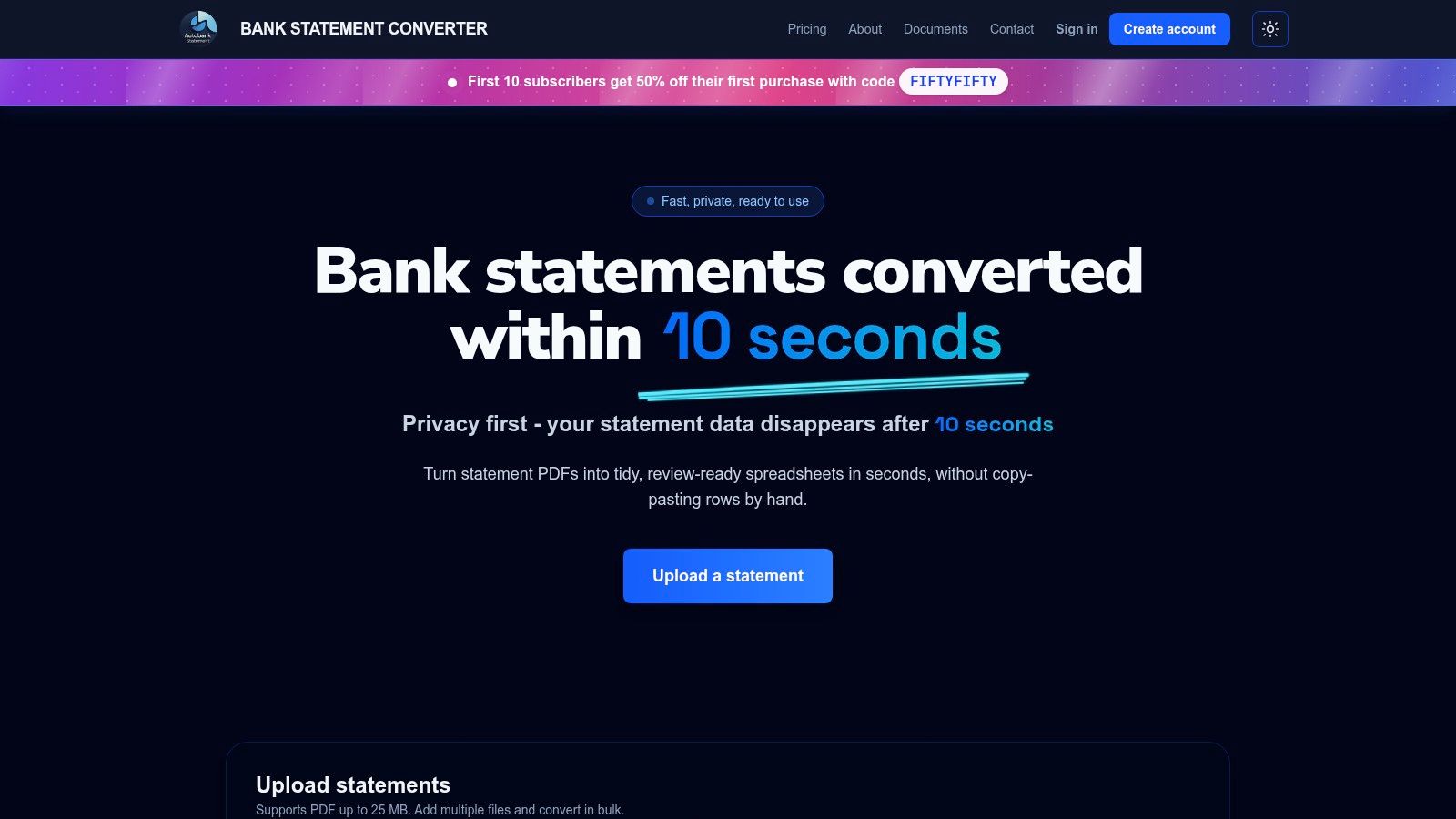
For PDF sources, autobankstatement converts digital, OCR-scanned, and password-protected bank statements up to 25 MB into CSV or XLSX. It supports bulk uploads, offers a free guest preview before payment, gives registered users 24-hour download access, and auto-deletes uploads within 24 hours. Its listed plans are Starter at $15 per month for 400 pages, Professional at $30 per month for 1,000 pages, and Business at $50 per month for 4,000 pages, with annual discounts and custom enterprise limits.
Autobankstatement can convert a PDF when an OFX download is unavailable. Visit autobankstatement.com to preview the service, review upload and download terms, and choose a plan for your reconciliation workload.
Convert your next statement in minutes
Upload a bank statement PDF — digital, scanned, or password-protected — preview the extracted table, and download clean CSV or Excel.