Audit Preparation Checklist: 8 Steps for 2026
An audit preparation checklist covering bank statements, reconciliations, supporting documents, and controls, with eight practical steps for finance teams.

Day one of audit fieldwork starts at 9 a.m., and the finance team is already hunting for a missing March bank statement while the auditor waits for a final cash listing. Most audit delays don't stem from missing transactions or accounting fraud. They come from statements pulled at the last minute, half-finished reconciliations, and locked PDFs that nobody can filter or tie to the trial balance.
That friction shows up across finance departments of every size. In a 2024 survey of 200 finance leaders by BDO, 69% said establishing data governance and internal data management was a barrier to a smooth audit experience. Coverage of the same 2024 BDO survey in the Journal of Accountancy reported that 56% of finance leaders identified compiling and preparing audit evidence as a barrier.
Generic document lists rarely fix that problem because they treat cash records like an afterthought. We sequence this audit preparation checklist around bank data instead. Starting with scope and statement completeness, proving every statement's arithmetic, converting transaction tables for testing, and documenting retention controls gives auditors a traceable file before fieldwork begins.
Table of Contents
- 1. Define Audit Scope, Period, and Materiality Before Gathering Records
- 2. Assemble a Complete Statement Population and Reconcile to the Ledger
- 3. Verify Each Statement's Arithmetic With a Balance Roll-Forward
- 4. Convert Statements to Structured Data for Testing
- 5. Document Data Handling and Retention for Sensitive Financial Files
- 6. Obtain Bank Confirmations and Third-Party Evidence
- 7. Prepare a Pre-Audit Review and Open Items Log
- 8. Organize Supporting Documents by Account, Period, and Test Area
- How the eight audit preparation steps compare
- Turn This Audit Preparation Checklist Into a Routine
1. Define Audit Scope, Period, and Materiality Before Gathering Records
Collecting files before agreeing on scope wastes days on accounts nobody will test and still leaves out accounts the auditor needs. Confirm the exact audit period, the entities and cash accounts in scope, and the materiality threshold with the external auditor or engagement reviewer before pulling a single PDF. Under ISA 320 (issued by the IAASB), materiality governs how much audit evidence is required, so aligning on that number early dictates how deep your supporting schedules need to go.
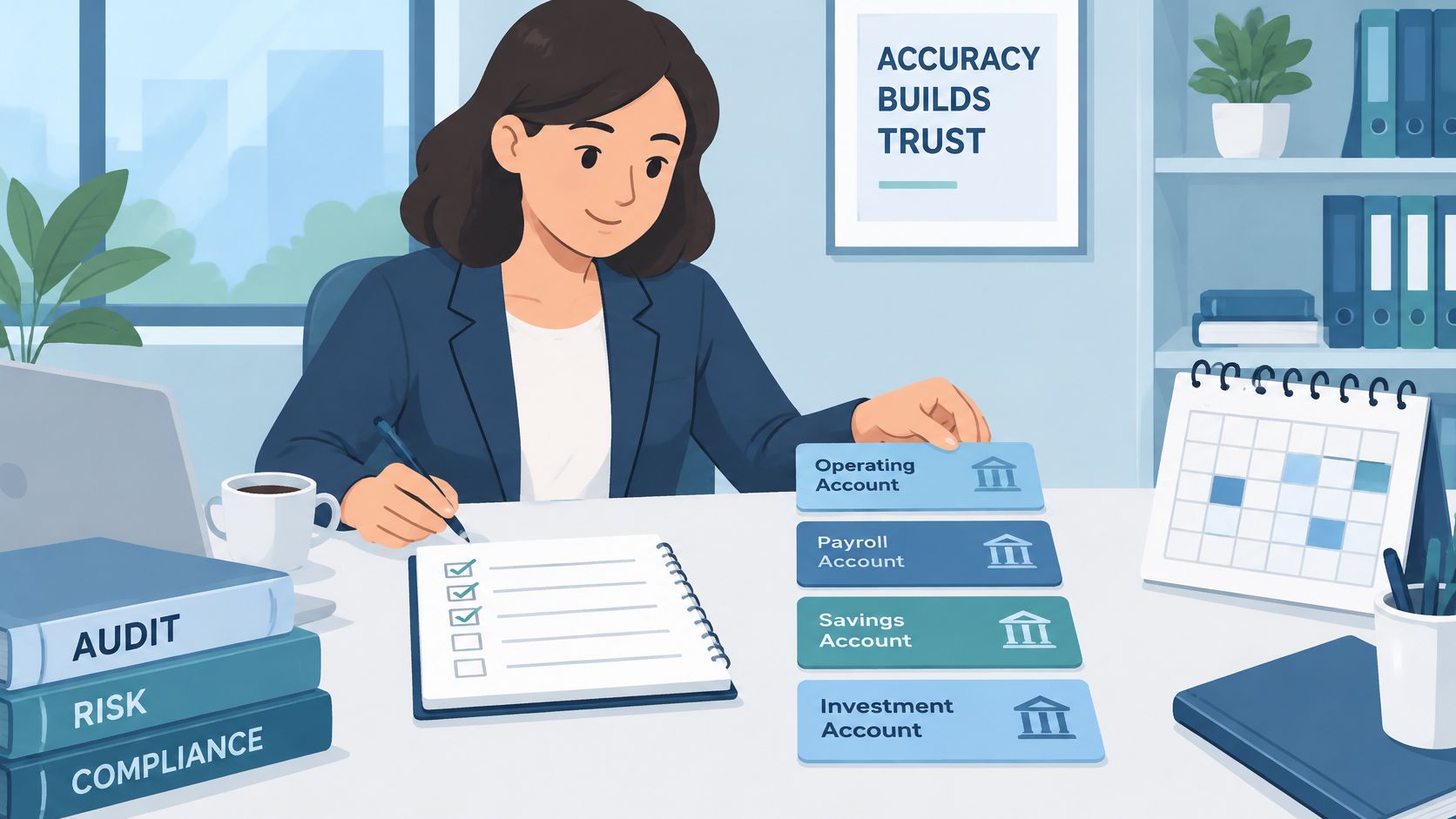
Audit preparation isn't just administrative file gathering. Guidance in ACCA's self-diagnostic audit checklist, aligned with International Standard on Auditing (ISA) 230, requires working papers to demonstrate that sufficient appropriate evidence supports every relevant financial-statement assertion. ACCA also warns that teams frequently pull figures automatically for analytical review while failing to document why material fluctuations, such as turnover or gross-profit shifts, occurred.
How Scope Prevents Mid-Audit Scrambles
Say a mid-sized wholesale distributor closes its books on December 31 with four operating accounts, one payroll account, and two merchant settlement accounts. Before year-end, the controller lists all seven accounts in the engagement letter, confirms cutoff dates for pending wires, and maps each bank account to its general ledger code. When January arrives, the team pulls monthly statements for all seven accounts on schedule instead of discovering a forgotten merchant account three weeks into fieldwork.
We lock down scope with three concrete actions before document collection begins:
- Request the PBC list in writing: Ask the auditor for a dated Prepared by Client (PBC) request list and track revisions in a version history so nobody works from outdated requirements.
- Map every bank account to the general ledger: Build a two-column crosswalk linking each bank account number to its exact GL cash account, catching sweep accounts, escrow balances, and petty cash accounts early.
- Flag opened and closed accounts: List any account opened or closed during the fiscal year, since those accounts generate partial-month statements and final zero-balance closing letters that auditors routinely request.
2. Assemble a Complete Statement Population and Reconcile to the Ledger
Auditors ask one question before testing a single cash transaction: is this population complete? Proving completeness is harder than it sounds when statements sit across multiple portals, legacy branches, and personal logins. A 2025 Deloitte internal audit survey found that 83% of internal-audit functions cited data access as a barrier, while 52% cited poor data quality.
Tax and statutory authorities treat statement completeness just as seriously. Guidance from HM Revenue & Customs states that companies normally need to keep accounting-period records for six years from the end of the relevant period, including statements for every bank or building-society account that paid out or received business money. If a small business owner runs both business and personal activity through one personal account, the records must clearly identify which transactions belong to the business.
Building a Complete Account Inventory
Consider an accounting firm preparing a year-end audit file for a client with six bank accounts. Rather than dropping PDFs into a shared drive, the team builds a simple 12-by-6 matrix listing every account down the rows and every month across the columns. Filling in the matrix immediately flags two months where the client downloaded only one-page balance summaries instead of full transaction statements, plus one dormant savings account still carrying an active ledger balance.
Completeness rule: A clean folder of uploaded PDFs proves you collected files, not that you captured the full population. Pair every statement inventory with a signed reconciliation tying each ending bank balance to the general ledger cash balance.
When gaps appear in the inventory, request duplicate or historical statements directly from online banking or the local branch right away, since archived statements sometimes take days to retrieve. Place every reconciling item, such as deposits in transit or outstanding checks, in a dedicated tab so the auditor can trace each one straight to its subsequent clearing date in the following month. Apply a consistent naming convention like Bank_Account_YYYY-MM from day one so your file list sorts chronologically without manual cleanup.
3. Verify Each Statement's Arithmetic With a Balance Roll-Forward
A spreadsheet that looks tidy on screen can still be wrong. Before using any bank statement or exported table as audit evidence, run one mandatory arithmetic check across every single period: opening balance + credits − debits = closing balance. Running this roll-forward on 100% of statements, not just a random sample, proves that extraction didn't drop a page, duplicate a row, or flip a minus sign.
Unexplained variances in that formula almost always point to specific, fixable defects. Common culprits include optical character recognition (OCR) misreading a digit on a scanned page, omitted middle pages from multi-page PDFs, duplicated transactions across page breaks, sign reversals on fee refunds, or pending entries posted after the statement cutoff date. Catching those errors internally takes minutes; letting an auditor discover them during cash testing costs hours of follow-up questions.
Catching Breaks Between Periods
Take a bookkeeper converting a full quarter of statements into Excel (XLSX) workbooks for a quarterly review. On each monthly tab, the bookkeeper adds a summary block totaling all credits and all debits, then writes a variance formula comparing the calculated ending balance against the printed closing balance on the bank PDF. A zero variance clears the sheet for filing, while an unexpected difference immediately exposes two skipped lines at the bottom of page four.
Use these three controls to make arithmetic verification repeatable across every engagement:
- Automate the check with a formula column: Build the roll-forward calculation directly into a standard reconciliation template so the variance cell recalculates instantly whenever a row is corrected or categorized.
- Check period-to-period continuity: Verify that each statement's opening balance matches the prior month's closing balance to the exact cent, confirming no transactions slipped into a gap between statement dates.
- Investigate small variances immediately: Never wave away a $3.00 or $12.00 discrepancy as immaterial before checking its cause, because two larger errors with opposite signs can easily offset each other and hide a material misstatement.
Keep the completed roll-forward sheet and any correction notes attached to the monthly reconciliation. That way, a reviewer inspecting the file months later sees both the original bank figure and the exact basis for every adjustment.
4. Convert Statements to Structured Data for Testing
Auditors test cash by filtering payees, sorting high-value disbursements, recalculating subtotals, and tracing transfers across accounts. Doing that work inside static PDFs slows fieldwork to a crawl and introduces copy-paste errors. Converting statements into clean CSV or Excel (XLSX) tables shifts the file from passive paperwork to testable data.
Full-population review is rapidly becoming standard practice. According to ACCA's 2022 analytics in finance report, auditors using big data and analytics can examine entire data populations instead of relying solely on point-in-time samples. Preparing structured spreadsheets up front lets your team reconcile subledgers, flag duplicate entries, and document unusual dates before the audit team ever runs its own scripts.
The illustration below shows the transition from locked statement pages to structured spreadsheet rows ready for testing.
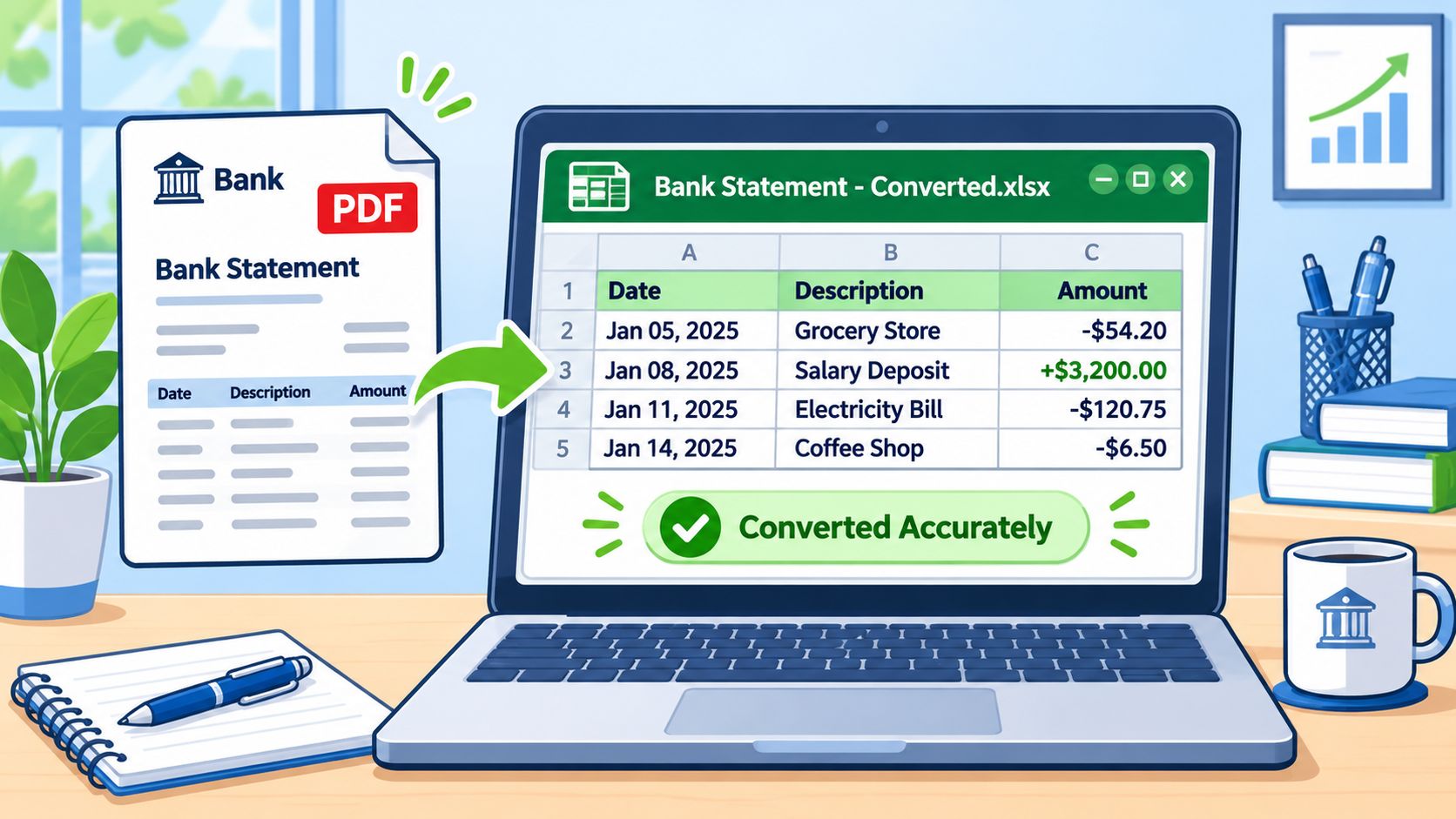
When teams need to convert bank statement PDFs to CSV or XLSX at scale, autobankstatement handles digital PDFs, scanned statements via OCR, and password-protected files up to 25 MB with bulk upload support, so a month-end spike in statement volume processes in one session rather than a queue. You can test a representative statement from each bank using the free guest preview before paying. Subscription plans suit ongoing bookkeeping, tax preparation, and larger batches of statements, so estimate your annual statement page count across all accounts before choosing a plan. For a team converting twelve monthly statements across four bank accounts, that baseline alone runs to hundreds of pages a year before you add credit cards or payroll accounts.
Validating Automated Outputs Before Handover
Automation speeds up extraction, yet governance still sits with the finance team. In the 2024 IIA-Protiviti global technology-risk survey of 1,246 executives and professionals, 55% of IT audit functions reported using data-analytics tools while 23% reported using AI or machine-learning tools. Because adoption varies widely, document which source PDFs were text-based versus scanned, note where OCR ran, and confirm that password-protected files were processed under controlled access. Passwords entered at upload should be used only for that conversion, and the working files should expire on a predictable schedule rather than linger in shared drives.
An in-house finance team preparing a year-end pack uploads twelve password-protected monthly PDFs in one batch, reviews the browser previews, and exports XLSX files. Before sending anything to the auditor, a staff accountant runs the balance roll-forward (opening balance + credits − debits = closing balance), checks total row counts, validates date and currency formatting, scans for duplicate lines, and spot-checks a sample of multi-line transaction descriptions against the original PDFs. That ten-minute review turns a fast export into reliable audit evidence.
5. Document Data Handling and Retention for Sensitive Financial Files
A year-end cash file is only as defensible as the trail behind it. Bank statements carry account numbers, payroll totals, vendor pricing, and counterparty names, and auditors will ask where each file went during close and who could download it. In the 2025 Jefferson Wells survey highlighted by ManpowerGroup, cybersecurity remained the top emerging risk and generative AI climbed to second place. Write the handling record before fieldwork starts, while the steps are still fresh.
Conversion tools are not archives. With autobankstatement, the original upload is used only to finish the conversion and is deleted within 10 seconds after processing. Generated downloads stay only for the retention window shown in the product: registered users get 24-hour download access, and download links expire. That short window limits exposure while the statement is converted. Permanent record keeping still belongs to the finance team.
Regulators separate viewing a file from keeping audit documentation. Under PCAOB Auditing Standard AS 1215), U.S. public-company audit documentation must be retained for seven years and must contain enough detail to support the conclusions. Private businesses and sole proprietors should set their calendars against the tax rules that apply to them, including IRS guidance on business records, and write a policy on how long to keep bank statements.
What to Record in Your Handling Log
A five-person accounting firm closes client packages the same way each January. The senior associate downloads the converted CSV and XLSX files inside the 24-hour window, stores them beside the original bank PDFs in the firm's encrypted document system, limits folder access to the engagement team, and records the conversion date, tool name, and reviewer sign-off in a one-page handling memo.
Temporary file expiry protects data during conversion, not your compliance posture. Archive the original bank-issued PDF, the converted spreadsheet, the completed balance check, and the reviewer sign-off in your own controlled storage.
Keep the memo short and factual. Name the tool owner, the procedure, the input formats, who held access, whether a sensitive file was uploaded, and where the final records will sit for the full statutory retention period.
6. Obtain Bank Confirmations and Third-Party Evidence
A regional services company banks with three institutions and finishes its year-end close in mid-January. The auditor sends confirmation requests to all three banks, then compares each independent closing balance with the XLSX statement totals the finance team prepared. Two accounts match to the penny. The third shows a variance: a year-end wire recorded on December 31 in the company's ledger cleared the bank on January 2. The team had already documented that timing item in its cash reconciliation, so the auditor clears the exception on the first pass.
That clearance rests on evidence the bank sends directly, not only on the company's statement copies. Under ISA 505 (External Confirmations), external auditors often send confirmation requests straight to banks to verify year-end cash balances, authorized signers, credit lines, loans, and pledged collateral. Internal statement files still support the roll-forward and the ledger tie-out. A response that comes from the institution carries more weight when cash is tested.
Managing Bank Turnaround Times and Differences
Some banks use electronic confirmation portals. Smaller community banks and international branches still require wet-ink authorization letters mailed or uploaded through a relationship manager. If the team also needs a formal bank letter confirming account ownership or standing balances for a lender or auditor, confirm the institution's required wording well before the close date. Knowing each bank's confirmation channel, fee schedule, and processing time before year-end keeps cash sign-off from stalling the report.
Three habits keep external confirmations on schedule:
- Submit authorization letters early. Send signed client authorizations to every bank before fiscal year-end, since manual bank confirmation desks often take considerably longer during peak audit season.
- Maintain one confirmation tracker. Track every bank confirmation on the same master sheet as the monthly statement reconciliations so reviewers can compare confirmed balances, bank statement closing balances, and GL balances side by side.
- Document alternative evidence upfront. If an online fintech account or a foreign institution refuses standard audit confirmation requests, note that limitation early and agree with the auditor on alternative procedures, such as live portal observation alongside subsequent-period bank statements.
7. Prepare a Pre-Audit Review and Open Items Log
A year-end file can feel finished and still fail under independent review. A practical test is simple: someone outside the preparation process should be able to trace every bank account from the statement inventory, through the reconciliation, to the supporting evidence without asking for verbal explanations.
Regulatory inspection results show how often documentation gaps undermine audit work. In its 2022 report on public-company audit inspections, the PCAOB expected approximately 40% of inspected audits to contain at least one significant Part I.A deficiency, up from 34% in 2021 and 29% in 2020, and 46% to contain a Part I.B deficiency.
Inspectors treat missing documentation as evidence that a procedure cannot be substantiated, even when staff say the work happened. A structured pre-audit review catches missing signatures, unexplained reconciling items, and unverified conversions while your team still controls the calendar.
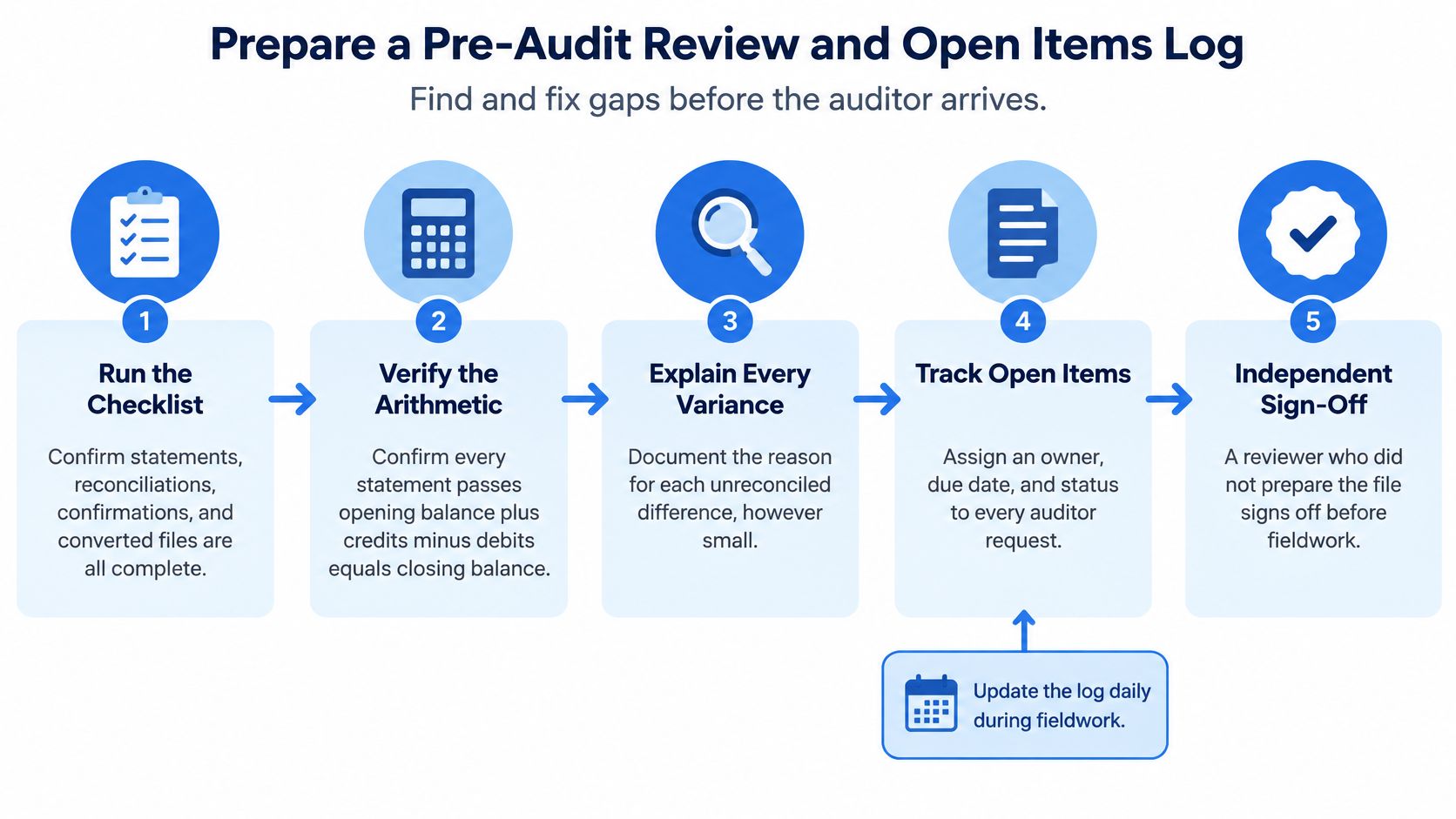
The process flow below outlines a five-step sequence for executing that pre-audit review and managing open items through fieldwork.
Running an Independent Dry Run
A bookkeeping team scheduled for fieldwork on March 1 starts its dry run two weeks earlier. A senior manager who did not build the year-end file reviews the cash binder against the PBC list. The review catches one missing October statement for a secondary operating account and an unexplained $450 difference in November's reconciliation caused by a duplicate bank fee entry. Both items are fixed, documented, and closed on the open items log five days before the auditors enter the data room.
The log itself should be more than a list of auditor questions. Use one row per exception and keep the fields specific enough that anyone can act on them:
| Log field | What to record |
|---|---|
| Item | The exception, tied to the exact account, period, and reconciliation line |
| Owner | One named person responsible for resolution |
| Due date | The date by which the item must be fixed or answered |
| Status | Open, in progress, ready for review, or closed |
| Evidence | The final statement, reconciliation, conversion output, or explanation supporting closure |
Three controls keep the review honest:
- Use an independent internal reviewer: Assign someone who did not prepare the reconciliations. Fresh eyes spot formula breaks, missing statements, and unclear explanations faster than the original preparer.
- Mirror naming conventions everywhere: Use the same account codes and period labels across the statement inventory, cash reconciliations, converted files, and open items log. A reviewer should be able to cross-reference an exception in seconds.
- Update the log daily during fieldwork: Refresh statuses at the end of each workday. Management and auditors should always see the same owners, deadlines, and remaining items.
Close an item only when the supporting document is in the file and the reviewer agrees the explanation is complete. A verbal answer may satisfy the question for a day, but it will not defend the file later.
8. Organize Supporting Documents by Account, Period, and Test Area
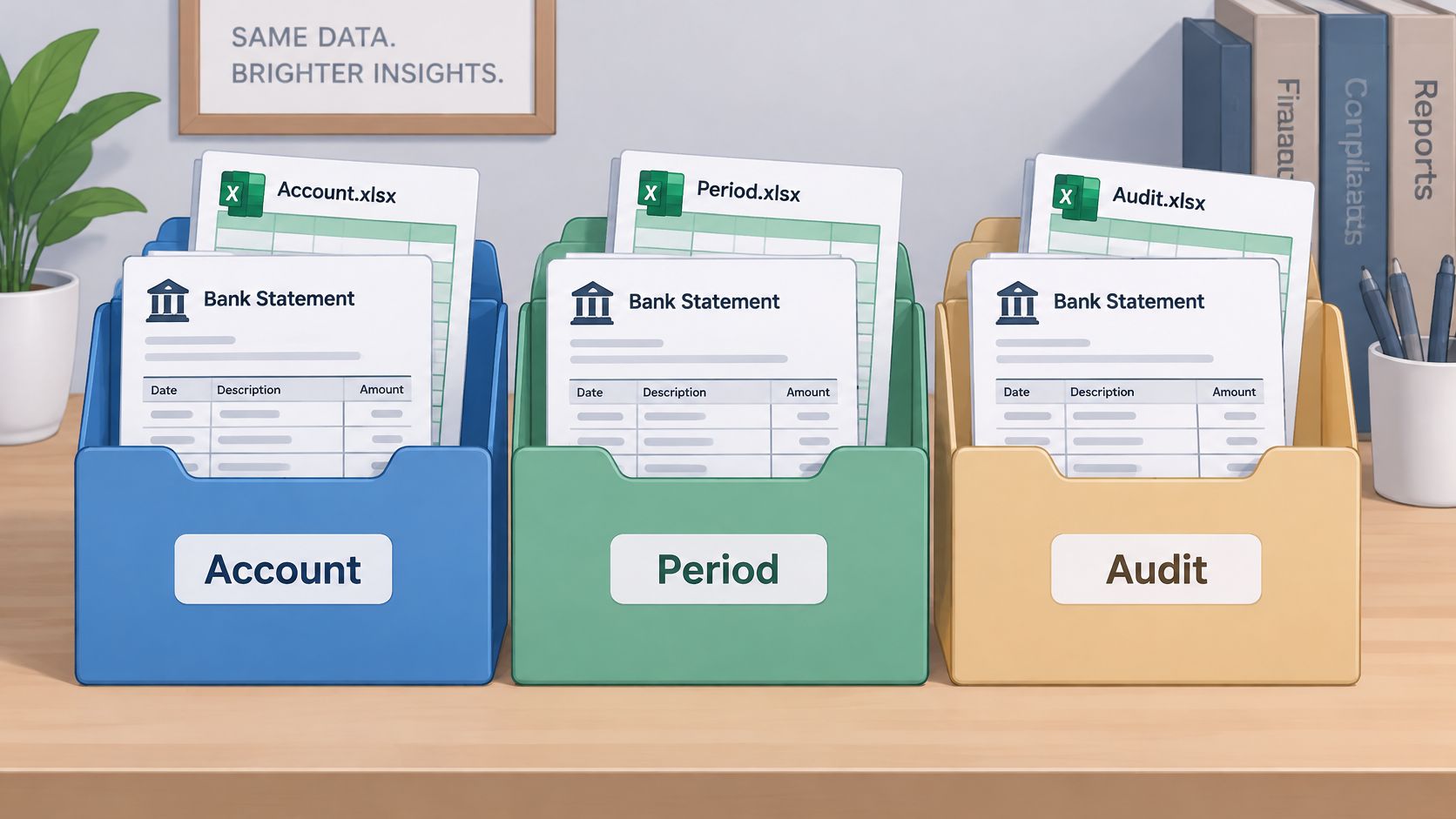
Even complete, mathematically verified evidence loses value if an auditor spends twenty minutes hunting through miscategorized folders. Imagine a freelancer or small business owner preparing an annual tax and review pack where every bank account has its own folder split by year, with each converted XLSX statement indexed right beside the original bank PDF. When a reviewer questions a single client deposit from August, the owner opens the index, locates the exact row in the XLSX file, and pulls the matching original PDF page in under thirty seconds.
Here's a simple way to visualize grouping source records and spreadsheets across accounts, periods, and test areas.
Clean indexing also protects your file years after fieldwork wraps up. Under PCAOB Auditing Standard No. 3, the retention clock for audit documentation starts on the report release date (or when fieldwork is substantially completed if no report is issued), and workpapers, schedules, confirmations, and explanations must stay detailed enough for an experienced reviewer to trace material balances and understand the work performed years later.
Pairing Originals With Working Spreadsheets
Structure your digital binder in three clear tiers: first by bank account, second by period (year and month), and third by audit test area such as cash, accounts payable, accounts receivable, or payroll. Adopt one rigid naming convention, such as Client_Account_YYYY-MM_Statement, before uploading or converting a single document so the original PDF and the derived XLSX always sort together.
Indexing standard: Never separate a converted spreadsheet from its source PDF. Store both files in the same period folder and list them on a master index tab that shows file status, roll-forward result, and reviewer sign-off.
Before granting auditors read access to the folder, walk down every row of your master index and click the corresponding file. Confirming that no links are broken, no draft versions remain mixed with finals, and every listed statement exists saves hours of unnecessary email threads once fieldwork starts.
How the eight audit preparation steps compare
| Item | Core Deliverable | Main Limitation | Best Used For |
|---|---|---|---|
| Define Audit Scope, Period, and Materiality Before Gathering Records | Written scope, statement periods, materiality thresholds, and contacts | Scope may change and requires early engagement | Setting clear document requirements before collection |
| Assemble a Complete Statement Population and Reconcile to the Ledger | Account-by-month statement inventory and reconciliations | Time-consuming; older statements may be hard to retrieve | Proving statement completeness and identifying missing records |
| Verify Each Statement's Arithmetic: Opening Balance + Credits − Debits = Closing Balance | Arithmetic and carry-forward checks for every statement | Does not establish authenticity or catch errors that offset | Checking statement data for internal consistency |
| Convert Statements to Structured Data for Testing | Bank statement PDFs converted to CSV or XLSX | Output accuracy needs source verification | Enabling transaction filtering, sampling, and analysis |
| Document Data Handling and Retention for Sensitive Financial Files | File access, processing, storage, and deletion procedures | Does not replace internal retention policies | Handling sensitive financial records with clear controls |
| Obtain Bank Confirmations and Third-Party Evidence | Bank confirmations and a log comparing confirmed and stated balances | Responses may be slow or incur fees | Obtaining independent evidence of account existence and balances |
| Prepare a Pre-Audit Review and Open Items Log | Final review checklist and tracked requests with owners and status | Requires senior staff time and frequent updates | Finding and resolving gaps before and during fieldwork |
| Organize Supporting Documents by Account, Period, and Test Area | Indexed folders linking converted files to originals and audit evidence | Setup and consistent naming require discipline | Making documents easy to trace, retrieve, and reuse |
Turn This Audit Preparation Checklist Into a Routine
An audit file rarely comes together through one frantic week in January. It stays clean because the finance team runs the same disciplined checks at every month-end: statements downloaded on schedule, opening balance + credits − debits = closing balance verified to zero difference, reconciliations signed off, and source PDFs indexed beside their working spreadsheets before the next month closes.
Assign one named owner to maintain this audit preparation checklist across the full fiscal year rather than dusting it off when the engagement letter arrives. When one person owns the inventory matrix, the naming rules, and the open items log, staff turnover or software migrations don't create three-month holes in your cash trail.
A Monthly Cadence That Pays Off at Year-End
Breaking year-end prep into twelve small monthly loops removes almost all fieldwork stress:
- Day 3 of the new month: Download complete bank statements for every active, merchant, payroll, and dormant account, naming each PDF with your standard
Account_YYYY-MMpattern. - Day 5 of the new month: Convert PDFs to CSV or XLSX where structured testing is needed, archive both the original PDF and the output in your controlled storage, and run the balance roll-forward formula on every account.
- Day 7 of the new month: Reconcile ending bank balances to the general ledger, document every timing difference on a separate reconciling tab, and secure an independent reviewer sign-off.
- Quarterly check-in: Review opened or closed accounts, confirm bank confirmation contacts haven't changed, and clear any lingering items on the open items log while transactions are still fresh.
Keep one trade-off front of mind as you standardize your workflow. Fast tools cut hours of manual rekeying out of close, yet automation never replaces human review. Every converted spreadsheet still needs a documented roll-forward check and a quick visual tie-out against its original bank PDF before it goes to your auditor. Build that habit into every monthly close, and your next audit starts calm, organized, and defensible from day one.
If your finance team is ready to eliminate manual PDF copy-paste during monthly close and year-end prep, autobankstatement converts digital, scanned (OCR), and password-protected PDF bank statements up to 25 MB into clean CSV or Excel (XLSX) files with bulk uploads and a free guest preview before payment. Download your structured tables within the 24-hour access window, run your balance roll-forward check against the original PDFs, and deliver audit-ready cash files without the last-minute scramble.
Convert your next statement in minutes
Upload a bank statement PDF — digital, scanned, or password-protected — preview the extracted table, and download clean CSV or Excel.