
Monthly Bank Statements: What They Show and How to Use Them
Learn what monthly bank statements contain, how to review them line by line, and how to reconcile them to your books and keep records safely.
The statement lands in the shared inbox on the third of the month, or the fifth, or whenever the bank's cycle rolls over, and it joins eleven others in a folder. Someone has to open it, decide whether the numbers are right and get the month's transactions into the books before the close. That's usually where the work stalls, because a forty-page PDF is easy to look at and hard to prove.
We treat a monthly bank statement as a control record. It isn't a receipt for money that moved and it isn't a courtesy summary. It's the bank's own account of what it booked to our account inside a fixed window, with totals we can re-add and rows we can test. When the totals and the rows disagree, one of them is wrong, and finding which one is our job.
What follows is the walk-through we give someone new on the reconciliation desk. It covers what each field is for, how the fields check each other, and where a tidy spreadsheet can look finished while hiding an error or carrying more personal data than the original PDF did.
Table of Contents
- What Sits on a Monthly Bank Statement
- How to Review a Statement Line by Line
- Reconciling Statements Against Your Ledger
- Why the Balance Does Not Tie Out
- Organizing and Keeping Statement Records
- Sharing Statements Without Oversharing
- Confirm Your Monthly Routine Before the Next Close
What Sits on a Monthly Bank Statement
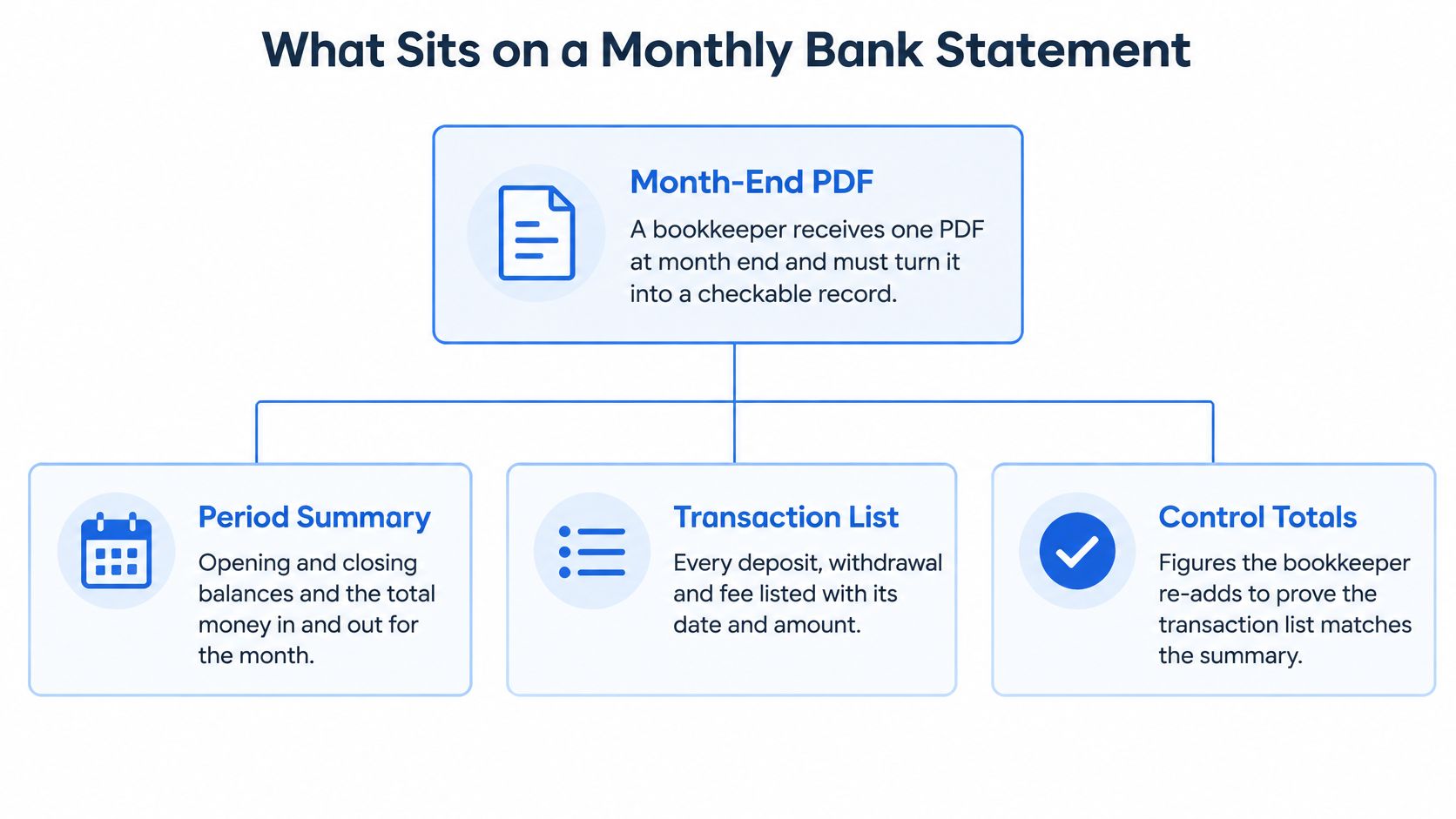
A statement holds two things at once. The period summary gives the opening balance, the closing balance, fees, interest and, on many formats, the total money in and out for the period. The transaction list gives every movement with its date, description and amount. Both are views of the same account, produced by the same system, and they have to reconcile to each other before they can reconcile to our ledger.
That pairing is what makes the statement a control record. The summary is the bank's claim about what happened in the window. The rows are the evidence. When the evidence adds up to the claim, the statement proves itself before we ever touch our own books.
When a Statement Has to Arrive
In the United States, monthly delivery is tied to electronic activity rather than to the calendar. Under consumer-banking guidance from the CFPB, banks and credit unions generally must provide a statement at least monthly when an account permits electronic fund transfers and at least one such transfer occurs during the month. ATM withdrawals, debit-card purchases, online bill payments, direct deposits and recurring automatic payments all count. With no electronic transfer in a month, a quarterly statement is permitted, though many institutions still issue statements monthly as a standard service. The same guidance requires transaction details, transaction-related fees and beginning and ending balances.
| Field | Where it appears | What it confirms | Bookkeeping use |
|---|---|---|---|
| Account holder and account number | Statement header | The statement belongs to the account being reconciled | Matches the statement to the correct ledger account |
| Statement period dates | Statement header | The exact window the transactions cover | Sets the cutoff for the month's entries |
| Opening balance | Summary block | The balance at the start of the period | Starting point for the balance check |
| Transaction date and posting date | Each transaction row | When the activity occurred and when the bank booked it | Assigns entries to the right period |
| Description and reference | Each transaction row | The counterparty, payment type or bank reference | Supports matching and categorization |
| Debit and credit amounts | Each transaction row | Money out and money in | Forms the entries that must add up to the closing balance |
| Running balance | Each transaction row, where shown | The balance after each entry | Helps locate the exact row where a difference begins |
| Fees, interest and closing balance | Summary block and transaction rows | Charges and earnings, and the ending position | Creates expense and income entries and sets the reconciliation target |
Before you review a statement, find each of those fields on the page in front of you. It takes two minutes and it prevents the most common early mistake, which is treating a running balance as the closing balance or reading a posting date as the transaction date.
Then run the check the statement is built for: opening balance, plus every credit, minus every debit, should equal the closing balance. When that arithmetic holds, the summary and the rows confirm each other and you can trust the document as a starting point. When it fails, the problem is on the page in front of you, and it is far cheaper to catch it there than after the figures reach the ledger.
Access can fail even when the statement exists. Many households lack reliable internet access, and legislation reintroduced to preserve access to paper statements highlights the risk for older adults and people without steady connectivity, citing complaints recorded in the CFPB's 2025 consumer response report about difficulty receiving statements both electronically and by mail. When the portal won't cooperate, request a paper or mailed copy and file it exactly as you would a PDF, noting the statement date and the delivery method in the reconciliation file.
How to Review a Statement Line by Line
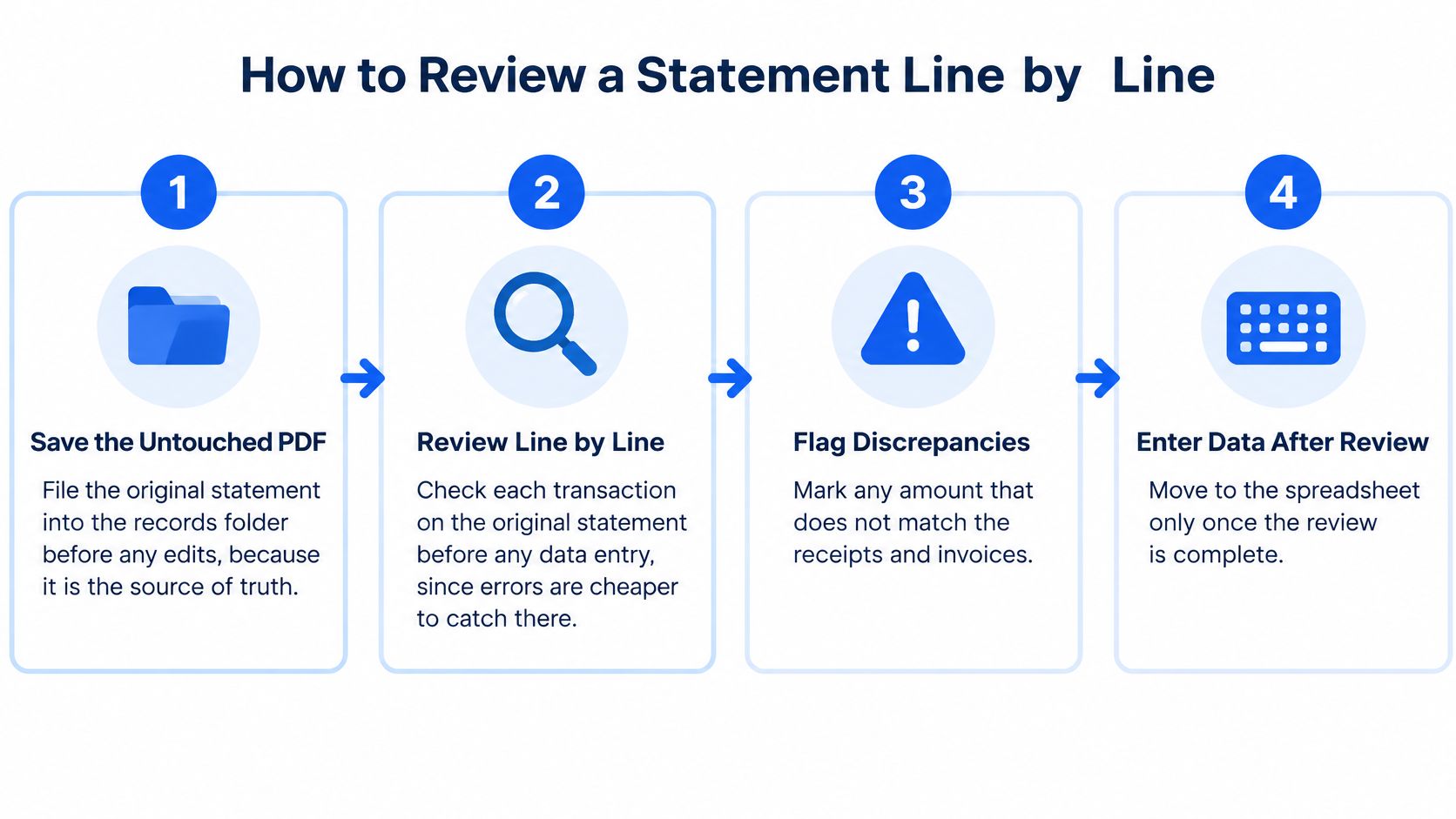
Review comes before data entry, every time. A wrong figure caught on the PDF costs a minute. The same figure caught three weeks later, after it has been categorized, matched and folded into a report, costs an afternoon and an apology to the client.
Eight Checks on the Original
- Save the untouched PDF first. Copy it into the records folder before any edit or conversion. The original is the source document, and the IRS recordkeeping guidance for electronic records holds electronic records to the same basic principles as paper records, including that records requiring retention are generally preserved in their original format. A converted table is a working copy, not a replacement.
- Confirm the account and the period. Compare the holder name, the masked account number and the statement period dates against the account in the ledger. Shared inboxes and multiple accounts at one bank are where wrong-account postings begin.
- Match the opening balance to last month's closing balance. The two should be identical. When they aren't, the cause is usually a corrected statement, a reopened account or a period that was never fully reconciled, and it's cheaper to chase now than after the rows are entered.
- Read each row and mark it. Three marks are enough: expected, unfamiliar, pending. Keep both dates in view, because a card purchase made on the 29th can post on the 2nd of the next month, and the bank books it in the period where it posted. Descriptions are often truncated to codes, so keep our guide to abbreviations on bank statements open beside you.
- Test the fee and interest lines. Check them against the account's published schedule rather than memory. A maintenance fee that started in March is trivial alone and material across a year of statements.
- Count the pages. Statements get downloaded in pieces, emailed in two parts or printed with one page missing. A missing page removes rows and leaves the summary totals untouched, which is the hardest error to catch later.
- Run the control sum. Opening balance plus credits minus debits should equal the closing balance. Where the statement shows a running balance per row, spot-check the final one against the summary block.
- Flag anything unfamiliar the same day. Send the query to the bank in writing with the date, amount and reference. The sooner it's raised, the better the chance the bank traces it before its own review window closes.
Review isn't data entry with a glance attached. It's the step that decides whether there's data worth entering.
Close by marking the file reviewed, with initials and the date, in the reconciliation notes. That single line tells the next person the statement was checked rather than merely downloaded.
Reconciling Statements Against Your Ledger
Picture two copies of the same dinner bill. One diner writes down what she paid as she pays it. The other adds everything up at the end of the night. Both are honest, and the totals differ, because one recorded payments and the other recorded prices.
That's the ledger and the statement. The ledger is our record of what we believe happened. The statement is the bank's record of what it booked. Reconciliation explains every difference between them until the adjusted balances match, and the explanation is the deliverable, not the matching figure.
Where the Two Copies Disagree
Most gaps are timing, and a short list covers nearly all of them:
- Deposits in transit. Money recorded in the books but not yet credited by the bank at the cut-off.
- Outstanding checks. Payments we issued and recorded that the recipient hasn't presented.
- Bank fees and charges. Taken by the bank, not yet entered in the books.
- Interest credited. Added by the bank, not yet recorded as income.
Each item gets a date and an expected clearing period, so next month's reconciliation closes it instead of rediscovering it.
The Order to Match In
Match on exact amount and date first. Then amount within a short date window, which catches weekend posting and next-day settlement. Then reference or counterparty text, which handles descriptions that never match the invoice wording. Categorize last, and only after an item is matched, because a category assigned to an unmatched line becomes the reason nobody looks for the match again.
A Worked Month
Say the bank statement closes at 12,480.37. The books show deposits in transit of 1,200.00 and outstanding checks of 455.20. Take the bank's closing balance, add the deposits and subtract the checks: 12,480.37 plus 1,200.00 minus 455.20 gives an adjusted bank balance of 13,225.17. The ledger balance, once its own unrecorded items such as fees, interest and bank-initiated transfers are posted, must equal that figure. If it doesn't, one of the inputs is wrong, not the arithmetic.
Practical rule: A difference you can't explain is a question for the bank, not a plug figure. Parking the gap in a suspense account hides the cause for another month.
A template keeps this honest, and the one we use for bank statement reconciliation holds the reconciling items in dated columns so the next close starts from a clean position.
Why the Balance Does Not Tie Out
A failed balance check always has a specific cause. Opening balance plus credits minus debits either equals the closing balance or something concrete went wrong: a row was dropped, a sign flipped, a page was counted twice, or an entry isn't what it appeared to be on the page. None of those problems are solved by adjusting the total.
Why a Batch Is Not a Transaction
A single visible debit can be an aggregate. Banks report booked entries, and one booked ACH, card or payroll batch may cover dozens of underlying payments. ISO 20022 CAMT.053 makes that structure explicit: an end-of-day bank-to-customer statement reporting booked entries, opening and closing balances, transaction references, fees, taxes and exchange-rate information, with underlying details for batched transactions where the bank supplies them, as set out in Huntington's CAMT.053 developer documentation. A monthly PDF flattens all of that into one line.
That flattening is where a converted spreadsheet misleads. A parser can produce rows that look complete while losing the distinction between the booked total and the payments inside it. Keep balance fields and the raw description alongside any normalized columns you add, so a batch can be traced back and split only when the bank's detail arrives.
Triage the Difference in This Order
- Recount rows against page totals. Compare the number of rows on each page with what the page header states.
- Check the sign on every amount. A debit read as a credit shifts the total by twice the amount.
- Hunt duplicates at page breaks. Repeated headers and overlapping pages are the usual source.
- Strip out timing items. Outstanding checks and deposits in transit belong in the reconciliation, not in the transaction total.
- Isolate batches and carryovers. A single large debit matching several invoices needs the bank's breakdown, and a mismatched opening balance points to a prior period.
| Symptom | Likely cause | Check or fix |
|---|---|---|
| Difference equals one whole row amount | A row was skipped during conversion or a page was missed | Compare row count with page totals and re-extract the missing page |
| Difference is twice the amount of one row | A debit was read as a credit, or the sign was lost | Check column headers and signs against the source PDF |
| Total is overstated by one row | A row was duplicated at a page break or repeated header | Remove the duplicate by date, amount and reference, then recheck the total |
| Difference matches one ledger entry | Timing difference such as an outstanding check or deposit in transit | Record the item as a reconciling item with its date and expected clearing period |
| One large debit matches several invoices | Batch entry such as an ACH, card or payroll batch | Request the batch detail from the bank and split the entry in the books |
| Opening balance differs from last month's closing | Prior period not closed, or a corrected statement was issued | Compare with the earlier statement and ask the bank for a corrected copy if needed |
Batch rule: If one debit hides five invoices, split it only after the bank gives you the five. Until then, book the total and flag it as pending detail.
Organizing and Keeping Statement Records
The archive is deliberately dull: a source document and a working copy, filed together, named so they sort next to each other.
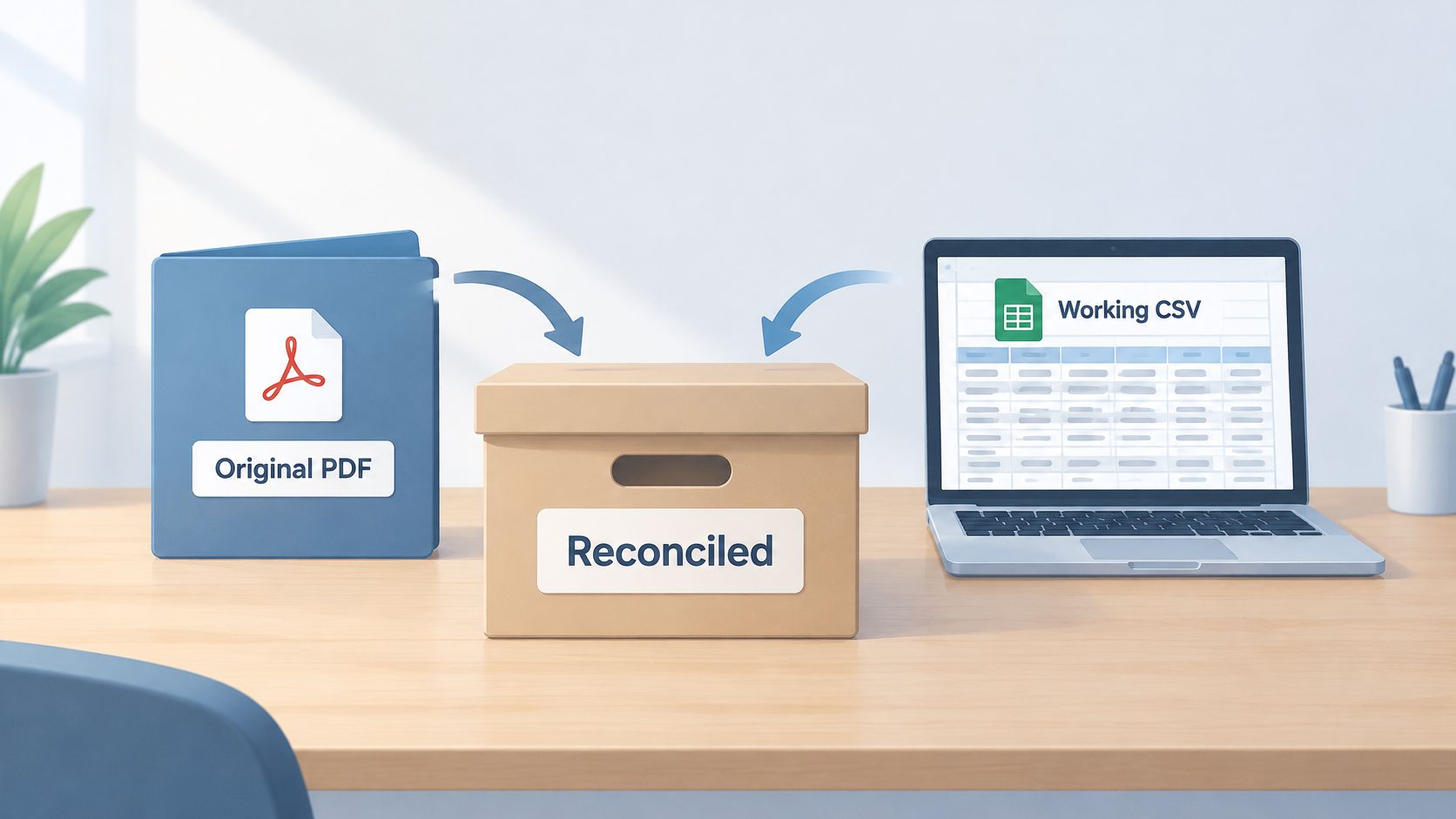
Keep two files for every statement. The first is the original PDF, stored exactly as it arrived. The second is the CSV or XLSX you worked in, saved after review with any corrections noted in the reconciliation notes. What gets archived at month end is the pair. Anyone asking six months later why a figure changed can go back to the source and see it.
Name both files the same way, with account, year and month, then file type. A March 2026 checking statement becomes Checking_2026-03_statement.pdf and Checking_2026-03_working.xlsx. Folders run by account, then by year, with a notes folder holding the reviewer sign-off. If you're setting a retention schedule, our note on how long you should keep your bank statements covers the usual windows by document type.
How Long the Records Have to Stay
Retention is set by law, not by convenience, and the UK gives a concrete worked case. HMRC's VAT guidance lists bank statements and paying-in slips among the business records that must be retained, generally for at least six years, and HMRC's company-record guidance requires companies to keep accounting records for six years from the end of the relevant financial year, with longer periods where transactions span accounting periods or a compliance check is in progress, as HMRC's record-keeping notice sets out.
Two separate controls sit here, and they get confused. A processing service deleting uploads is a privacy control and says nothing about how long the business must keep the statement. The original and the approved working file belong in the firm's own controlled records system for the full legal period. Teams outside the UK should confirm their own retention period with a tax adviser or the relevant authority before writing a deletion policy.
Our own workflow follows the same shape. After upload, transactions are pulled into clear rows, and you review the table in the browser and make quick edits before downloading. The file you download is the working copy that goes into the archive next to the PDF.
Sharing Statements Without Oversharing
A tidy spreadsheet is easier to copy than a PDF. That's the counterintuitive part of statement handling. Stripping a statement down to CSV produces a small file that opens in any tool, travels well over email and can be searched in seconds. The PDF at least carried the bank's layout. The table carries only the facts, which is exactly what a careless forward or a fraudster wants.
The risk is current. The CFPB continues to record complaints about unauthorized deposit-account transactions, including scams in which people were deceived by someone impersonating their bank, and its privacy survey work found that 89% of respondents believed banks should not give companies access to their personal data without permission, with 94% opposed to unsolicited marketing built on that data, according to the CFPB's 2025 consumer response report.
What Each Recipient Actually Needs
Redaction is a decision per recipient, not one global setting. The defaults below hold for most requests; change them when the recipient states a specific requirement in writing.
| Field | Bookkeeper | Lender or landlord | Software import |
|---|---|---|---|
| Full account number | Mask to last four digits | Mask to last four digits | Include only if the import requires it |
| Routing number | Remove | Remove unless the request requires it | Remove unless the import requires it |
| Home address | Remove | Keep only if the request requires it | Remove |
| Transaction descriptions | Keep | Keep | Keep, removing personal payee details where possible |
| Opening and closing balances | Keep | Keep | Keep, since the balance check depends on them |
| Statement period dates | Keep | Keep | Keep |
Three habits hold across all three columns. Share through a channel with an expiry rather than a permanent link. Delete working copies once the reviewer signs off. And when a lender asks for a complete statement, send the full PDF through a controlled channel rather than an emailed spreadsheet, because their verification depends on the document's integrity, not on how easy it is to parse.
A clean table is a portable record. Portability cuts both ways.
Confirm Your Monthly Routine Before the Next Close
One routine, every account, every month. Download the statement within the first few business days after the statement date, review it that same week, and reconcile before the period closes. The timing matters for two reasons: a query to the bank still has room to resolve inside the month it belongs to, and the statement stays the control record the books are proved against. The spreadsheet built on top of it is only a working copy.
Test the routine on one account before scaling it to the rest. Convert that statement, then compare the converted file's totals against the PDF's summary block: opening balance, total credits, total debits, closing balance. Those four figures are the control check. A converted table can look tidy while a skipped page or a misread row hides inside it, and matching totals are what confirm the spreadsheet mirrors the document. When all four agree, the workflow will hold across the set.
Statements arrive in every state: digital files, scanned images, files locked behind a password. All three still reach a clean table, since OCR reads scans and a password entered at upload is used only for that conversion. A free guest preview runs before payment, files up to 25 MB convert to CSV or Excel, and registered accounts keep 24-hour download access to recent results. The uploads themselves are deleted within 10 seconds of processing, which is why the reviewed file needs to land in your own archive rather than wait in a download queue.
Run one statement through the balance check this month and time it. Then put the next statement date on the calendar as a fixed deadline.
When the month ends and the statements pile up, autobankstatement turns those PDFs into CSV or Excel tables with balances preserved, so the balance check runs against clean rows instead of retyped ones. It handles digital, scanned and password-protected files, and you can review the table in your browser and fix a row before you download it. Try a free preview on this month's statement and see how much of the close is left once the copying is gone.
Convert your next statement in minutes
Upload a bank statement PDF — digital, scanned, or password-protected — preview the extracted table, and download clean CSV or Excel.